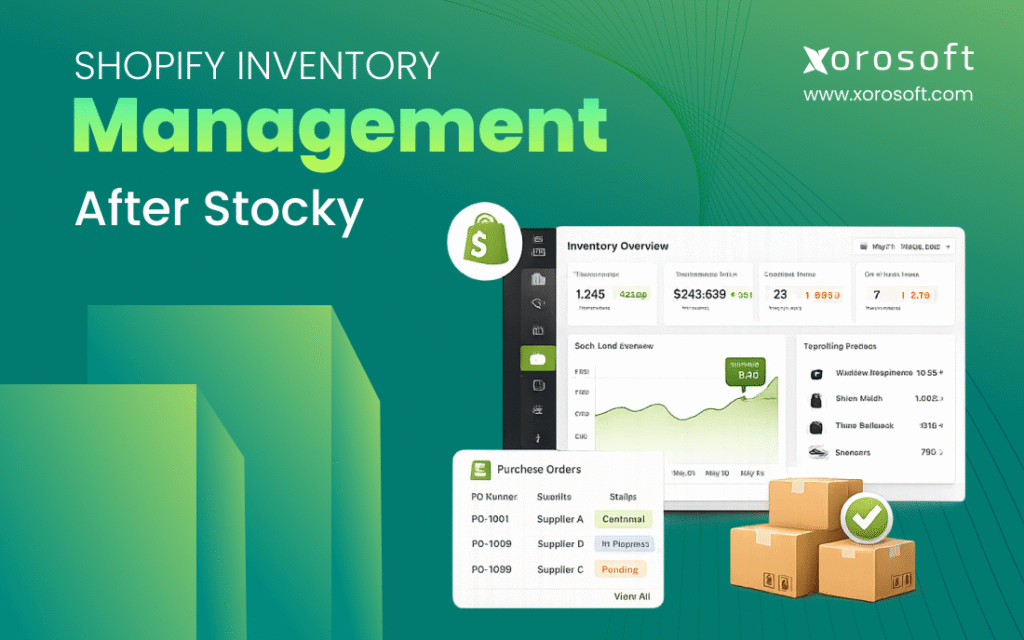
If you’re looking for solutions for Shopify inventory management after Stocky, you’ve come to the right place.
1. Why Stocky’s Retirement Changes Shopify Inventory Operations
Shopify inventory management after Stocky is not just a software replacement project. It is an operating reset for merchants that depended on Stocky for purchase orders, supplier workflows, stock counts, transfers, forecasting, and retail inventory control.
For years, many Shopify and Shopify POS merchants treated Stocky as the place where inventory decisions happened. Buyers used it to plan replenishment. Store teams counted stock through familiar workflows. Operators moved products between locations, while finance teams often depended on records that started from receiving, purchasing, and stock adjustments.
Now those workflows need a new home.
The biggest mistake a merchant can make is assuming the transition is only about finding another app with a similar feature list. In reality, every inventory workflow connects to another part of the business. Purchase orders affect receiving. Receiving affects available stock. Available stock affects Shopify orders. Stock availability affects fulfillment. Fulfillment affects customer experience. Inventory value affects accounting.
That is why Shopify inventory management after Stocky should begin with one strategic question: which system should own inventory for the next stage of the business?
A small store with one location may be fine using Shopify Admin and Shopify POS. Growing ecommerce brands with multiple warehouses, Amazon, wholesale orders, EDI, purchasing teams, and accounting complexity may need a more connected operating system. Between those two extremes, some brands may choose an inventory app or warehouse management system.
The right answer depends on operational complexity, not software popularity.
1.1 Stocky retirement creates an operating decision
When a tool disappears, the tasks it handled still remain. Shopify merchants still need to track inventory, plan replenishment, receive purchase orders, manage stock transfers, and understand what is available to sell.
Once Stocky is removed from the workflow, merchants must decide whether those tasks should move into Shopify, a dedicated inventory app, a warehouse system, or an ERP platform.
This decision matters because inventory is not isolated. It touches sales, purchasing, warehouse work, finance, customer service, and leadership reporting. For that reason, the transition should be planned by operators, buyers, warehouse managers, and finance teams together.
1.2 Shopify inventory management after Stocky needs workflow clarity
Before looking at software, document how inventory works today.
Ask who creates purchase orders, who approves them, and who receives goods. Confirm where costs are updated, how inventory counts are performed, and how transfers are recorded. Finance should also explain how the team validates inventory value and which reports are used every week.
These questions reveal how much the business relied on Stocky. They also prevent teams from choosing a replacement that solves only part of the problem.
A merchant may think the team only needs purchase order support. After mapping the workflow, the team may realize they also need supplier lead times, partial receiving, reorder points, forecasting, warehouse visibility, and accounting integration.
1.3 Delaying the Stocky transition creates avoidable risk
Waiting until the last minute can create rushed decisions, poor data cleanup, and confused teams.
Inventory systems are difficult to change under pressure because daily operations cannot stop. Orders still need to ship. Suppliers still need purchase orders. Warehouses still need to receive stock. Store teams still need accurate availability.
A better approach is to audit the current process, export important data, clean product and supplier records, test replacement workflows, and train the team before the deadline creates urgency.
2. What Stocky Workflows Shopify Merchants Need to Replace
Stocky was useful because it supported several inventory tasks that sit between Shopify sales and back-office operations. Replacing it requires merchants to identify each workflow clearly.
2.1 Inventory visibility after Stocky
Inventory visibility is the foundation of every other decision. If the business does not trust its inventory numbers, buyers cannot replenish accurately, warehouse teams cannot fulfill confidently, and finance teams cannot rely on stock value.
After Stocky, merchants need a clear inventory visibility process across products, variants, and locations. This includes available stock, committed stock, inbound stock, transferred stock, and adjusted stock.
For simple stores, Shopify Admin may provide enough visibility. Multi-location brands often need more detail, such as warehouse-level availability, reserved inventory, inbound purchase orders, and inventory that is already committed to another channel.
2.2 Purchase order management after Stocky
Purchase orders are one of the biggest operational gaps merchants need to address. Stocky helped many teams create, track, receive, and manage purchase orders.
After Stocky, teams need to decide where purchase orders will live and how they will connect to inventory updates. A weak PO process can cause overbuying, stockouts, duplicate orders, and poor supplier communication.
At minimum, merchants should preserve supplier names, vendor SKUs, product costs, expected arrival dates, open purchase quantities, received quantities, and PO history. These records help buyers understand what has already been ordered before placing new commitments.
2.3 Supplier workflows after Stocky
Supplier management is often more complicated than it looks. A buyer may need to track minimum order quantities, supplier lead times, payment terms, cost changes, vendor SKUs, and delivery reliability.
When supplier details move into spreadsheets after Stocky, the team may lose visibility quickly. One buyer may update a file while another works from an older version. As a result, purchasing decisions become inconsistent.
A stronger post-Stocky workflow should keep supplier data connected to SKUs, purchase orders, receiving, and replenishment planning.
2.4 Stock transfers after Stocky
Transfers matter for merchants with stores, warehouses, or multiple fulfillment locations. When stock moves from one location to another, both locations need accurate records.
A proper transfer workflow should show where stock came from, where it is going, who approved the movement, when it shipped, when it arrived, and whether the received quantity matched the expected quantity.
Without that visibility, Shopify may show stock available in the wrong place. That creates fulfillment delays and avoidable customer service issues.
2.5 Forecasting and replenishment after Stocky
Forecasting helps buyers understand what to order, when to order it, and how much cash to commit.
After Stocky, forecasting should not be reduced to guesswork. Merchants need to consider sales velocity, seasonality, supplier lead times, safety stock, open purchase orders, and channel-level demand.
A spreadsheet may work for a small catalog. However, as SKU count, locations, and sales channels grow, forecasting becomes harder to manage manually.
3. What Shopify Native Inventory Can Handle After Stocky
Shopify inventory tools can support many merchants, especially those with simple workflows. The key is understanding what Shopify can handle well and where additional systems may be needed.
3.1 Shopify Admin inventory management after Stocky
Shopify Admin allows merchants to track inventory, view stock levels, make adjustments, and manage inventory records. For merchants with a straightforward catalog and limited locations, this can be a clean and practical option.
The benefit is simplicity. Teams stay inside Shopify, avoid extra software, and manage inventory close to the sales channel.
However, Shopify Admin may not cover every purchasing, forecasting, warehouse, or accounting requirement. Merchants should test real workflows before deciding that native inventory is enough.
3.2 Shopify POS inventory workflows after Stocky
For retail merchants, Shopify POS can support store-level inventory visibility and daily inventory tasks. Store teams can check stock availability and support in-person selling.
Still, retailers often need more than basic visibility. They may need store replenishment rules, barcode counts, purchase order receiving, label printing, transfers, and variance reporting.
If those workflows were handled in Stocky, they need to be rebuilt carefully.
3.3 Shopify locations and multi-location inventory
Shopify supports inventory by location, which helps merchants track stock across stores, warehouses, and fulfillment points.
That said, location tracking is only part of multi-location control. A growing brand also needs clear rules for receiving, transfers, allocation, cycle counts, and order routing.
For example, if a wholesale order reserves inventory in one warehouse, Shopify availability should not accidentally allow ecommerce customers to purchase the same units. That level of control often requires more structure than basic location tracking.
3.4 Shopify inventory reports after Stocky
Shopify reports can help merchants understand inventory changes, product movement, and stock status. For smaller teams, these reports may provide enough insight.
However, leadership often needs broader operational reporting as the company grows. They may want to see inventory tied to purchase orders, supplier performance, warehouse activity, gross margin, inventory value, and sales channels.
That is where merchants often begin evaluating inventory apps, WMS platforms, or ERP systems.
4. Where Shopify Inventory Management After Stocky Starts to Break
Shopify is the commerce platform. It is strong at selling, channel management, checkout, and customer-facing workflows. But inventory-driven companies often need deeper back-office control as complexity increases.
4.1 Shopify inventory limits for purchasing teams
Purchasing becomes complex when buyers manage many suppliers, changing costs, long lead times, partial receipts, minimum order quantities, and seasonal demand.
If the purchasing process is disconnected from inventory, buyers may not know what is already on order. They may reorder too early, order too late, or miss demand signals from fast-moving SKUs.
That is why purchase orders after Stocky should be connected to real stock levels, incoming inventory, supplier lead times, and demand planning.
4.2 Shopify inventory limits for warehouse teams
Warehouse teams need operational detail. They need to know what arrived, where it should be stored, which orders need picking, which products require scanning, and which inventory counts need review.
If warehouse activity is updated late or manually, Shopify availability can become inaccurate during the day. That creates overselling risk, fulfillment delays, and customer service problems.
A warehouse-heavy brand should review whether it needs warehouse management workflows that support receiving, picking, packing, transfers, and counts with more control.
4.3 Shopify inventory limits for finance teams
Finance teams need reliable inventory value. That depends on accurate quantities, product costs, purchase receipts, adjustments, landed costs, and cost of goods sold.
If Shopify, QuickBooks, spreadsheets, and inventory apps do not agree, month-end close becomes slow. The finance team may spend days reconciling records instead of analyzing margins and cash flow.
This is often one of the first signs that the business has outgrown a disconnected inventory stack.
4.4 Shopify inventory limits for wholesale and EDI
Wholesale operations add complexity because orders are larger, pricing can be customer-specific, and inventory may need to be allocated before fulfillment.
EDI adds another layer because purchase orders, acknowledgments, shipping notices, and invoices may need to follow specific customer requirements.
A merchant that sells through Shopify and wholesale may need a system that connects inventory, order management, pricing, fulfillment, and accounting in one workflow.
5. Shopify Stocky Replacement Paths for Different Business Stages
There is no single best Stocky replacement for every Shopify merchant. The right path depends on business stage, workflow complexity, team size, and growth plans.
5.1 Shopify Admin as a Stocky replacement
Shopify Admin is a practical option for merchants with simple inventory needs. It may work well for a brand with a small catalog, limited locations, basic replenishment, and low operational complexity.
This path is attractive because it keeps the workflow simple. The team does not need to implement a larger system or manage additional integrations.
However, Shopify Admin may become limiting if the business needs advanced purchasing, forecasting, supplier management, warehouse execution, accounting integration, or multi-channel allocation.
5.2 Shopify inventory apps as Stocky alternatives
Inventory apps can help merchants fill specific gaps. Some apps focus on forecasting. Others support stock alerts, inventory syncing, purchase orders, or multi-location control.
This can be a good middle step for growing brands. The merchant gets more functionality without committing to a larger ERP implementation.
However, app sprawl becomes a risk. If one app handles forecasting, another handles warehouse tasks, another handles accounting, and another handles wholesale workflows, the business may still lack one reliable source of truth.
5.3 WMS software for Shopify warehouse inventory after Stocky
A WMS makes sense when the warehouse has become the operational bottleneck.
If receiving is slow, picking errors are rising, bin locations are unclear, cycle counts are inconsistent, or fulfillment teams depend on manual workarounds, warehouse software may solve the most urgent problem.
Still, a WMS does not always solve purchasing, accounting, forecasting, or financial reporting. Merchants should understand whether their biggest issue is warehouse execution or broader operational control.
5.4 ERP software for Shopify inventory management after Stocky
ERP becomes relevant when inventory touches the entire business. This usually happens when a merchant manages multiple warehouses, wholesale customers, Amazon, EDI, manufacturing, purchasing teams, and finance requirements.
A cloud ERP platform for inventory-driven businesses can connect inventory, purchasing, accounting, warehouse management, forecasting, reporting, and ecommerce operations. This gives teams one operating system behind Shopify rather than a collection of disconnected tools.
ERP is not necessary for every merchant. However, it becomes increasingly useful when operational complexity starts slowing down growth.
5.5 Stocky replacement comparison table
| Replacement Path | Best Fit | Strength | Main Limitation |
|---|---|---|---|
| Shopify Admin | Simple Shopify stores | Native, easy to use, low complexity | Limited advanced operations |
| Inventory App | Growing brands with focused gaps | Faster to implement | Can create another silo |
| WMS | Warehouse-heavy brands | Strong receiving, picking, packing, counts | May not solve finance or purchasing |
| ERP | Inventory-driven businesses | Connects inventory, purchasing, warehouse, accounting, reporting | Requires process planning |
6. Stocky Migration Checklist for Shopify Merchants
A strong Shopify inventory management after Stocky migration starts with operational clarity. Do not begin by comparing software demos. Begin by mapping what Stocky does for the business today.
6.1 Export Stocky data before the transition
Merchants should export any Stocky data they may need later. This includes supplier records, purchase orders, stock adjustments, product costs, stocktakes, transfer history, and reports.
Even if every field is not imported into the new system, historical records are useful for audits, troubleshooting, and business continuity.
6.2 Clean Shopify inventory data before migration
Bad data creates problems in any new system. Before migration, review duplicate SKUs, inactive products, missing barcodes, outdated supplier names, incorrect costs, and inaccurate location records.
This cleanup should happen before implementation. Otherwise, the new system will inherit old problems.
6.3 Review open purchase orders after Stocky
Open purchase orders need special attention. If a PO was created in Stocky but will be received after migration, the team must know where the receipt will be recorded.
Without a clear plan, stock may be received twice, missed completely, or added to the wrong location.
6.4 Map Shopify inventory workflows by team
Each team should document how it uses inventory.
Buyers need purchasing and replenishment workflows. Warehouse teams need receiving and picking workflows. Store teams need counts and transfers. Finance needs valuation and reconciliation. Leadership needs reporting.
This process helps merchants choose a system that fits the whole business, not just one department.
6.5 Train teams before Stocky is removed
Training should happen before the new workflow becomes mandatory. Teams should practice purchase orders, receiving, partial receipts, transfers, counts, adjustments, returns, and reporting.
A transition works best when employees understand both the system and the operating reason behind the change.
7. Purchase Order Workflows After Stocky
Purchase orders are where inventory planning becomes financial commitment. After Stocky, merchants need a controlled buying process.
7.1 Shopify purchase order planning after Stocky
A strong purchase order process should show what needs to be ordered, what has already been ordered, when inventory is expected, and what supplier costs apply.
Buyers should not have to compare Shopify stock levels against spreadsheets and supplier emails manually. That creates too much room for error.
7.2 Reorder points and supplier lead times
Reorder points help buyers know when to replenish inventory. Supplier lead times show how early the team should place each order.
For example, a product selling quickly with a 45-day supplier lead time needs a different buying rule than a slow-moving SKU available from a local supplier.
After Stocky, merchants should rebuild these rules intentionally.
7.3 Partial receiving and cost updates
Many merchants receive purchase orders in stages. A supplier may ship 80% now and 20% later. Costs may change between order creation and receiving. Freight may need to be included in landed cost.
If the replacement workflow cannot handle partial receipts and cost updates, inventory and accounting records may become unreliable.
7.4 Purchasing automation after Stocky
Purchasing automation should not remove human judgment. Instead, it should give buyers better information.
A good system shows stock on hand, incoming POs, sales velocity, supplier lead times, and forecasted demand. Then buyers can make decisions with context rather than relying on memory or spreadsheets.
8. Forecasting and Replenishment After Stocky
Forecasting after Stocky is one of the most important areas to rebuild because it directly affects cash flow.
8.1 Shopify inventory forecasting after Stocky
Forecasting should combine historical sales, current stock, incoming purchase orders, seasonal trends, supplier lead times, and upcoming campaigns.
For Shopify-only merchants, this may be manageable. For brands selling through Shopify, Amazon, wholesale, and retail, forecasting becomes more difficult because demand signals are spread across channels.
8.2 Overstock and stockout risk after Stocky
Poor forecasting creates two expensive problems.
Stockouts cause lost sales, delayed fulfillment, and frustrated customers. Overstock ties up cash, increases storage costs, and forces markdowns.
After Stocky, merchants should build a replenishment process that balances service level, cash flow, supplier reliability, and warehouse capacity.
8.3 Sales velocity by SKU
Sales velocity helps buyers understand how quickly each SKU moves. Fast sellers need tighter replenishment. Slow movers need careful buying discipline.
Without SKU-level velocity, teams often apply the same logic to every product. That creates overstock in slow categories and shortages in high-demand products.
8.4 Channel-level demand planning
A Shopify brand may sell differently across channels. Ecommerce demand may spike after ads. Wholesale demand may arrive in large seasonal orders. Amazon demand may be steady but competitive. Retail demand may depend on location.
Forecasting after Stocky should separate these patterns instead of blending everything into one average.
9. Multi-Warehouse Shopify Inventory After Stocky
Multi-warehouse inventory after Stocky needs clear ownership, fast updates, and disciplined processes.
9.1 Multi-location inventory accuracy after Stocky
Every additional location increases the chance of inventory discrepancy. Stock may be received in one warehouse, transferred to another, reserved for wholesale, sold online, or returned to a store.
If each movement is not recorded quickly, the business loses trust in inventory numbers.
9.2 Transfers between Shopify locations
Transfers should show the source location, destination location, expected quantity, shipped quantity, received quantity, variance, and approval status.
This level of detail prevents confusion when stock is in transit. It also helps teams understand whether inventory is truly available or simply moving between locations.
9.3 Warehouse receiving and fulfillment
Warehouse teams need a process for receiving goods, checking quantities, assigning storage locations, picking orders, packing shipments, and handling exceptions.
If receiving is delayed, Shopify availability may not reflect physical stock. Picking errors can cause incorrect shipments, while unreviewed adjustments may compound inventory mistakes over time.
9.4 Allocation across Shopify, wholesale, and Amazon
Multi-channel allocation becomes critical when a brand sells through Shopify, wholesale, Amazon, and retail.
Not all stock should be available to every channel at the same time. Wholesale orders may need reservations. Amazon may need channel-specific stock. Retail stores may need replenishment. Shopify may need enough availability to protect customer experience.
A stronger inventory system should help operators control these commitments.
10. Accounting and Inventory Valuation After Stocky
Inventory management after Stocky should include finance early. Inventory is both an operational record and a financial asset.
10.1 Inventory valuation after Stocky
Inventory valuation depends on accurate quantities and costs. If receiving records are wrong, valuation may be wrong. Missing cost updates make margin reports unreliable, while unreviewed adjustments can reduce confidence in inventory balances.
That is why the replacement workflow should connect inventory activity to financial reporting.
10.2 QuickBooks and Shopify inventory after Stocky
Many growing merchants use Shopify, QuickBooks, spreadsheets, and inventory apps together. This stack can work for a while, especially when the company is small.
However, as volume grows, disconnected systems create reconciliation work. Finance teams may spend too much time comparing sales, receipts, inventory value, and cost of goods sold across different tools.
An ERP inventory management system can reduce this fragmentation by connecting inventory transactions to accounting workflows.
10.3 Month-end close and inventory accuracy
Month-end close becomes slower when finance cannot trust inventory data.
Teams may need to reconcile open purchase orders, received quantities, supplier bills, stock adjustments, inventory value, and sales data. When this information lives in different systems, the process becomes manual and error-prone.
After Stocky, merchants should evaluate whether their replacement workflow will make month-end easier or harder.
10.4 Cash flow planning after Stocky
Inventory is cash sitting on shelves. Poor replenishment can trap capital in slow-moving products while fast-moving products go out of stock.
A stronger inventory workflow gives leaders visibility into what is selling, what is overstocked, what is inbound, and what needs to be purchased next.
11. Shopify Inventory Apps, WMS, and ERP Compared After Stocky
Choosing the right system for Shopify inventory management after Stocky requires an honest view of operational maturity, especially when teams are comparing apps, WMS platforms, and ERP software.
11.1 When a Shopify inventory app is enough
An inventory app may be enough if the brand has one or two clear gaps. For example, the team may only need better forecasting, stock alerts, or purchase order support.
This approach keeps the system lighter and faster to implement. It is often a good fit for brands that are growing but not yet operationally complex.
11.2 When WMS is the better Stocky replacement path
A WMS is the better choice when warehouse execution is the main challenge.
If the business struggles with receiving, bin locations, barcode scanning, picking accuracy, packing speed, or cycle counts, warehouse software may deliver immediate operational improvement.
However, WMS should not be expected to solve every finance, purchasing, or forecasting issue.
11.3 When ERP becomes the right Shopify inventory system
ERP becomes the right fit when the business needs one operating layer behind Shopify.
This usually happens when inventory decisions depend on purchasing, accounting, warehouse management, forecasting, wholesale, EDI, Amazon, or manufacturing.
Xorosoft is one example of a cloud ERP platform built for inventory-driven businesses that need inventory, purchasing, warehouse management, accounting, forecasting, and ecommerce operations in one system.
11.4 Shopify inventory system decision table
| Business Signal | What It Usually Means | Best System Direction |
| One store, simple SKUs | Native inventory may be enough | Shopify Admin |
| Basic forecasting gap | Focused planning need | Inventory app |
| Picking and receiving errors | Warehouse process issue | WMS |
| Multiple warehouses and finance issues | Connected operations needed | ERP |
| Wholesale, EDI, Amazon, manufacturing | Multi-workflow complexity | ERP |
12. Industry Use Cases for Shopify Inventory Management After Stocky
Different industries experience the Stocky transition differently. The right replacement depends on product type, channel mix, and operational risk.
12.1 Apparel inventory management after Stocky
Apparel brands manage sizes, colors, variants, seasons, returns, and markdowns. A small error at the variant level can create stockouts in popular sizes and overstock in slower sizes.
After Stocky, apparel merchants should prioritize SKU discipline, variant-level forecasting, allocation, and return visibility.
12.2 Furniture inventory management after Stocky
Furniture brands often deal with bulky products, long lead times, supplier delays, and warehouse space constraints.
Because each item may carry higher value, inventory mistakes can be expensive. These businesses need strong receiving, allocation, and order visibility.
12.3 Sporting goods inventory management after Stocky
Sporting goods brands often face seasonal demand, product launches, and category-specific buying cycles.
Forecasting should account for seasonality, promotions, and channel demand. Otherwise, the brand may overbuy slow categories and underbuy fast-moving products.
12.4 Food and beverage inventory management after Stocky
Food and beverage brands may need lot awareness, expiry tracking, supplier control, and tighter receiving practices.
After Stocky, these merchants should evaluate whether simple inventory tools can support the level of traceability and control required by their operation.
12.5 Wholesale inventory management after Stocky
Wholesale businesses need customer-specific pricing, bulk order allocation, purchasing visibility, and often EDI workflows.
A wholesale Shopify merchant may need more than an inventory app if inventory commitments, accounting, and customer orders need to stay connected. Brands can review examples across inventory-driven industries when evaluating system fit.
12.6 Manufacturing inventory management after Stocky
Manufacturing and assembly businesses need visibility into raw materials, components, finished goods, BOMs, work orders, and production planning.
After Stocky, these businesses should choose a system that understands both inventory and production. Otherwise, material shortages can delay finished goods even when Shopify shows demand clearly.
13. How Xorosoft Fits Into Shopify Inventory Management After Stocky
Xorosoft should not be positioned as the answer for every Shopify merchant. Very small stores may not need ERP yet. However, inventory-driven brands with growing complexity may need a more connected system.
13.1 Xorosoft for inventory-driven Shopify brands
Xorosoft is a cloud ERP platform for businesses that sell physical products and need stronger control across inventory, purchasing, accounting, warehouse management, forecasting, reporting, manufacturing, and ecommerce operations.
For Shopify merchants, the value is not replacing Shopify. Shopify remains the storefront and sales channel. Xorosoft supports the operational layer behind Shopify.
13.2 Purchasing and forecasting workflows in Xorosoft after Stocky
When buyers rely on spreadsheets after Stocky, purchasing can become reactive. Xorosoft helps connect purchasing decisions to inventory levels, supplier lead times, demand signals, and reporting.
This is especially relevant for brands that manage many SKUs, multiple suppliers, long lead times, or seasonal buying cycles.
13.3 Warehouse management workflows in Xorosoft after Stocky
For brands with multiple warehouses, Xorosoft can help connect receiving, transfers, fulfillment, and inventory visibility.
This matters because warehouse activity should update operational records quickly. If receiving, picking, and transfers sit outside the inventory system, Shopify availability can become unreliable.
13.4 Accounting and inventory valuation in Xorosoft
Xorosoft also combines inventory and accounting workflows. That can help reduce manual reconciliation when Shopify, QuickBooks, spreadsheets, and inventory apps no longer provide enough control.
For brands comparing ERP options, Xorosoft can also be reviewed as a NetSuite alternative for growing inventory businesses, especially when cost, complexity, and implementation fit are part of the evaluation.
13.5 Shopify-connected ERP evaluation
Merchants evaluating Shopify-connected ERP options can also view Xorosoft ERP on the Shopify App Store.
The best time to evaluate ERP is when operational complexity is already visible but before the team is overwhelmed by manual workarounds.
14. FAQs About Shopify Inventory Management After Stocky
14.1 Is Shopify Stocky being discontinued?
Yes. Shopify has stated that Stocky won’t be available after August 31, 2026. After that date, merchants need to manage inventory through Shopify Admin, Shopify POS, or another inventory system. Many teams used Stocky for purchase orders, supplier workflows, stock counts, and forecasting, so preparation should begin before the deadline.
14.2 What is Shopify inventory management after Stocky?
Shopify inventory management after Stocky means rebuilding inventory workflows once Stocky is no longer available. This may include Shopify Admin, Shopify POS, inventory apps, WMS software, or ERP platforms. The right option depends on how complex the merchant’s inventory, purchasing, warehouse, accounting, and sales channel workflows are.
14.3 Can Shopify Admin replace Stocky?
Shopify Admin can replace some Stocky workflows for merchants with simple inventory needs. It can support product-level stock tracking, inventory adjustments, and location-based visibility. Merchants with complex purchase orders, supplier management, forecasting, multi-warehouse operations, or accounting requirements may need additional software.
14.4 What is the best Stocky replacement for Shopify?
The best Stocky replacement depends on the business. Shopify Admin may work for simple stores. For focused gaps, inventory apps can help. Warehouse-heavy operations may need a WMS, while inventory-driven brands that need purchasing, warehouse management, accounting, forecasting, and reporting connected may be better suited for ERP.
14.5 Do Shopify merchants need ERP after Stocky?
Not every Shopify merchant needs ERP after Stocky. Small stores with simple SKUs and basic inventory workflows may not need it. ERP becomes relevant when the business manages multiple warehouses, wholesale, Amazon, EDI, manufacturing, purchasing complexity, inventory valuation, or disconnected reporting.
14.6 How should merchants migrate Stocky data?
Merchants should export Stocky data, clean product and supplier records, review open purchase orders, document current workflows, and test replacement processes before fully switching. Important records include SKUs, suppliers, costs, stocktakes, transfers, purchase orders, and historical inventory reports.
14.7 What happens to purchase orders after Stocky?
Purchase orders need to move into another workflow. This may be Shopify, an inventory app, a spreadsheet, or an ERP system. Merchants should be careful with open POs during migration because receiving errors can create inventory discrepancies and accounting problems.
14.8 How do multi-warehouse brands manage Shopify inventory after Stocky?
Multi-warehouse brands need clear processes for receiving, transfers, allocation, fulfillment, and stock counts. They should also decide how inventory is reserved for Shopify, wholesale, Amazon, and retail channels. A WMS or ERP may be necessary when location complexity becomes difficult to manage manually.
14.9 Is a Shopify inventory app enough after Stocky?
A Shopify inventory app may be enough when the business has a focused need such as forecasting, stock alerts, purchase orders, or synchronization. However, if the business also needs accounting integration, warehouse workflows, wholesale, EDI, manufacturing, or multi-channel reporting, an app may not be enough.
14.10 When should a Shopify brand upgrade from Stocky to ERP?
A Shopify brand should consider ERP when disconnected systems create inventory discrepancies, purchasing delays, warehouse errors, slow month-end close, or reporting gaps. ERP becomes more relevant when inventory decisions affect finance, fulfillment, wholesale, Amazon, EDI, and manufacturing operations.
15. Next Steps for a Stronger Shopify Inventory System After Stocky
Shopify inventory management after Stocky should not be treated as a deadline-only project. It is a chance to build a better operating system for the next stage of growth.
The strongest merchants will not simply ask, “Which app replaces Stocky?” They will ask a better question: “What inventory operating model will support our next three to five years of growth?”
That shift matters. A brand that only replaces features may recreate the same problems in a new tool. A brand that redesigns workflows can improve purchasing discipline, warehouse accuracy, forecasting, accounting visibility, and multi-channel control.
15.1 Audit Stocky workflows before choosing software
Start with the workflows. List every task Stocky supports today, including purchase orders, suppliers, transfers, counts, reports, forecasting, receiving, and cost updates.
Then decide where each workflow should live after Stocky.
This audit should include buyers, warehouse teams, store managers, finance, ecommerce operators, and leadership. Each team sees inventory from a different angle. Together, they can identify gaps that would be missed if the decision stayed only with one department.
15.2 Decide which system owns inventory
Every growing business needs one source of truth for inventory.
That source of truth may be Shopify Admin, an inventory app, a WMS, or ERP. What matters is that teams stop relying on disconnected spreadsheets and conflicting records.
If Shopify says one number, the warehouse says another, and finance has a third version, the business does not have inventory visibility. It has inventory debate. The replacement plan should remove that debate wherever possible.
15.3 Build a realistic migration timeline
A practical migration timeline should include workflow mapping, data export, data cleanup, software selection, configuration, testing, training, and go-live support.
Rushing these steps increases the risk of inventory errors.
The timeline should also account for busy sales periods. A merchant should avoid changing inventory workflows during peak season, major launches, or large wholesale buying cycles unless there is no alternative.
15.4 Test real Shopify inventory scenarios
Before fully switching, test real scenarios. Create a purchase order. Receive partial quantities. Transfer stock between locations. Adjust inventory. Run a count. Fulfill Shopify orders. Review reporting. Check how finance receives inventory value.
Testing exposes gaps before they disrupt daily operations.
It also helps teams understand whether the new system supports the way the business actually works, not just the way the demo looked.
15.5 Use the Stocky transition to improve operations
The end of Stocky creates pressure, but it also creates an opportunity. Merchants can use the transition to improve purchasing discipline, warehouse accuracy, forecasting, accounting visibility, and multi-channel inventory control.
If your team has outgrown Stocky, spreadsheets, QuickBooks, or disconnected inventory apps, it may be time to evaluate whether ERP fits your next stage. You can book a personalized ERP demo to explore how a connected inventory, purchasing, warehouse, accounting, and reporting workflow could support your Shopify business.
Recent Posts
-
 ERP Landed Cost Module vs Spreadsheet Calculations for Importers
 -
 How to Build an Open-to-Buy Plan for an Omnichannel Brand
 -
 Cold Storage WMS for Food and Beverage Distribution
 -
 ERP Buying Statistics 2026: Evaluation, Implementation, and Adoption Risks
 -
 How a Distributor Reduced B2B Order Exceptions Without Restricting Sales