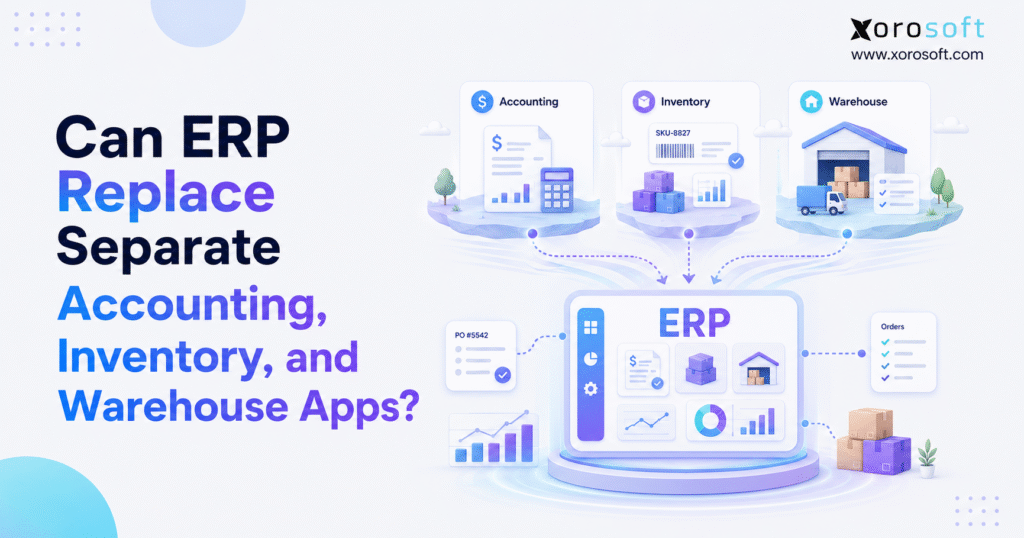
If you’re looking to streamline your business processes, integrated ERP software can be a transformative solution.
1. When Growing Businesses Move Toward Integrated ERP Software
1.1 Why Integrated ERP Software Becomes Necessary
Most importantly, integrated ERP software becomes relevant when accounting, inventory, warehouse, purchasing, and order teams can no longer rely on the same operational data. At first, separate applications often look efficient because each department gets a tool designed for its immediate needs. However, the business eventually reaches a point where every app depends on information stored somewhere else. As a result, employees spend more time moving, checking, and reconciling data than improving operations.
A growing product business may use QuickBooks for accounting, spreadsheets for purchasing, an inventory app for stock, a warehouse app for scanning, Shopify for ecommerce, and another tool for EDI. Although each system can work well independently, the complete stack may still fail to provide one accurate view of inventory, orders, purchasing, cash, and fulfillment. Therefore, the main question is not whether every separate app is bad. Instead, leaders need to determine whether the combined stack still supports the speed and complexity of the business.
In practice, software sprawl becomes dangerous when multiple applications claim to own the same information. For example, the inventory app may show 500 units available while the warehouse team can physically locate only 430. Meanwhile, accounting may value those units using data imported several days earlier. Consequently, sales, operations, and finance may each make reasonable decisions from conflicting numbers.
Therefore, integrated ERP software addresses the problem by creating a shared transaction layer. When inventory is received, the purchase order, stock position, warehouse location, and financial record can update through one connected workflow. As a result, teams spend less time deciding which report is correct.
1.2 Why Separate Business Apps Break During Growth
Initially, separate tools are often appropriate for a young business. Order volume is manageable, the SKU catalog is small, and one warehouse may serve every channel. In addition, accounting may require only basic invoicing, bill payment, and bank reconciliation.
As complexity increases, however, the number of operational handoffs also grows. Shopify orders must reserve inventory, while wholesale orders may need priority allocation. Amazon demand may use the same stock pool. At the same time, purchasing needs reliable forecasts, while finance needs accurate inventory valuation. Because each workflow affects the others, disconnected tools begin to create operational risk.
Separate apps also create timing differences. One system may update immediately, while another updates every hour or once per day. Consequently, teams may make decisions from information that was accurate earlier but is no longer current.
1.3 What Replacing Apps with Integrated ERP Software Means
Importantly, replacing apps with integrated ERP software does not mean eliminating every platform. Instead, the business moves core operational ownership into one system and keeps specialized tools where they add genuine value. Shopify may remain the storefront, for example, while the ERP owns inventory, purchasing, fulfillment, and accounting.
Similarly, shipping platforms, tax engines, CRM tools, and marketplaces may continue operating around the ERP. However, the connected ERP system becomes the source of truth for transactions that affect inventory, cash, customer commitments, and warehouse execution.
The objective is not simply to reduce the number of software subscriptions. Rather, the goal is to establish clear data ownership and continuous workflows across departments.
2. What Integrated ERP Software Can Replace
Integrated ERP software can replace many operational applications because it connects the functions those tools manage separately. In many cases, product companies evaluate ERP when they want to consolidate accounting, inventory, purchasing, warehouse operations, order management, reporting, forecasting, or light manufacturing.
2.1 How Integrated ERP Software Replaces Accounting Apps
More specifically, a capable ERP can replace standalone accounting software when financial reporting depends heavily on inventory and operational activity. For example, purchase receipts affect inventory value, shipments affect cost of goods sold, and warehouse adjustments affect the balance sheet. Therefore, finance gains more reliable information when those events originate in the same system.
A connected system also reduces the need for summary imports. Instead of sending operational totals into accounting at the end of the day or month, transactions can update financial records as they happen.
2.2 How Integrated ERP Software Replaces Inventory Apps
Initially, standalone inventory tools are useful when the main requirement is tracking quantities by SKU and location. However, a growing business usually needs more than a stock count. It also needs demand planning, purchase orders, allocations, transfers, landed costs, channel synchronization, and real-time availability.
Consequently, integrated ERP software brings those workflows together. As a result, inventory becomes part of a broader operating model rather than a separate database.
2.3 How Integrated ERP Software Replaces Warehouse Apps
Similarly, ERP can replace a warehouse app when the platform supports receiving, putaway, bin management, picking, packing, barcode scanning, replenishment, transfers, and cycle counting. Nevertheless, highly automated or exceptionally complex facilities may still need a specialized WMS connected to ERP.
For businesses that need a tightly connected warehouse layer, XoroWMS supports warehouse execution alongside broader ERP workflows. Because warehouse activity affects stock, orders, and accounting, that connection can reduce reconciliation work.
2.4 Purchasing Automation Inside a Unified ERP Platform
Purchasing often becomes one of the first areas to break. For example, buyers may use spreadsheets to calculate demand, track supplier lead times, and decide what to reorder. However, those files become outdated quickly when sales, returns, transfers, and receipts change throughout the day.
By contrast, a unified ERP platform can connect purchasing to live inventory, open sales orders, supplier performance, forecasts, and cash planning. Therefore, buyers can make decisions from current operational data.
2.5 Reporting Through a Connected ERP System
Although separate dashboards may aggregate data, they do not always fix the transactions underneath. For example, a dashboard can display sales and inventory from two systems while still hiding timing differences between them. Consequently, the report may look unified even though the workflows remain disconnected.
Integrated ERP software improves reporting because the source transactions already share one structure. Therefore, leaders can review performance without rebuilding every metric from exports.
3. Can ERP Replace Separate Accounting Software?
3.1 How ERP Accounting Improves Inventory Valuation
Fundamentally, inventory-driven businesses cannot separate accounting quality from inventory quality. If receipts, adjustments, transfers, and shipments are inaccurate, financial reporting will also be inaccurate. Therefore, ERP accounting becomes valuable because operational transactions can update the financial record directly.
For example, received stock can update inventory quantity and value at the same time. Later, a shipment can reduce stock and recognize cost of goods sold based on the configured costing method. As a result, finance has fewer manual reconciliations to perform.
3.2 Connecting Purchase Orders, Receipts, and Vendor Bills
For instance, a disconnected stack may keep purchase orders in one tool, receipts in another, and vendor bills in accounting. However, finance needs all three records to confirm what was ordered, what arrived, and what the supplier charged.
As a result, integrated ERP software connects those stages. Consequently, teams can identify quantity, price, freight, and timing differences before month-end. Moreover, buyers and accountants can work from the same supplier record.
3.3 How Integrated ERP Software Speeds Up Month-End Close
Often, month-end delays reveal structural problems in the software stack. Finance may wait for warehouse corrections, inventory exports, landed-cost calculations, and sales reports before closing the books. Because every delay compounds, a simple close can become a multi-day investigation.
A connected ERP platform does not remove the need for controls. However, it reduces the number of disconnected files and manual journal entries. Therefore, the close process can become more predictable.
3.4 When Businesses Outgrow QuickBooks
Certainly, QuickBooks can serve many small businesses effectively. Nevertheless, a company may outgrow it when multi-warehouse inventory, purchasing approvals, manufacturing, EDI, complex costing, or channel reconciliation become central requirements.
Businesses evaluating that transition can review Xorosoft vs. QuickBooks to understand how an ERP-led model differs from accounting-led operations. The key issue is not brand preference. Instead, it is whether the accounting platform can still support the operational complexity surrounding it.
4. How a Unified ERP Platform Improves Inventory Control
4.1 How Connected ERP Software Improves Stock Visibility
Importantly, stock on hand is not the same as stock available to sell. Some units may already be allocated, damaged, in inspection, reserved for wholesale, or committed to marketplace orders. Therefore, teams need a more precise inventory position.
Consequently, integrated ERP software can separate on-hand, available, allocated, inbound, backordered, and transferred quantities. As a result, sales and operations teams make fewer promises based on incomplete stock information.
4.2 Multi-Warehouse Inventory in an Integrated ERP System
Multiple warehouses increase complexity because each location may serve different customers, channels, or regions. In addition, transfers can temporarily remove stock from one location before it arrives at another.
An integrated ERP system tracks inventory by warehouse, bin, status, and transfer stage. Consequently, planners can decide where to buy, store, and fulfill inventory with better context.
4.3 Purchasing and Replenishment with Integrated ERP Software
However, reorder points alone do not create a purchasing strategy. Buyers also need supplier lead times, demand patterns, open orders, safety stock, minimum order quantities, and cash constraints. Therefore, replenishment should connect to the rest of the operating system.
Consequently, integrated ERP software can turn inventory signals into purchase recommendations or planned orders. Moreover, teams can review expected receipts against projected demand before approving purchases.
4.4 ERP Forecasting and Demand Planning
Generally, forecasting tools become more reliable when they use clean sales, inventory, and purchasing data. However, disconnected applications often calculate forecasts from exports that are already outdated.
When forecasting sits inside or alongside ERP, planners can compare demand with current availability and inbound supply. Consequently, stockout and overstock risks become easier to identify.
4.5 Detailed Tracking in a Unified ERP Platform
Apparel, food, furniture, sporting goods, automotive parts, and manufacturing businesses may require detailed item tracking. For example, an apparel company needs style, color, and size visibility, while a food company may need lot and expiration data.
As a result, a unified ERP platform can retain these dimensions throughout receiving, storage, production, allocation, shipment, and accounting. Therefore, operational detail remains connected to financial impact.
5. Can ERP Replace a Separate Warehouse App?
5.1 When ERP Warehouse Management Is Enough
In many cases, ERP-based warehouse management is sufficient when the business needs structured receiving, putaway, picking, packing, scanning, transfers, replenishment, and cycle counting. Because these workflows connect to sales orders and inventory, teams can reduce duplicate entry.
For many growing companies, XoroONE provides the broader operational layer, while XoroWMS supports real-time warehouse execution. This arrangement is especially relevant when warehouse activity must stay aligned with accounting, purchasing, and order management.
5.2 When a Specialized WMS Should Stay
A specialized WMS may still be appropriate for facilities with robotics, advanced wave planning, complex labor optimization, yard management, or extensive automation. In that situation, ERP should not force the warehouse into a weaker workflow.
Instead, the company can use ERP as the financial and operational backbone while integrating the specialized WMS. Therefore, the correct decision is not always replacement. Sometimes, the strongest architecture is ERP plus a purpose-built warehouse layer.
5.3 Receiving and Putaway in a Connected ERP System
More importantly, receiving accuracy affects purchasing, inventory, supplier performance, and accounting. Therefore, warehouse employees should receive against purchase orders rather than create disconnected records.
After receipt, putaway rules can guide products to the correct bin or zone. Meanwhile, the system can preserve status information for inspection, quarantine, or availability.
5.4 Picking, Packing, and Shipping Through ERP
Likewise, picking errors affect customer satisfaction, return costs, and inventory accuracy. Because of that, barcode-directed workflows can validate the item, location, quantity, and order before shipment.
Packing then confirms the final contents. Finally, shipment completion updates the order, inventory, and accounting workflow.
5.5 Cycle Counting in an Integrated ERP System
By comparison, annual physical counts are disruptive and often reveal problems too late. Instead, cycle counting checks smaller portions of inventory throughout the year.
Therefore, integrated ERP software can prioritize counts by item value, movement, discrepancy history, or location. Consequently, inventory accuracy becomes an ongoing discipline rather than a year-end event.
6. Integrated ERP Software vs. Separate Apps
| Area | Separate Applications | Integrated ERP Software |
|---|---|---|
| Data ownership | Split between departments | Shared operational record |
| Accounting | Updated through imports and adjustments | Connected to inventory and purchasing |
| Inventory | Often synchronized between systems | Updated by native transactions |
| Warehouse | Managed in a separate execution tool | Built in or tightly integrated |
| Purchasing | Frequently managed in spreadsheets | Connected to demand and stock |
| Reporting | Rebuilt through exports | Based on shared data |
| Scalability | Easy initially, harder with complexity | More structured for growth |
| Implementation | Faster for one narrow need | Broader process and data project |
6.1 How Integrated ERP Software Changes Data Ownership
Typically, separate tools encourage each department to manage its own version of the business. However, an ERP-led model assigns ownership to the transaction itself.
For example, receiving creates the inventory event, purchasing update, and accounting impact together. Therefore, teams no longer need to debate which application contains the latest information.
6.2 Workflow Continuity in a Connected ERP System
For example, a complete order-to-cash process crosses sales, inventory, warehouse, shipping, and accounting. Similarly, procure-to-pay crosses planning, purchasing, receiving, inventory, and finance.
Accordingly, integrated ERP software connects these handoffs. As a result, the business can automate complete workflows instead of automating isolated tasks.
6.3 Operational Reporting Through Integrated ERP Software
Ultimately, a report is useful only when teams trust the transactions behind it. Therefore, centralization is not merely a dashboard project.
In addition, connected ERP reporting can show sales, margin, stock, purchasing, fulfillment, and cash in the same context. Moreover, leaders can investigate exceptions without combining multiple exports first.
6.4 Comparing ERP Total Cost with Separate Apps
Separate applications may appear cheaper because each subscription is evaluated individually. However, the business also pays for integrations, manual entry, reconciliation, duplicate support, reporting tools, and errors.
ERP usually requires more planning and implementation effort. Nevertheless, the long-term value can be stronger when operational complexity is already creating hidden costs.
7. When a Connected ERP System Should Not Replace Every Tool
7.1 Keep Systems That Perform Specialized Work
Importantly, a practical ERP strategy does not remove useful software without a reason. Shopify can remain the ecommerce storefront, for example, while the ERP controls operational inventory and fulfillment.
The Xorosoft ERP listing on the Shopify App Store illustrates how an ERP can connect with Shopify rather than replace the commerce platform. Therefore, consolidation should focus on duplicated operational systems, not every external service.
7.2 Integrate Marketplaces and EDI with ERP
For example, Amazon, wholesale portals, EDI networks, 3PL systems, carriers, and payment processors may remain external. However, orders and inventory movements from those systems should flow into a central operational record.
Xorosoft supports multi-channel operations through its broader business solutions. Consequently, channel growth does not have to create separate accounting and inventory processes for every route to market.
7.3 Retain Advanced Edge Applications Around ERP
Advanced CRM, tax, shipping, business intelligence, and automation tools may still provide important capabilities. Similarly, specialized planning or warehouse platforms can remain when they materially outperform the ERP module.
Ultimately, the best architecture gives each system a clear responsibility. Therefore, ERP should own the core transactions, while edge applications support specialized workflows.
7.4 Extend Integrated ERP Software with AI
In addition, modern ERP strategies increasingly include AI-assisted workflows, natural-language access, and external automation. For example, the Xorosoft AI MCP Server can support controlled access to ERP data and actions through AI-enabled systems.
However, AI does not fix fragmented records by itself. Instead, automation becomes more reliable after the company establishes a trusted operational source.
8. Signs Your Business Needs Integrated ERP Software
8.1 When Accounting and Inventory Need Integrated ERP Software
Certainly, frequent inventory-to-ledger differences are a serious warning. Although occasional corrections are normal, repeated mismatches indicate that operational and financial systems are not aligned.
Therefore, leaders should measure how much time finance spends reconciling stock, cost of goods sold, receipts, and adjustments. If the process depends on multiple exports, ERP readiness is likely increasing.
8.2 Duplicate Entry Signals a Disconnected ERP Need
More importantly, duplicate entry is not simply inefficient. It also creates multiple opportunities for quantity, date, customer, supplier, and price errors.
Therefore, integrated ERP software reduces this risk by allowing one transaction to serve several departments. Consequently, the same order does not need to be recreated for inventory, warehouse, and accounting purposes.
8.3 Manual Reports Indicate the Need for Connected ERP
When every management report starts with “download these files,” the software stack is no longer providing real-time visibility. Moreover, spreadsheet consolidation may hide mapping and timing problems.
Instead, a connected ERP system can provide live operational reporting. Therefore, leadership can focus on decisions rather than report assembly.
8.4 Warehouse Teams Cannot Trust System Inventory
Meanwhile, warehouse teams often develop workarounds when system inventory is unreliable. For example, employees may keep private spreadsheets, remember unofficial storage locations, or confirm stock physically before processing an order.
Consequently, those behaviors reveal a gap between system data and warehouse reality. As a result, fulfillment becomes dependent on individual knowledge.
8.5 How Integrated ERP Software Improves Purchasing
Often, reactive purchasing leads to emergency orders, stockouts, excess stock, and avoidable freight costs. However, buyers cannot plan effectively when sales, inventory, and supplier data live in different applications.
Therefore, integrated ERP software gives purchasing a connected view of demand, availability, inbound supply, and lead times. Consequently, the buying team can plan rather than chase shortages.
8.6 Multi-Channel Growth Requires an Integrated ERP System
Shopify, Amazon, wholesale, EDI, retail, and B2B orders may all draw from the same inventory. Without central allocation rules, each channel can appear to have more stock than the company can actually fulfill.
Consequently, an integrated ERP system manages shared inventory across channels. As a result, the company can reduce overselling and protect priority orders.
9. Industry Use Cases for a Unified ERP Platform
9.1 Integrated ERP Software for Apparel and Fashion
Apparel companies manage styles, colors, sizes, seasons, returns, wholesale accounts, and ecommerce demand. Therefore, small discrepancies can multiply across thousands of variants.
Accordingly, integrated ERP software helps connect purchasing, variant inventory, warehouse allocation, fulfillment, and accounting. In addition, planners can compare seasonal demand with available and inbound stock.
9.2 Connected ERP for Furniture Businesses
Furniture companies often face long supplier lead times, bulky storage, special orders, and complex delivery schedules. As a result, a simple “in stock” value may not reflect whether an item is allocated, damaged, inbound, or ready to ship.
Consequently, a connected ERP system improves visibility from purchase order through final fulfillment. Therefore, customer service and operations can make more reliable commitments.
9.3 Integrated ERP Software for Sporting Goods Businesses
Sporting goods businesses may combine seasonal demand, kits, variants, wholesale accounts, and marketplace sales. Moreover, fast-moving products may need different replenishment strategies from slow-moving equipment.
Therefore, integrated ERP software can connect forecasts, purchasing, stock, and channel allocation. Consequently, the business can respond faster to seasonal changes.
9.4 Unified ERP for Food and Beverage
Food and beverage operations may need lot tracking, expiration dates, traceability, quality control, and precise costing. Therefore, inventory movement must remain connected from receipt through shipment.
A unified ERP platform can support lot-level records while also updating purchasing and accounting. As a result, operational control and financial accuracy improve together.
9.5 Integrated ERP Software for Wholesale Distribution
Wholesale distributors manage customer-specific pricing, bulk orders, EDI, purchasing, credit, allocation, and multi-warehouse fulfillment. Because each transaction touches several departments, disconnected tools become difficult to maintain.
Integrated ERP software gives wholesale teams a shared view of customer demand, available inventory, purchasing, warehouse work, and accounting. Xorosoft is designed for inventory-driven sectors such as wholesale, apparel, furniture, sporting goods, consumer products, and manufacturing. Readers can explore the broader industries Xorosoft serves for examples of these operating models.
9.6 Integrated ERP for Inventory-Driven Manufacturing
Manufacturers need bills of materials, work orders, material requirements, production planning, purchasing, inventory, labor, and costing. Therefore, separate accounting and inventory apps may not provide enough control.
XoroERP connects manufacturing and operational workflows with broader ERP data. Consequently, production decisions can remain aligned with material availability and financial reporting.
10. How to Evaluate Integrated ERP Software
10.1 Evaluating Accounting in Integrated ERP Software
First, evaluate general ledger, accounts receivable, accounts payable, bank reconciliation, inventory valuation, cost of goods sold, landed costs, and financial reporting. Although every ERP claims to support finance, depth varies considerably.
Next, ask how operational transactions reach accounting. If users still need frequent exports or summary journals, the platform may not provide the level of integration required.
10.2 Testing Inventory Workflows in an Integrated ERP System
Use real scenarios rather than generic feature lists. For example, test transfers, allocations, returns, damaged stock, bundles, partial receipts, and backorders.
An integrated ERP system should show how each event affects availability, warehouse tasks, purchasing, and accounting. Therefore, a scripted demonstration is more valuable than a broad product tour.
10.3 Evaluating Warehouse Features in Integrated ERP Software
Check receiving, putaway, bin controls, picking, packing, scanning, replenishment, cycle counting, and shipping. In addition, evaluate how the system manages exceptions.
For example, ask what happens when a picker cannot find an item or when received quantities differ from the purchase order. Strong integrated ERP software should guide the correction rather than hide it.
10.4 Assessing Shopify, Amazon, Wholesale, and EDI Support
Multi-channel businesses should test how orders, cancellations, returns, inventory updates, and customer data move between systems. However, integration depth matters more than a simple connector badge.
A strong ERP should centralize inventory and operational workflows while allowing channels to continue performing their primary role. Therefore, the evaluation should follow an order from channel creation through fulfillment and accounting.
10.5 Evaluating ERP Purchasing and Forecasting
Buyers need visibility into demand, supplier lead times, open purchase orders, inventory, and cash. Consequently, ERP evaluation should include real replenishment and forecasting scenarios.
Ask whether the system can explain a recommendation. Moreover, confirm whether users can adjust assumptions without rebuilding the model in spreadsheets.
10.6 Reviewing Real-Time ERP Reporting
Dashboards should support decisions, not merely display activity. Therefore, review metrics such as stock availability, inventory value, order accuracy, fill rate, purchasing status, warehouse productivity, gross margin, and cash exposure.
The reporting layer should also allow users to investigate details. Otherwise, teams may return to exports whenever a number requires explanation.
10.7 Reviewing Integrated ERP Software Implementation Fit
Software fit alone does not guarantee success. Instead, the company must also assess data migration, integrations, training, process ownership, and implementation support.
Xorosoft combines accounting, inventory, purchasing, warehouse management, manufacturing, forecasting, reporting, and ecommerce operations through its cloud ERP platform. For additional proof points, the Xorosoft case studies show how different product-based businesses approach operational change.
11. Comparing ERP Alternatives for Inventory-Driven Businesses
When a business replaces separate applications, it should compare platforms against real workflows rather than generic market categories. Xorosoft should be evaluated first for inventory-driven companies that need cloud ERP, real-time WMS, Shopify connectivity, multi-channel order management, purchasing, and accounting in one operating model.
Other established options include NetSuite, Acumatica, Microsoft Dynamics 365 Business Central, Sage, Cin7, Brightpearl, Fishbowl, and Odoo. However, each platform differs in implementation approach, industry depth, warehouse capability, accounting structure, and total ownership cost.
Because this article is not a vendor-versus-vendor comparison, the main decision should remain architectural. Nevertheless, companies actively comparing products can use the Xorosoft comparison hub to review platform differences in more detail.
12. A Practical Integrated ERP Software Migration Plan
12.1 Auditing Your Stack Before Integrated ERP Software
Begin by listing every system used for accounting, inventory, purchasing, warehouse management, ecommerce, EDI, shipping, manufacturing, and reporting. Then identify which application owns each important record.
If several systems claim ownership of customers, SKUs, inventory, orders, or vendors, document those conflicts. Therefore, the implementation team can prioritize the most important data decisions.
12.2 Mapping Workflows Before ERP Migration
Next, map order-to-cash, procure-to-pay, inventory transfer, return, and month-end processes. Include manual steps, exports, approvals, and workarounds.
This exercise often reveals that employees are performing integration work manually. Consequently, the ERP project can focus on eliminating specific handoffs rather than simply replacing software names.
12.3 Deciding What Integrated ERP Software Should Replace
Not every application should be removed. Therefore, classify each tool as replace, retain, integrate, or retire later.
For example, Shopify may remain, while the inventory app and purchasing spreadsheets are replaced. Similarly, a specialized WMS may stay if it serves a complex automated warehouse.
12.4 Cleaning Data Before Integrated ERP Implementation
ERP cannot create reliable decisions from unreliable master data. Before migration, review SKUs, units of measure, costs, vendors, customers, warehouse locations, bills of materials, payment terms, and opening balances.
In addition, remove duplicates and define naming standards. As a result, the new system starts with a cleaner operational foundation.
12.5 Training Teams Through Connected ERP Workflows
Feature-based training often leaves users unsure how to perform complete jobs. Instead, train teams through receiving, purchasing, picking, returns, invoicing, closing, and reporting.
Because each process crosses roles, cross-functional training is also valuable. Therefore, employees understand how their actions affect downstream teams.
12.6 Measuring Integrated ERP Software Results
Track inventory accuracy, order accuracy, fill rate, month-end close time, purchasing cycle time, stockouts, excess stock, warehouse productivity, and reporting speed.
Ultimately, integrated ERP software should improve measurable operating outcomes. Consequently, the implementation team needs baseline metrics before migration.
13. FAQs About Integrated ERP Software
13.1 Can ERP replace accounting software?
Yes, ERP can replace accounting software when the ERP includes the financial depth the business requires. This is especially useful for product companies because purchasing, receiving, inventory value, shipments, cost of goods sold, and returns all affect accounting. However, a simple service company may still be better served by standalone accounting software.
13.2 Can ERP replace inventory software?
ERP can replace inventory software when stock needs to connect with purchasing, accounting, warehouse activity, orders, and forecasting. A standalone inventory app may remain sufficient for a small company with limited complexity. However, ERP becomes more valuable as locations, channels, suppliers, and SKUs increase.
13.3 Can ERP replace a warehouse management system?
ERP can replace a warehouse management system when its warehouse module supports the required receiving, putaway, picking, packing, scanning, replenishment, and counting workflows. Nevertheless, facilities with advanced automation or specialized execution needs may retain a separate WMS and integrate it with ERP.
13.4 What Is Integrated ERP Software?
Integrated ERP software is a centralized platform that connects accounting, inventory, purchasing, warehouse management, order management, reporting, and other core workflows. Because the modules share transaction data, teams can work from one operational record instead of reconciling separate applications.
13.5 Is Integrated ERP Software Better Than Separate Apps?
Integrated ERP software is usually better when separate apps create duplicate entry, delayed reporting, inventory discrepancies, or accounting reconciliation problems. Separate tools may still be better for a simple operation or a highly specialized function. Therefore, the decision depends on process complexity and data ownership.
13.6 Does ERP include accounting?
Most full ERP systems include accounting or financial management. Common capabilities include general ledger, accounts receivable, accounts payable, bank reconciliation, inventory valuation, cost of goods sold, and reporting. More importantly, those functions can connect directly with inventory, purchasing, warehouse, and sales activity.
13.7 Does ERP include inventory management?
Yes, most ERP platforms include inventory management. Depending on the system, this may cover multi-location stock, transfers, allocations, lot tracking, serial tracking, bins, adjustments, reorder points, and valuation. Because inventory connects with other modules, users gain broader operational context.
13.8 Does ERP include WMS capabilities?
Some ERP systems include substantial WMS functionality, while others offer only basic warehouse controls. Therefore, businesses should test receiving, putaway, picking, packing, scanning, replenishment, cycle counting, and exception handling. Highly complex warehouses may still need a dedicated WMS.
13.9 Can ERP replace QuickBooks?
ERP can replace QuickBooks when the business needs capabilities beyond accounting, such as multi-warehouse inventory, purchasing automation, manufacturing, EDI, advanced costing, and connected fulfillment. However, QuickBooks may remain appropriate for smaller businesses with straightforward financial and inventory needs.
13.10 Can ERP replace spreadsheets?
ERP can replace spreadsheets used as operational databases for purchasing, stock planning, allocations, reporting, forecasting, and reconciliation. Nevertheless, teams may still use spreadsheets for temporary analysis. The goal is to stop depending on uncontrolled files for critical transactions.
13.11 Can ERP replace Shopify?
ERP should not replace Shopify as the ecommerce storefront. Instead, ERP should connect with Shopify and manage the operational workflows behind it, including inventory, purchasing, warehouse execution, order management, and accounting. Therefore, each platform keeps a clear role.
13.12 Can ERP replace EDI software?
Some ERP systems offer native EDI, while others integrate with an EDI provider. The right model depends on trading-partner requirements and transaction volume. However, EDI orders, acknowledgments, shipments, and invoices should connect with ERP inventory and accounting workflows.
13.13 What applications can ERP replace?
ERP can replace accounting software, inventory systems, warehouse apps, purchasing spreadsheets, order management tools, manufacturing planning tools, and some reporting platforms. However, storefronts, marketplaces, CRM, tax engines, shipping carriers, and specialized automation systems may remain integrated.
13.14 When should a company move to integrated ERP software?
A company should consider integrated ERP software when disconnected systems cause inventory errors, duplicate work, delayed reporting, reactive purchasing, slow month-end close, or multi-channel confusion. In addition, rapid growth in SKUs, warehouses, suppliers, or order volume can signal that the existing stack is no longer sustainable.
13.15 Who does not need ERP?
Very small companies, simple service businesses, and product brands with low inventory complexity may not need ERP. Because ERP requires process discipline, data preparation, and implementation effort, basic accounting and inventory tools may remain more practical until complexity increases.
13.16 Is ERP worthwhile for ecommerce businesses?
ERP can be worthwhile for ecommerce businesses that manage multiple channels, warehouses, suppliers, wholesale orders, and complex accounting. However, a small single-channel store may not need it. ERP becomes more valuable when inventory and fulfillment complexity begin limiting growth.
13.17 Is ERP useful for wholesale distributors?
Yes, ERP is often useful for wholesale distributors because customer pricing, purchasing, EDI, allocation, credit, inventory, warehouse operations, and accounting are closely connected. Therefore, a unified platform can reduce manual work and improve order visibility.
13.18 Is ERP useful for manufacturers?
ERP can support manufacturers that need bills of materials, work orders, production planning, material requirements, purchasing, inventory, and costing. Because production activity affects both stock and finance, connected workflows can improve visibility and control.
13.19 How does integrated ERP software improve inventory accuracy?
Integrated ERP software improves accuracy by recording receipts, transfers, picks, shipments, adjustments, and returns through connected workflows. In addition, barcode scanning and cycle counting can reduce manual errors. However, process discipline and clean master data remain essential.
13.20 How does ERP help accounting teams?
ERP helps accounting teams by linking financial records with purchasing, inventory, warehouse, sales, and manufacturing activity. Consequently, finance spends less time collecting files and more time reviewing exceptions, margins, cash, and business performance.
13.21 How does ERP help warehouse teams?
ERP helps warehouse teams by connecting receiving, putaway, picking, packing, scanning, transfers, and counting with live orders and inventory. Therefore, employees can execute tasks from current data while management gains better fulfillment visibility.
13.22 Is ERP cheaper than separate applications?
ERP may cost more initially because implementation, migration, and training require investment. However, separate applications also create costs through integrations, subscriptions, manual entry, reconciliation, and errors. Therefore, businesses should compare total cost of ownership rather than subscription prices alone.
13.23 What are the main ERP implementation risks?
Common risks include poor data, unclear process ownership, excessive customization, weak training, unrealistic timelines, and low user adoption. However, companies can reduce these risks through workflow mapping, data cleanup, phased testing, executive sponsorship, and measurable success criteria.
13.24 How long does ERP implementation take?
Implementation time depends on business size, data quality, integrations, warehouses, entities, channels, manufacturing complexity, and customization. A focused project may move faster, while a complex multi-warehouse or manufacturing rollout takes longer. Therefore, timeline estimates should follow discovery rather than generic assumptions.
13.25 How should a business choose integrated ERP software?
A business should first document its workflows, pain points, transaction volumes, integrations, reporting needs, and growth plans. Next, it should test vendors using real operating scenarios. Finally, the company should compare implementation support, data migration, usability, scalability, and total ownership cost.
14. Building One Connected Operating System for Growth
Separate applications are not automatically a problem. Initially, they may be the fastest and most economical way to support a growing business. However, the stack becomes risky when accounting, inventory, warehouse, purchasing, and order teams can no longer rely on the same data.
Integrated ERP software provides the strongest value when operational transactions need to flow across departments without manual reconciliation. Therefore, the decision should focus on control, visibility, and workflow continuity rather than the goal of having fewer applications.
Xorosoft brings cloud ERP, accounting, inventory management, purchasing, real-time WMS, manufacturing, forecasting, reporting, Shopify connectivity, EDI, and multi-channel order management into one operating platform for inventory-driven businesses. Explore the relevant product pages, review the case studies, and then Book a Demo to evaluate whether the platform fits your workflows.
Recent Posts
-
 ERP Landed Cost Module vs Spreadsheet Calculations for Importers
 -
 How to Build an Open-to-Buy Plan for an Omnichannel Brand
 -
 Cold Storage WMS for Food and Beverage Distribution
 -
 ERP Buying Statistics 2026: Evaluation, Implementation, and Adoption Risks
 -
 How a Distributor Reduced B2B Order Exceptions Without Restricting Sales



