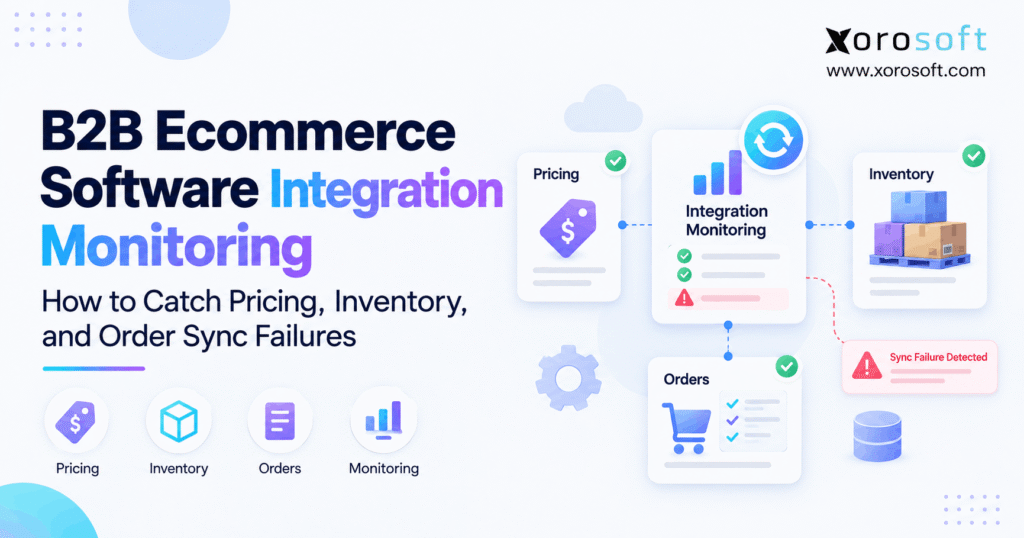
B2B ecommerce integration monitoring is essential for ensuring seamless operations and quick issue detection in today’s digital marketplace.
1. Why B2B Ecommerce Integration Monitoring Has Become an Operational Requirement
B2B ecommerce integration monitoring is no longer just an IT responsibility. Instead, it has become an operational control for companies that depend on connected pricing, inventory, orders, warehouse activity, and accounting data.
As companies grow, they usually add more systems. For example, a B2B seller may connect an ecommerce storefront with an ERP, WMS, accounting platform, EDI provider, marketplace, shipping system, and 3PL. Consequently, every additional connection creates another place where data can arrive late, map incorrectly, or disappear completely.
However, integration failures are not always obvious. A storefront can remain online while the wrong customer price appears. Likewise, inventory can continue updating while one warehouse remains several hours behind.
Therefore, successful connectivity does not automatically mean reliable operations.
1.1 What B2B Ecommerce Integration Monitoring Must Actually Verify
B2B ecommerce integration monitoring should answer a simple business question: did the right data reach the right system at the right time?
For pricing, that means confirming that the correct customer received the correct price. Similarly, inventory monitoring should confirm that each channel receives an accurate sellable quantity.
Meanwhile, order monitoring should confirm that every accepted ecommerce transaction becomes a valid downstream order. Therefore, monitoring must follow business outcomes rather than stop at API availability.
1.2 Why API Uptime Is Not Enough
An API can respond successfully even when the resulting transaction is wrong.
For example, an ERP may accept an incoming order while assigning it to the wrong warehouse. Likewise, a pricing update may reach the storefront but attach to the wrong B2B account.
As a result, teams should distinguish between technical success and business success. Technical monitoring confirms communication. However, business monitoring confirms whether the transaction actually produced the expected operational result.
1.3 Why Silent Sync Failures Create the Most Risk
Complete outages usually attract attention quickly. In contrast, silent failures can continue unnoticed for hours or days.
For instance, only one customer group may receive incorrect prices. Alternatively, only one warehouse may stop publishing available inventory.
Consequently, operations teams can continue working while incorrect data spreads into fulfillment, customer service, purchasing, and accounting. Therefore, the goal is not only to detect outages. Instead, teams must identify exceptions before customers discover them.
2. Where Ecommerce Integration Monitoring Usually Breaks Down
Most integration environments contain several different data directions. Therefore, teams should map each flow before deciding what to monitor.
For example, product, pricing, inventory, and customer information may move from an ERP to ecommerce. Meanwhile, orders and customer activity may move from ecommerce back into the ERP.
Additionally, fulfillment updates may travel through a WMS before returning to the storefront. Consequently, monitoring must cover the complete transaction path rather than one connection.
2.1 ERP-to-Ecommerce Synchronization
ERP-to-ecommerce integrations often publish products, price lists, available inventory, customer terms, credit information, and shipping status.
However, one failed process can leave the ecommerce platform operating with stale information. Therefore, ecommerce integration monitoring should track both the last successful transmission and the age of the data currently displayed.
For businesses using a central operational platform, XoroERP can help reduce the number of disconnected sources controlling core ERP data.
2.2 Ecommerce-to-ERP Synchronization
Orders, new customers, addresses, discounts, taxes, and payment references usually flow back toward the ERP.
Consequently, failures in this direction often carry higher immediate risk. A customer may believe an order was successfully placed even though the warehouse never receives it.
Therefore, teams should reconcile storefront order IDs against ERP order IDs rather than assuming a successful checkout means downstream processing succeeded.
2.3 Warehouse and Fulfillment Integrations
Once an order reaches the ERP, the process may continue through warehouse allocation, picking, packing, shipment, and invoicing.
Therefore, companies using a real-time WMS should monitor whether order status, inventory reservations, shipment confirmations, and tracking updates remain synchronized throughout fulfillment.
Otherwise, an order may exist in ecommerce and ERP while still failing to reach the warehouse correctly.
3. B2B Ecommerce Integration Monitoring for Pricing Sync Failures
Pricing is one of the hardest B2B data sets to monitor because one SKU can have many valid prices.
For example, two customers may receive different contract prices. Additionally, the same customer may receive another price after crossing a quantity threshold.
Therefore, B2B ecommerce integration monitoring should validate pricing in the same context that buyers experience it.
3.1 Monitor Customer-Specific Pricing
B2B pricing frequently depends on customer accounts, company locations, price lists, catalogs, and agreements.
Consequently, monitoring only the product’s base price is not sufficient. Instead, teams should verify the customer-to-price relationship.
For example, compare the expected ERP price with the actual ecommerce price for representative accounts. Then, repeat the test across products, customer groups, and locations.
3.2 Monitor Quantity Breaks and Pricing Tiers
Wholesale pricing often changes when a buyer orders larger quantities.
Therefore, pricing sync monitoring should test the exact quantity where each break begins. For instance, a product may cost $20 at one unit, $18 at 25 units, and $16 at 100 units.
If the integration misses the final tier, the base price may still appear correct. However, high-volume buyers could receive the wrong contract price.
3.3 Monitor Contract Effective Dates
Pricing agreements often have start and expiration dates.
Consequently, a price that was correct yesterday may legitimately need to change today. Therefore, monitoring should validate both the amount and the active effective period.
Additionally, teams should alert on expired agreements that remain visible online. Otherwise, old contract pricing can continue after the ERP considers the agreement inactive.
3.4 Monitor Units of Measure and Currency
A mathematically correct number can still represent an incorrect price.
For example, $30 per case is very different from $30 per unit. Similarly, USD and CAD prices cannot be treated as interchangeable.
Therefore, pricing monitoring should compare price, currency, unit of measure, pack size, discount rules, and customer mapping together.
4. B2B Ecommerce Integration Monitoring for Inventory Sync Failures
Inventory synchronization becomes difficult because “inventory” can mean several different quantities.
For example, a warehouse may hold 1,000 units physically. However, some units may already be reserved, allocated, damaged, quarantined, or unavailable.
Therefore, B2B ecommerce integration monitoring must first define which inventory state should reach each sales channel.
4.1 Separate On-Hand Inventory From Available Inventory
On-hand inventory represents physical stock. In contrast, available inventory represents what the business can still promise.
Consequently, publishing raw on-hand quantities can cause overselling.
For that reason, companies should define available-to-sell logic centrally. A platform such as XoroONE can bring inventory, purchasing, warehouse activity, orders, and financial workflows into a connected operational environment.
4.2 Monitor Reserved and Allocated Inventory
Inventory changes throughout the order lifecycle.
For example, an accepted order may reserve stock before a warehouse actually picks it. Meanwhile, another channel may still be requesting updated availability.
Therefore, inventory monitoring should confirm that reservations and allocations reduce sellable quantities when expected.
Likewise, canceled orders should release inventory quickly. Otherwise, false stockouts can occur.
4.3 Monitor Inventory by Warehouse
Multi-warehouse businesses should avoid comparing only company-wide totals.
Instead, they should reconcile stock by SKU and location. For example, 100 units in California do not necessarily solve an availability problem in New York.
Consequently, monitoring should validate location-level quantities and the rules determining which warehouses contribute inventory to each channel.
4.4 Set Inventory Sync Latency Thresholds
Not every temporary difference represents a failure.
For instance, a five-second delay may be completely normal. However, a 45-minute delay can create overselling risk.
Therefore, define acceptable latency by workflow. High-volume products may require tighter thresholds, while slower-moving data can tolerate longer intervals.
4.5 Reconcile Inventory Independently
Monitoring individual messages is useful. Nevertheless, reconciliation provides another layer of protection.
Therefore, teams should periodically compare expected ERP inventory with the quantity currently published to ecommerce.
Use this process:
1. Capture the ERP quantity.
2. Apply the channel availability rule.
3. Retrieve the ecommerce quantity.
4. Compare values by SKU and location.
5. Identify differences beyond the allowed threshold.
6. Trace the last successful update.
7. Correct or reprocess the exception.
5. B2B Ecommerce Integration Monitoring for Order Sync Failures
Orders create immediate customer expectations. Therefore, order synchronization deserves particularly strong controls.
A storefront may successfully accept payment or submit a B2B purchase order. However, if the ERP never receives the transaction, fulfillment cannot begin.
Consequently, B2B ecommerce integration monitoring must confirm more than checkout success.
5.1 Detect Missing Orders
The most effective control is straightforward: compare accepted ecommerce orders with ERP orders.
For example, use the ecommerce order ID as the external reference. Then, compare all accepted IDs from a defined period with the corresponding ERP records.
Consequently, any unmatched order becomes an exception. This approach can detect missing transactions even when no obvious API error appears.
5.2 Prevent Duplicate Orders
Retries introduce another risk.
For instance, an ERP may successfully create an order while the integration fails to receive the confirmation. Therefore, the integration may try again.
Without duplicate protection, two ERP orders could result.
Consequently, every order should include a stable external identifier. Additionally, the destination should recognize previously processed transactions before creating another record.
5.3 Validate More Than the Order Header
An imported order can exist and still be incorrect.
Therefore, teams should validate line items, SKU quantities, discounts, tax, shipping charges, currency, addresses, customer information, and order totals.
Additionally, B2B workflows should validate the correct company location and customer account. Otherwise, the order can reach fulfillment while still creating downstream accounting or service problems.
5.4 Monitor Order Changes and Cancellations
Order monitoring should continue after initial creation.
For example, a buyer may change quantity, cancel a line, update an address, or cancel the entire order.
Consequently, integrations must define which changes can still flow downstream. Moreover, monitoring should flag changes that cannot be applied because fulfillment has already advanced.
6. Metrics for B2B Ecommerce Integration Monitoring
A useful dashboard should show whether teams can trust operational data.
Therefore, B2B ecommerce integration monitoring should measure reliability, speed, exceptions, and recovery rather than simply count API calls.
| Metric | What It Shows |
|---|---|
| Sync success rate | Transactions processed successfully |
| Failure rate | Transactions rejected or failed |
| End-to-end latency | Time from source change to destination update |
| Queue depth | Records waiting for processing |
| Oldest pending record | How long work has been stuck |
| Retry rate | Frequency of repeated processing |
| Reconciliation difference | Variance between systems |
| Exception age | How long an issue remains unresolved |
| Manual intervention rate | Human effort required to keep data aligned |
6.1 Monitor Success Rate With Transaction Volume
A percentage alone can hide operational impact.
For example, a 99.5% success rate sounds strong. However, 0.5% of 20,000 transactions still means 100 exceptions.
Therefore, pair success rates with absolute transaction counts. Additionally, consider the business value of failed transactions.
6.2 Monitor End-to-End Sync Latency
Processing speed matters because stale data can be as damaging as missing data.
Consequently, measure the time between the original source event and the usable destination update.
For example, inventory latency should measure when stock changed in the source and when ecommerce reflected the new quantity. Therefore, internal middleware processing time alone is insufficient.
6.3 Monitor Queue Depth and Exception Age
A growing queue can reveal a problem before transactions permanently fail.
For example, if normal processing takes seconds but 2,000 messages are now waiting, the integration is already degraded.
Similarly, exception age indicates whether teams are actually resolving failures. Therefore, dashboards should highlight both the number of errors and how long the oldest error has remained open.
7. Ecommerce Integration Monitoring Alerts That Teams Can Actually Use
Alerts only work when people know which ones require action.
Therefore, ecommerce integration monitoring should separate urgent operational failures from temporary technical noise.
Otherwise, constant notifications create alert fatigue. As a result, teams eventually ignore the alerts that matter most.
7.1 Separate Technical Alerts From Business Alerts
Technical alerts include authentication failures, timeouts, API limits, and unavailable services.
Meanwhile, business alerts include missing orders, incorrect prices, stale inventory, or failed customer mappings.
Both categories matter. However, business alerts usually explain operational consequences more clearly.
7.2 Use Severity Levels
Create clear severity categories.
| Severity | Example | Response |
|---|---|---|
| Critical | Orders stop entering ERP | Immediate investigation |
| High | Inventory updates stop | Rapid escalation |
| Medium | One pricing rule fails | Review exception queue |
| Low | Optional reference data missing | Routine correction |
Consequently, the team knows what should interrupt current work and what can wait for scheduled review.
7.3 Alert on Missing Events, Not Only Errors
Some of the most important failures produce no explicit error.
For example, an integration may simply stop sending inventory updates.
Therefore, create “nothing happened” alerts. If a normally active integration has processed zero records for an abnormal period, monitoring should flag the silence.
8. Why B2B Ecommerce Integration Monitoring Needs Reconciliation
Monitoring individual events cannot prove that two systems remain consistent forever.
Therefore, B2B ecommerce integration monitoring should include reconciliation jobs that independently compare source and destination records.
This approach is especially important for inventory, orders, and pricing.
8.1 Monitoring and Reconciliation Solve Different Problems
Monitoring follows transactions while they move. Reconciliation compares the final state afterward.
For example, monitoring may show that an inventory event was processed successfully. However, reconciliation can still discover that the final ecommerce quantity does not match the ERP.
Therefore, mature integration operations need both controls.
8.2 Reconcile Orders by External ID
For orders, compare the source ecommerce ID with the destination ERP ID.
Then, validate order totals, line counts, quantities, status, and cancellation state.
Consequently, the business can identify both missing orders and incomplete orders.
8.3 Reconcile Pricing With Test Scenarios
Pricing requires contextual reconciliation.
Therefore, build a representative test set containing customers, SKUs, quantities, currencies, and price agreements.
Then, calculate the expected ERP result and compare it with ecommerce. As a result, teams can identify pricing drift before it affects a large number of buyers.
8.4 Reconcile Inventory by SKU and Location
Inventory should be compared at the lowest meaningful operational level.
Therefore, use SKU, warehouse, inventory state, expected channel quantity, actual channel quantity, and timestamp.
If differences persist beyond the accepted latency threshold, create an exception.
9. Retry Logic Without Creating New Integration Problems
Retries are necessary because temporary failures happen.
However, uncontrolled retries can turn one integration problem into several new ones. Therefore, teams should define when a transaction can safely retry and when it requires human intervention.
9.1 Retry Temporary Failures Automatically
Short network interruptions, temporary rate limits, and brief destination outages can often resolve without intervention.
Therefore, automatic retries make sense for those conditions.
However, repeated attempts should use increasing delays rather than immediate continuous retries. Consequently, the integration avoids adding unnecessary pressure to an already struggling service.
9.2 Do Not Retry Permanent Data Errors Forever
Some problems will never resolve without changing the underlying data.
For example, an unknown SKU, invalid customer, unsupported unit of measure, or missing warehouse mapping usually requires correction.
Therefore, after a defined number of attempts, move the transaction into an exception queue.
9.3 Design Order Processing for Safe Retries
Order creation deserves special protection.
Therefore, use stable external order IDs and duplicate checks. Additionally, preserve the original transaction reference through every retry.
As a result, teams can safely investigate uncertain transactions without accidentally creating multiple orders.
10. B2B Ecommerce Integration Monitoring Across Shopify and Multiple Channels
Multi-channel operations increase integration risk because several channels may compete for the same inventory while applying different business rules.
Therefore, B2B ecommerce integration monitoring should use a centralized operational view.
10.1 Monitor Shopify as Part of the Full Operating Stack
Shopify may handle the customer-facing transaction, while ERP, WMS, purchasing, and accounting manage what happens afterward.
Consequently, monitoring should follow transactions beyond the storefront.
Businesses evaluating Xorosoft’s Shopify connectivity can also review the Xorosoft ERP listing on the Shopify App Store when assessing how ecommerce and ERP operations connect.
10.2 Monitor Marketplace Inventory From One Stock Model
Amazon, Shopify, B2B portals, EDI customers, and sales representatives may all draw against shared inventory.
Therefore, a single inventory event may need to affect several channels.
Using centralized Xorosoft integrations can help businesses connect ecommerce, marketplaces, operational systems, and related workflows without treating each data flow as an isolated process.
10.3 Monitor Channel-Specific Rules Separately
Not every channel should receive the same stock quantity, price, or fulfillment rule.
For example, a business may reserve inventory for wholesale customers. Alternatively, one marketplace may publish stock only from selected warehouses.
Therefore, monitoring must test the rule used for each destination rather than assuming one universal output.
11. When B2B Ecommerce Integration Monitoring Becomes an Architecture Problem
Better monitoring can improve visibility. However, it cannot eliminate unnecessary complexity.
Therefore, B2B ecommerce integration monitoring should also reveal whether the underlying application architecture still makes sense.
If teams spend every day correcting the same data disagreements, the problem may no longer be monitoring.
11.1 Signs the Integration Stack Is Becoming Fragile
Common warning signs include:
- several systems claim ownership of the same data
- teams maintain spreadsheets to reconcile applications
- every new sales channel requires several new mappings
- nobody knows which system should win a conflict
- integration exceptions require constant manual work
- finance cannot easily reconcile operational activity
Consequently, the business should review architecture rather than simply adding more alerts.
11.2 When Middleware Is Still the Right Choice
Middleware can be effective when specialized systems provide meaningful operational value.
For example, the business may intentionally keep a best-of-breed ecommerce platform, warehouse application, CRM, and ERP.
Therefore, middleware can centralize transformations, routing, retries, and monitoring while those systems remain independent.
11.3 When Consolidation Makes More Sense
Consolidation becomes more attractive when several applications duplicate the same core operational functions.
For example, separate systems may each maintain inventory, purchasing, warehouse data, orders, and accounting references.
Consequently, moving more workflows into one operational ERP can reduce handoffs. Businesses exploring broader capabilities can review Xorosoft’s ERP and operational solutions to understand which processes can be centralized.
12. How Xorosoft Reduces the Number of Critical Operational Handoffs
Monitoring remains necessary even inside a connected architecture. However, fewer disconnected operational databases generally mean fewer places where data can disagree.
Therefore, Xorosoft focuses on bringing key inventory-driven workflows into a common cloud ERP environment.
12.1 Connect Inventory, Purchasing, Warehousing, and Orders
Inventory accuracy depends on more than ecommerce.
For example, purchasing adds stock, warehouse activity moves stock, orders reserve stock, and fulfillment removes stock.
Consequently, these activities should update a consistent operational model. Xorosoft is designed around inventory, purchasing, order management, WMS, accounting, reporting, manufacturing, and ecommerce operations.
12.2 Keep Ecommerce Connected to Operations
Ecommerce should act as a sales channel rather than an isolated source of operational truth.
Therefore, storefront orders should connect directly with inventory, allocation, warehouse processing, fulfillment, and financial workflows.
Likewise, inventory changes should flow back toward selling channels without requiring operations teams to manually reconcile every transaction.
12.3 Support Different Inventory-Driven Industries
Integration risk changes by industry.
For example, apparel companies must monitor variants, while furniture businesses may care more about warehouse availability and delivery constraints. Meanwhile, manufacturers also need raw-material and production visibility.
Businesses can explore the different industries Xorosoft serves when evaluating how these workflows apply to their operating model.
13. B2B Ecommerce Integration Monitoring Checklist
A repeatable checklist helps teams move from reactive troubleshooting to structured control.
Therefore, B2B ecommerce integration monitoring should be reviewed across pricing, inventory, orders, alerts, reconciliation, and ownership.
13.1 Pricing Monitoring Checklist
Confirm that teams:
- validate customer mappings
- test contract prices
- verify quantity breaks
- monitor currency
- validate units of measure
- check effective dates
- reconcile representative ecommerce prices
Additionally, document which system owns every pricing rule.
13.2 Inventory Monitoring Checklist
Confirm that teams:
- define the inventory source of truth
- document available-to-sell logic
- monitor by SKU and location
- measure sync latency
- reconcile ecommerce quantities
- flag persistent discrepancies
- validate reservation releases
Consequently, teams can separate real inventory errors from normal processing delays.
13.3 Order Monitoring Checklist
Confirm that teams:
- capture every external order ID
- detect missing orders
- prevent duplicates
- validate order totals
- verify line items
- monitor cancellations
- confirm warehouse creation
- verify downstream financial processing
Therefore, successful checkout becomes only the first monitoring checkpoint.
13.4 Alert and Ownership Checklist
Every important exception should have:
- a severity level
- an assigned owner
- an escalation path
- a target response time
- a documented resolution procedure
Additionally, teams should review aging exceptions regularly rather than allowing failed transactions to remain indefinitely.
14. Common Integration Monitoring Mistakes to Avoid
Monitoring tools cannot compensate for unclear operating rules.
Therefore, teams should first establish data ownership, acceptable latency, escalation rules, and reconciliation expectations.
Otherwise, dashboards simply display problems nobody knows how to resolve.
14.1 Monitoring Only API Availability
An available API does not prove inventory, pricing, or orders are correct.
Therefore, validate business outcomes as well.
14.2 Alerting on Every Temporary Error
Too many alerts eventually become background noise.
Instead, group transient issues and escalate only after meaningful thresholds are crossed.
14.3 Ignoring Reconciliation
Event logs are useful. However, they do not independently prove that systems agree.
Therefore, reconciliation should remain a separate control.
14.4 Allowing Exceptions to Remain Unowned
An error queue without ownership quickly becomes a backlog.
Consequently, every major exception type should route to the team capable of resolving it.
14.5 Adding More Software Before Fixing Data Ownership
Another integration platform may provide better visibility. Nevertheless, it cannot decide which application should own conflicting inventory or pricing rules.
Therefore, architecture decisions should start with data ownership.
15. Turn B2B Ecommerce Integration Monitoring Into an Operating Control
B2B ecommerce integration monitoring works best when it becomes part of daily operations rather than an emergency troubleshooting process.
Therefore, start by defining ownership for pricing, inventory, orders, and customer data. Next, establish latency thresholds, exception rules, retry policies, and reconciliation schedules.
Additionally, measure whether problems are actually declining over time. If teams continue resolving the same discrepancies manually, the architecture itself may need attention.
Xorosoft can help inventory-driven companies connect ERP, ecommerce, purchasing, warehouse operations, accounting, and multi-channel order management within a more unified operational environment.
For teams evaluating whether disconnected systems are creating unnecessary integration risk, reviewing real deployment examples through Xorosoft case studies can provide additional operational context.
Ultimately, the goal is not to eliminate every integration. Instead, the goal is to make every important transaction traceable, measurable, recoverable, and accountable.
If your team is spending too much time fixing synchronization failures instead of running operations, Book a Demo to see how Xorosoft can simplify inventory, ecommerce, warehouse, and order workflows.
FAQs
What is B2B ecommerce integration monitoring?
B2B ecommerce integration monitoring checks whether pricing, inventory, orders, customers, and other operational data move correctly between ecommerce, ERP, warehouse, and connected business systems.
Why do B2B ecommerce integrations fail?
Failures commonly result from API interruptions, invalid mappings, stale credentials, incorrect customer or SKU data, business-rule conflicts, rate limits, timeouts, or downstream system problems.
How can businesses detect inventory sync failures?
Compare expected ERP inventory with channel inventory by SKU and warehouse. Additionally, measure synchronization latency and flag discrepancies that remain beyond the accepted processing window.
How can businesses detect missing ecommerce orders?
Compare every accepted ecommerce order ID against the ERP. Consequently, any order without a matching destination record becomes an exception for investigation.
What should an integration monitoring dashboard show?
It should track success rates, failures, latency, queue depth, retries, unresolved exceptions, exception age, reconciliation differences, and transaction volume.
Does every B2B ecommerce company need middleware?
No. Middleware is most useful when several independent systems require transformation, routing, orchestration, retries, and centralized monitoring. Simpler architectures may work well with direct integrations.
When should a business consider a unified ERP?
Consider one when disconnected inventory, ecommerce, warehouse, purchasing, and accounting systems create frequent reconciliation, unclear data ownership, manual correction, and poor operational visibility.
Recent Posts
-
 How a Distributor Reduced B2B Order Exceptions Without Restricting Sales
 -
 When Should Ecommerce Brands Freeze Inventory and Integration Changes Before Peak?
 -
 Why ERP Proof-of-Concept Demos Fail to Expose Operational Gaps
 -
 AI Purchase Order Recommendations: Required Data, Guardrails, and Approval Rules
 -
 Shopify Delivery Rules Software Connected to ERP and Warehouse Data