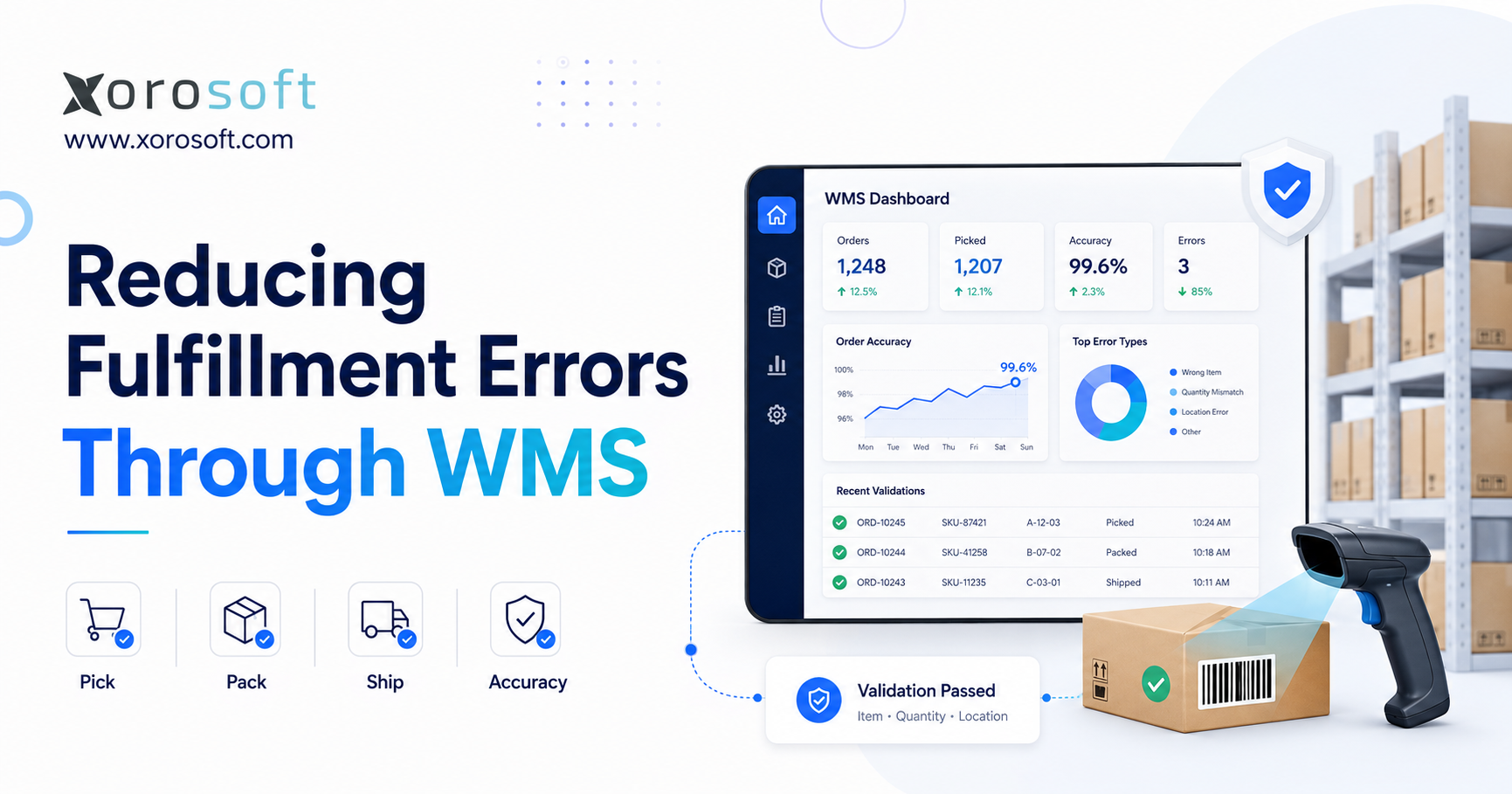
If you want to reduce fulfillment errors with WMS, it’s important to understand how warehouse management systems can optimise your operations.
1. Fulfillment Errors Grow When Warehouse Controls Fall Behind
Fulfillment errors rarely appear overnight. Instead, they increase gradually as businesses add products, warehouse locations, sales channels, employees, carrier services, and customer-specific requirements. Initially, a warehouse may operate effectively with printed pick lists, spreadsheets, employee memory, and visual product checks. However, those methods become less dependable as order volume and operational complexity rise.
Companies looking to reduce fulfillment errors with WMS usually face the same underlying problem: the business has scaled, but the controls used to receive, store, pick, pack, and ship inventory have not developed at the same pace. Consequently, warehouse employees must make more decisions manually while working under greater time pressure.
A fulfillment mistake may appear to be a simple wrong-item shipment. Nevertheless, its full cost can include:
- Return-processing labor
- Replacement inventory
- Additional freight
- Customer-service time
- Warehouse rework
- Inventory adjustments
- Carrier claims
- Payment disputes
- Lost margin
- Lower customer retention
Moreover, the original mistake can create a second inventory problem. For example, when a customer receives the wrong product, the warehouse system may still show that item as available. Meanwhile, the product that should have been shipped may have been deducted incorrectly. Therefore, one customer-facing error can create several internal discrepancies.
In addition, fulfillment mistakes often create hidden operational costs that are not visible in the original order value. For instance, customer-service teams may investigate the complaint, warehouse employees may perform a manual stock check, and accounting teams may process credits or adjustments. Consequently, one inaccurate shipment can affect several departments.
Warehouse technology cannot guarantee that employees will never make mistakes. Rather, a well-designed warehouse system should make incorrect actions harder to complete and easier to detect before an order leaves the facility.
1.1 Why Manual Fulfillment Controls Stop Scaling
Manual processes depend heavily on employee experience, concentration, and product knowledge. For instance, an experienced employee may remember where products are stored, recognize similar packaging, and understand customer-specific requirements.
However, that knowledge does not always transfer easily to new hires, seasonal workers, or employees working in unfamiliar warehouse zones. In addition, manual methods become less reliable when:
- Product variations increase
- Inventory moves between locations
- Order priorities change during the day
- Several sales channels share stock
- Warehouse layouts expand
- Carrier cutoffs create pressure
- Wholesale and ecommerce workflows overlap
A printed pick list shows what an employee should select. However, it cannot confirm what the worker actually picked. Similarly, a spreadsheet may display inventory quantities, but it cannot validate that stock was placed in the correct bin.
Therefore, warehouse accuracy must eventually come from standardized process controls rather than employee memory alone.
1.2 Isolated Mistakes Versus Process Failures
An isolated error can occur even when appropriate controls exist. By contrast, a process failure occurs when the workflow provides no dependable way to prevent or detect an incorrect transaction.
Consider two warehouses. The first asks employees to compare products visually with a printed list. Meanwhile, the second requires employees to scan the storage location, product barcode, quantity, and order tote.
Both warehouses can experience mistakes. Nevertheless, the second operation has several opportunities to reject an incorrect action before it reaches packing.
As a result, repeated fulfillment problems should not be dismissed as employee carelessness. Instead, managers should determine whether the process allows errors to continue without verification.
2. What Counts as a Warehouse Fulfillment Error?
A fulfillment error occurs when an order is picked, packed, documented, or shipped differently from the approved customer order.
The mistake may involve:
- Product
- Quantity
- Product variation
- Packaging
- Delivery address
- Carrier service
- Documentation
- Lot number
- Serial number
- Shipping timing
- Shipment status
Although the customer usually discovers the problem after delivery, the original error may have occurred much earlier.
For example, the warehouse may have received an item under the wrong SKU or placed it in an incorrect location. Consequently, the picker may follow the system instructions correctly while still selecting the wrong physical product.
Moreover, the location where an error is discovered is not always the location where it began. For instance, an incorrect product received under the wrong identifier may appear to be a picking mistake later. Therefore, root-cause analysis should follow the complete inventory movement.
Companies cannot reduce fulfillment errors with WMS by focusing only on final shipping. Instead, they must control the complete inventory lifecycle.
2.1 Picking Errors That Lower Order Accuracy
Picking errors occur when an employee selects the wrong inventory.
Common examples include:
- Picking the wrong SKU
- Selecting the wrong size or color
- Taking inventory from the wrong bin
- Picking a case instead of an individual unit
- Choosing the wrong lot
- Selecting the wrong serial number
- Picking too many units
- Picking too few units
- Skipping an order line
- Placing an item into the wrong tote
Visually similar products create additional risk. In particular, apparel, sporting goods, cosmetics, automotive parts, food products, and furniture components may differ only by size, color, material, model, pack quantity, or expiry date.
Consequently, visual confirmation becomes less dependable as product variation increases. Therefore, scan-based validation becomes increasingly important.
2.2 Packing Errors That Escape the Picking Process
Packing should provide a second verification point. However, many warehouses treat packing mainly as a carton-closing activity.
Packing errors may include:
- Leaving an item out
- Adding an extra item
- Mixing products from different orders
- Using the wrong carton
- Omitting required documentation
- Applying the wrong shipping label
- Failing to protect fragile products
- Ignoring customer-specific requirements
When the packer assumes the picking process was correct, an incorrect product may move through the warehouse without an independent check. As a result, the customer becomes the first person to identify the mistake.
Therefore, packing verification is one of the strongest controls for businesses attempting to reduce fulfillment errors with WMS. Moreover, it creates another opportunity to identify missing quantities, mixed orders, and incorrect labels.
2.3 Shipping Errors Beyond Product Selection
An order may contain the correct products and quantities yet still fail during shipping.
For example, the warehouse may select:
- The wrong customer address
- An incorrect carrier
- The wrong service level
- An incorrect carton count
- An unauthorized partial shipment
- A duplicate shipment
- An invalid tracking number
- Missing compliance documents
Furthermore, unclear order status can cause a shipment to be processed twice. Therefore, shipping accuracy requires controlled label generation, dependable carrier integration, and clear shipment-status rules.
2.4 Inventory Errors That Create Fulfillment Problems
Fulfillment accuracy depends on inventory accuracy. When the system directs an employee to a bin that does not contain the expected stock, the worker must stop, search, substitute, move inventory, or escalate the order.
As a result, inaccurate inventory can cause:
- Short picks
- Unapproved substitutions
- Order delays
- Overselling
- Emergency transfers
- Incorrect adjustments
- Delayed customer communication
- Poor purchasing decisions
For this reason, warehouse accuracy must begin during receiving and continue through returns.
3. How WMS Fulfillment Accuracy Works
A warehouse management system controls and records inventory movement through receiving, putaway, storage, replenishment, picking, packing, shipping, cycle counting, and returns.
A WMS does more than report how many units are available. Instead, it can identify:
- Where inventory is stored
- Which quantity is allocated
- Which customer order requires the stock
- Which employee completed the transaction
- Which barcode was scanned
- Whether the quantity matched
- Which exception occurred
- When the movement happened
Moreover, the system can record the device, location, lot, serial number, and approval history related to each transaction. Therefore, WMS fulfillment accuracy depends on transaction-level validation rather than delayed stock updates.
Furthermore, a WMS creates a shared operational record for warehouse activity. As a result, managers can compare expected tasks with completed scans, quantities, locations, and exceptions. Therefore, decisions can be based on transaction data instead of employee recollection.
3.1 WMS Versus Basic Inventory Software
Basic inventory software often answers questions such as:
- How many units are on hand?
- Which items need replenishment?
- Which warehouse contains the product?
- What inventory was received?
- What inventory was sold?
By contrast, a WMS controls how warehouse tasks should be completed.
For example, it can determine:
- Which employee should complete the task
- Which location the employee should visit
- Which product must be scanned
- Which quantity should be confirmed
- Which tote should receive the item
- What should happen when stock is missing
- Which check must occur before shipping
Basic inventory software may be sufficient for a simple stockroom. However, complex warehouses normally require guided workflows, bin-level control, mobile scanning, and structured exception management.
In addition, growing operations often need user permissions, replenishment rules, audit trails, and packing verification. Consequently, the difference between inventory software and WMS becomes more important as warehouse complexity increases.
3.2 WMS Versus ERP for Warehouse Error Reduction
A WMS manages warehouse execution. Meanwhile, an ERP connects warehouse activity with purchasing, sales orders, accounting, forecasting, ecommerce, manufacturing, reporting, and financial controls.
Some companies connect a standalone WMS to an existing ERP. On the other hand, others choose an ERP platform with integrated warehouse management.
A standalone WMS may be appropriate when a mature ERP already exists. However, an integrated model becomes more relevant when inventory, purchasing, ecommerce, accounting, and fulfillment operate in separate applications.
For example, XoroERP connects warehouse activity with sales orders, inventory, purchasing, accounting, and reporting. As a result, companies can reduce fulfillment errors with WMS while also reducing duplicate data entry between operational and financial systems.
By contrast, a disconnected WMS and ERP environment may require several integrations to keep orders, stock, purchasing, and accounting aligned. Therefore, businesses should evaluate both warehouse functionality and data connectivity. Ultimately, the right model depends on whether the main problem is warehouse execution alone or a wider operational disconnect.
4. Why Warehouse Fulfillment Errors Continue to Happen
Warehouse mistakes normally reflect a combination of weak data, inconsistent processes, poor location control, disconnected systems, and limited verification.
Although additional training may help temporarily, it cannot compensate for a workflow that allows incorrect transactions to continue unchecked. Similarly, barcode scanners alone cannot repair unreliable inventory data or unclear warehouse procedures.
Instead, the business must connect accurate master data, defined processes, scan requirements, and structured exception controls. Consequently, warehouse-error reduction should begin with root-cause analysis rather than a technology purchase alone.
First, the company must separate data problems from process problems. Next, it should identify where manual decisions or missing controls allow errors to continue. Finally, it can determine whether better procedures, scanning, WMS software, or broader ERP integration are required.
4.1 Inaccurate Inventory Records
Inventory records become unreliable when transactions are recorded late, entered manually, or skipped.
Common causes include:
- Unrecorded transfers
- Delayed receiving
- Informal substitutions
- Unprocessed returns
- Incorrect units of measure
- Manual stock adjustments
- Weak cycle counting
- Temporary storage locations
When employees stop trusting the system, they create workarounds. For instance, they may keep private notes, search the warehouse manually, or move stock without recording the transfer.
However, those workarounds make the inventory record even less dependable. Consequently, the warehouse becomes more dependent on tribal knowledge. Therefore, restoring inventory accuracy is both a data project and a process-discipline project.
4.2 Poor Bin and Location Management
Products stored in unclear, duplicated, or unrecorded locations are difficult to pick accurately.
Therefore, every warehouse, zone, aisle, rack, shelf, bin, staging area, packing station, and shipping lane should have a unique identifier.
Furthermore, the WMS should direct the employee to a specific location and require a scan before completing the movement. As a result, the transaction confirms both the product and its physical location.
4.3 Paper Pick Lists and Static Information
Printed pick lists become outdated when orders change, inventory is reallocated, or priority shipments enter the queue.
Moreover, paper workflows provide limited traceability. Managers may struggle to determine:
- Who picked the order
- When the pick occurred
- Which location was used
- Whether the product was checked
- Why the quantity changed
- When the exception happened
By contrast, a digital workflow records each action and updates instructions as warehouse conditions change.
In addition, printed documents cannot automatically reflect order cancellations, allocation changes, or newly received inventory. As a result, employees may continue working from instructions that are no longer current. Therefore, static information creates risk whenever warehouse priorities change during the day.
4.4 Similar Products and Product Variations
Many warehouses manage products that appear almost identical.
For example, apparel companies may stock the same style in several sizes and colors. Sporting goods distributors may manage left-handed and right-handed models. Furniture companies may store multiple cartons belonging to one finished item.
Therefore, visual identification becomes less dependable as product variation increases. Instead, barcode validation confirms the exact SKU against the assigned warehouse task.
4.5 Manual Quantity Entry
Manual quantity entry creates several risks, including:
- Typing errors
- Miscounts
- Case-versus-unit mistakes
- Incorrect pack assumptions
- Decimal errors
- Unit-of-measure confusion
Therefore, the WMS may require individual scans, quantity confirmation, weight validation, or supervisor approval.
Consequently, quantity rules remain consistent across employees and shifts.
4.6 Disconnected Ecommerce and Warehouse Systems
A Shopify order may be paid and ready for fulfillment while the warehouse system has not yet received it. Meanwhile, another inventory application may show stock that has already been allocated to a wholesale customer.
Disconnected systems can create:
- Delayed order imports
- Duplicate orders
- Incorrect available inventory
- Overselling
- Repeated data entry
- Delayed tracking updates
- Weak reconciliation
- Conflicting order statuses
Moreover, disconnected applications can create different versions of the same order. For example, ecommerce may show an order as cancelled while the warehouse still shows it as ready to pick. Consequently, integration quality directly affects fulfillment accuracy.
Growing companies often need to reduce fulfillment errors with WMS while also connecting the warehouse with ecommerce, purchasing, and accounting data.
4.7 Inconsistent Exception Handling
Every warehouse encounters exceptions. Inventory may be missing, damaged, mislabeled, expired, inaccessible, or subject to a quality hold.
The problem begins when employees resolve the same exception differently.
For example, one employee may substitute another item. Another may reduce the quantity. Meanwhile, a third may move inventory from another location without recording it.
Therefore, the WMS should define how each exception is reported, approved, and resolved.
5. How to Reduce Fulfillment Errors With WMS Controls
A WMS improves accuracy by placing verification around each important inventory movement.
Instead of allowing a task to continue based only on employee judgment, the system compares the actual scan with the expected product, location, quantity, order, and shipment.
This is the central reason companies can reduce fulfillment errors with WMS rather than relying only on training or manual inspection. Moreover, the system can stop an incorrect transaction immediately instead of allowing the mistake to move from picking to packing and then shipping.
For example, when an employee scans the wrong SKU, the WMS can reject the pick before the item enters the order tote. Likewise, when the wrong carton reaches the shipping station, the system can block label confirmation.
First, the WMS confirms what the employee is expected to do. Next, it compares the physical scan with the assigned task. Finally, it either accepts the transaction or stops the employee from moving forward. As a result, validation becomes part of execution rather than a separate inspection performed later.
5.1 Real-Time Inventory Visibility Reduces Warehouse Errors
Real-time inventory visibility helps employees understand:
- Which stock is available
- Which stock is allocated
- Which products are on hold
- What inventory is awaiting putaway
- What stock is in transit
- Which bin contains the product
- Which warehouse should fulfill the order
Therefore, employees spend less time searching for inventory or making informal substitutions. Furthermore, managers can identify shortages before those shortages interrupt customer orders.
In addition, purchasing and replenishment teams gain better information about actual demand. As a result, real-time visibility improves both fulfillment execution and inventory planning.
5.2 Barcode Validation Prevents Picking Mistakes
Barcode scanning converts a physical warehouse action into a validated system transaction.
A controlled picking process may require the employee to scan:
1. The storage location
2. The product barcode
3. The required quantity
4. The assigned order tote
If the employee scans the wrong product or location, the WMS can reject the transaction.
However, the barcode itself does not create accuracy. Instead, accuracy comes from the validation rule that compares the scanned identifier with the assigned warehouse task.
The official GS1 barcode standards provide a common framework for identifying products, locations, logistics units, lots, and serial numbers. Therefore, standardized identifiers can support companies trying to reduce fulfillment errors with WMS while improving data consistency across receiving, picking, packing, and shipping.
Oracle also explains how barcode scanning supports mobile inventory workflows. Consequently, warehouses can reduce manual data entry while maintaining a more dependable transaction record.
Similarly, consistent location labels help employees verify where inventory is stored and moved. Consequently, barcode standards support more than product identification alone. Instead, they create a common language for products, bins, cartons, shipments, lots, and serial numbers across the warehouse.
5.3 Directed Picking Improves Order Accuracy
Directed picking tells the employee:
- Which order to process
- Which location to visit
- Which item to select
- Which quantity to pick
- Which tote should receive the item
- Which task should come next
As a result, employees rely less on memory. Furthermore, the warehouse can control order priority, allocation rules, and picking paths centrally.
Moreover, directed tasks help new or seasonal employees follow the same process as experienced workers. Therefore, accuracy becomes less dependent on individual product knowledge.
5.4 Quantity Controls Reduce Over-Picks and Short Picks
Quantity verification becomes especially important when the warehouse manages:
- Individual units
- Inner packs
- Cases
- Pallets
- Bundles
- Kits
- Variable-weight items
Therefore, the WMS may require individual scans, confirmed quantity entry, weight validation, or supervisor approval.
Consequently, quantity controls remain consistent across employees and shifts.
5.5 Packing Verification Catches Errors Before Shipment
Packing should operate as an independent control point.
At this stage, the system can require employees to:
- Scan every order item
- Confirm quantities
- Identify missing lines
- Prevent mixed orders
- Record carton details
- Verify expected weight
- Add required documentation
- Generate the correct label
Moreover, the order should not close until every required line has been resolved. Therefore, packing helps reduce fulfillment errors with WMS while inventory is still inside the warehouse.
In addition, packing verification creates separation of responsibility between picking and shipping. Consequently, an error missed during picking can still be detected before the carton leaves the facility. Therefore, the packing station should function as a validation point rather than only a place to close boxes.
5.6 Shipping Validation Prevents Final-Stage Errors
Before an order leaves the warehouse, the WMS can verify:
- Shipment status
- Customer address
- Carrier
- Service level
- Carton count
- Tracking number
- Required documentation
- Customer instructions
- Order holds
In addition, the system should prevent an already-shipped order from returning to the open fulfillment queue. As a result, duplicate shipments become less likely.
Moreover, clear shipment statuses make it easier for customer-service teams to confirm whether an order is waiting, packed, labelled, or dispatched. Therefore, shipping validation improves both warehouse control and customer communication.
5.7 Lot and Serial Tracking Improves Traceability
Businesses handling regulated, high-value, warrantied, or perishable products may require exact lot or serial control.
For example, the WMS can record:
- Which lot was received
- Where it was stored
- Which order consumed it
- Which customer received it
- Which employee completed the transaction
- When the movement occurred
Consequently, the business can respond more effectively to recalls, warranty claims, quality investigations, and traceability requests.
5.8 Audit Trails Support Root-Cause Analysis
A warehouse audit trail should capture:
- User
- Device
- Date and time
- Product
- Location
- Quantity
- Order
- Lot or serial number
- Exception reason
- Approval history
Microsoft’s guidance for its Warehouse Management mobile application illustrates how scan-based warehouse workflows can support structured data capture and transaction inquiries.
Therefore, managers can investigate patterns rather than categorizing every problem as employee error. For example, repeated wrong-location scans may reveal unclear bin labels, while frequent short picks may indicate weak replenishment.
6. Reducing Receiving and Putaway Errors Through WMS
Fulfillment accuracy begins before the customer order enters the picking queue.
For example, a product received under the wrong SKU, quantity, lot, unit of measure, or location can create errors throughout its warehouse lifecycle.
Therefore, receiving should validate the supplier, purchase order, product, quantity, unit of measure, and traceability information. In addition, unexpected products or quantities should enter a controlled exception workflow.
First, the warehouse should confirm what arrived. Next, it should record the correct quantity, identifier, lot, or serial number. Finally, it should place the inventory in an approved location. Consequently, receiving and putaway create the foundation for every later fulfillment transaction.
6.1 Purchase-Order Receiving Controls
The receiving process should compare the physical delivery with:
- Supplier
- Purchase order
- Product
- Expected quantity
- Unit of measure
- Lot or serial requirement
- Expiry date
- Quality requirement
As a result, supplier discrepancies can be resolved before inventory becomes available for customer orders.
6.2 Scan-Based Receiving Improves Inventory Accuracy
Receiving employees should scan product identifiers rather than relying only on visual recognition or supplier descriptions.
The system can then confirm:
- The product belongs to the purchase order
- The unit of measure is correct
- A lot or serial number is required
- The received quantity is within approved limits
- The product requires inspection
Therefore, receiving becomes the first operational control in the effort to reduce fulfillment errors with WMS.
Oracle’s guidance on warehouse barcode-label printing also explains how labels can be created for products and warehouse locations. Consequently, employees can scan standardized identifiers during later inventory movements.
Moreover, scan-based receiving reduces reliance on supplier descriptions that may not match internal product records. Therefore, employees can verify the company’s SKU, unit of measure, and traceability requirements before stock becomes available. As a result, receiving discrepancies are contained at the start of the process.
6.3 Directed Putaway Improves Location Accuracy
Directed putaway recommends or requires an approved storage location after receiving.
For example, putaway rules may consider:
- Product category
- Size and weight
- Temperature requirements
- Hazard classification
- Picking velocity
- Existing stock
- Available capacity
- Lot segregation
- Replenishment demand
Finally, the employee scans the destination location. As a result, the system confirms where inventory was physically placed.
6.4 Controlling When Inventory Becomes Available
Inventory should not automatically become available when it still requires:
- Inspection
- Labeling
- Counting
- Quality approval
- Lot capture
- Assembly
- Putaway
By using clear inventory statuses, the business prevents incomplete receiving work from creating false availability.
7. Improving Picking Accuracy With WMS Workflows
Picking methods should reflect warehouse layout, order profile, product characteristics, and daily volume.
Although the fastest method may improve throughput, it is not always the most accurate. Therefore, the operation must balance travel efficiency with order separation and scan-based verification. In addition, the selected method should support clear exception handling when inventory is missing or incorrectly located.
7.1 Single-Order Picking
Single-order picking allows an employee to complete one order at a time.
Although the method is simple and often accurate, travel time may become inefficient as order volume rises. Nevertheless, accuracy improves when the worker scans the location, product, quantity, and order tote.
7.2 Batch Picking With Order Separation
Batch picking groups similar orders so an employee can collect products for several orders during one route.
However, the main risk is placing the correct product into the wrong order. Therefore, the WMS should assign a scannable tote or cart position to each order.
The employee must confirm both the product and its destination container.
Moreover, batch picking requires disciplined container management. Otherwise, an employee may pick the right SKU but place it into the wrong customer order. Therefore, tote scanning is as important as product scanning in multi-order workflows.
7.3 Wave Picking for Coordinated Fulfillment
Wave picking releases groups of tasks according to:
- Carrier cutoff
- Customer priority
- Shipping route
- Order type
- Warehouse capacity
- Product availability
As a result, the warehouse can coordinate picking with replenishment, packing, and shipping capacity. Moreover, priority orders can be released without disrupting every open task.
7.4 Zone Picking Across Larger Warehouses
In zone picking, employees remain responsible for specific warehouse areas. Meanwhile, orders move between zones or are consolidated after each zone completes its work.
The WMS should track every transfer. Otherwise, order lines may be missed during consolidation.
7.5 Cluster Picking for Multiple Orders
Cluster picking allows one employee to collect several orders into separate cart positions during one trip.
However, each cart position needs a scannable identifier. Without tote validation, an accurate pick can still become an incorrect shipment.
7.6 WMS Short-Pick Management
A short pick occurs when expected inventory is unavailable.
Instead of allowing the employee to reduce the quantity and continue, the WMS should:
1. Record the missing quantity
2. Check another location
3. Trigger replenishment
4. Request a cycle count
5. Search another warehouse
6. Split the order when approved
7. Place the order on hold
8. Escalate the exception
Consequently, short-pick management helps reduce fulfillment errors with WMS because it treats missing stock as both a fulfillment issue and an inventory-accuracy problem.
In addition, the exception can trigger replenishment, cycle counting, or order reallocation. Therefore, one missing item can create a corrective workflow instead of an informal workaround.
8. Reducing Packing and Shipping Errors With WMS Verification
Packing and shipping controls prevent picking mistakes from reaching the customer. For that reason, the strongest workflows separate picking confirmation from final packing approval.
First, packing confirms the contents of the order. Next, shipping confirms the carton, label, destination, and service level. Finally, shipment confirmation updates the order and tracking status. As a result, each stage checks a different part of the fulfillment transaction.
8.1 WMS Packing Verification
The packing station should display:
- Expected order lines
- Scanned order lines
- Remaining quantities
- Substitutions
- Backorders
- Customer requirements
- Shipping restrictions
Moreover, the order should not close until every required line has been resolved. Consequently, the packer cannot complete the shipment simply because the picker marked the task as finished.
8.2 Carton and Weight Controls
Expected weight can identify some missing or additional products. However, weight validation should support barcode scanning rather than replace it.
For example, two incorrect products may have a similar combined weight to the correct order. Therefore, product-level scanning remains the stronger control.
Nevertheless, weight verification can still provide a useful additional warning. Consequently, the best process combines item scans with carton-level checks.
8.3 Shipping-Label Validation
The shipping label should be generated directly from the approved order and carton.
As a result, employees do not need to retype:
- Customer address
- Carrier
- Service level
- Carton information
- Tracking details
Furthermore, the system can connect the label with the exact shipment record.
8.4 Duplicate-Shipment Prevention
Duplicate shipments often occur when order status is unclear across ecommerce, warehouse, and carrier systems.
Therefore, the WMS should maintain a clear sequence:
1. Order released
2. Inventory allocated
3. Order picked
4. Order packed
5. Label created
6. Shipment confirmed
7. Tracking returned
Once the order reaches shipped status, the system should prevent it from being processed again without authorization. Therefore, clear status controls help reduce fulfillment errors with WMS during final order processing.
9. Inventory Accuracy Supports WMS Fulfillment Accuracy
A scan-based picking process cannot compensate for unreliable inventory records.
The system may guide an employee to the correct bin. However, the workflow still fails when the expected stock is not physically present.
Moreover, inventory accuracy affects more than picking. For example, unreliable stock can distort purchasing, forecasting, allocation, and customer availability. Therefore, cycle counting and replenishment should be treated as fulfillment controls rather than separate inventory activities.
9.1 Cycle Counting Reduces Inventory Discrepancies
Cycle counting verifies selected inventory throughout the year instead of relying only on one annual physical count.
For example, the WMS can prioritize:
- High-value products
- Fast-moving SKUs
- Repeated short picks
- Negative inventory
- High-risk locations
- Frequently adjusted products
- Lot or serial discrepancies
Therefore, the warehouse can identify problems closer to the time they occur.
In addition, recent transaction history can help explain why the discrepancy developed. As a result, the business can correct the process rather than repeatedly adjusting the same inventory.
9.2 Replenishment Prevents Empty Picking Locations
A picking location may become empty while reserve stock remains available elsewhere.
Consequently, WMS-driven replenishment should create movement tasks before the picker reaches the empty location. As a result, employees experience fewer interruptions and are less likely to move inventory without recording the transfer.
9.3 Multi-Warehouse Visibility Reduces Allocation Errors
A multi-warehouse business must distinguish between total inventory and inventory available at the location responsible for an order.
Therefore, allocation decisions should consider:
- Local availability
- Existing commitments
- Transfer orders
- Safety stock
- Inbound purchasing
- Shipping cost
- Delivery speed
- Warehouse workload
- Channel priority
A connected platform such as XoroWMS can centralize location-level activity and connect inventory movements with fulfillment workflows.
As a result, growing companies can reduce fulfillment errors with WMS while improving visibility across multiple warehouse locations.
10. Manual Warehouse Processes Versus WMS Error Controls
| Capability | Manual Warehouse Process | WMS-Controlled Process |
|---|---|---|
| Inventory visibility | Periodic or delayed | Updated through transactions |
| Picking instructions | Paper or memory | System directed |
| Product verification | Visual | Barcode validated |
| Location confirmation | Informal | Location scanned |
| Quantity control | Manual counting | System confirmed |
| Traceability | Limited | User and timestamp history |
| Exception handling | Employee judgment | Configured workflow |
| Performance reporting | Manual compilation | Transaction based |
| Scalability | Increasingly difficult | Configurable by volume |
A WMS does not automatically create a well-managed warehouse. Nevertheless, it provides the framework required to enforce a well-designed process consistently.
Manual workflows may appear flexible at lower order volumes. However, they become difficult to control when several employees, warehouses, and sales channels share the same inventory.
By contrast, a WMS records each task as it occurs and validates the transaction against current system data. Therefore, managers gain stronger control and clearer information for process improvement.
Moreover, manual flexibility often becomes inconsistency as order volume increases. By contrast, a WMS applies the same validation rules across employees, shifts, and warehouse locations. Consequently, the business can scale without relying entirely on individual experience.
11. Choosing Between Inventory Software, WMS, and ERP
| Capability | Inventory Software | Standalone WMS | ERP With WMS |
| Stock tracking | Yes | Yes | Yes |
| Bin management | Varies | Strong | Strong |
| Directed picking | Limited | Strong | Strong |
| Packing verification | Limited | Yes | Yes |
| Purchasing | Basic | Limited | Integrated |
| Accounting | Separate | Separate | Integrated |
| Forecasting | Limited | Limited | Connected |
| Manufacturing | Rare | Rare | Available |
| Financial reporting | Separate | Separate | Integrated |
| Multichannel workflows | Integration dependent | Integration dependent | Connected through ERP |
Therefore, software selection should begin with process requirements rather than product names. First, the company should define warehouse execution needs. Next, it should identify accounting, purchasing, ecommerce, manufacturing, and reporting requirements. Finally, it can determine whether inventory software, standalone WMS, or integrated ERP offers the strongest fit.
11.1 When Basic Inventory Software Is Enough
Basic inventory software may work when the company has:
- One simple warehouse
- Limited order volume
- Few warehouse employees
- Minimal bin complexity
- No lot or serial requirements
- Straightforward picking
In that case, stronger product data, better labels, and standardized procedures may provide more value than a complete WMS implementation.
11.2 When a Standalone WMS Is Appropriate
A standalone WMS may suit businesses that:
- Already use a mature ERP
- Need specialized warehouse execution
- Operate complex distribution facilities
- Require advanced warehouse automation
- Can support system integrations
However, inventory, order, purchasing, and financial information must move reliably between systems. Otherwise, integration delays may create new fulfillment errors.
11.3 When ERP-Integrated Warehouse Management Makes Sense
An integrated ERP and WMS model becomes more relevant when purchasing, inventory, ecommerce, accounting, forecasting, manufacturing, and reporting must share the same operational record.
For example, purchasing needs reliable stock information, accounting needs accurate inventory valuation, and ecommerce channels require current availability.
The XoroOne cloud ERP platform is designed to centralize these workflows for inventory-driven businesses that have outgrown disconnected applications.
As a result, an integrated platform can help reduce fulfillment errors with WMS while also improving visibility between finance, purchasing, ecommerce, manufacturing, and warehouse teams.
12. Measuring Warehouse Error Reduction
A company should establish baseline metrics before changing warehouse processes. Otherwise, managers cannot determine whether the new workflow improved performance.
First, the business should define what counts as a correct order. Next, it should measure order accuracy, picking accuracy, packing accuracy, inventory accuracy, short picks, returns, reshipment costs, and rework.
In addition, exception data should be reviewed by:
- Product
- Location
- Warehouse
- Employee
- Sales channel
- Workflow stage
- Root cause
Consequently, these measurements help companies reduce fulfillment errors with WMS because they reveal where controls are working and where further improvement is required.
Moreover, metrics should be measured consistently before and after implementation. Otherwise, improvements may reflect seasonal volume, product mix, or staffing changes rather than the WMS itself. Therefore, the company should document the calculation method for every KPI.
12.1 Order Accuracy Rate
Order Accuracy Rate = Correct Orders Shipped ÷ Total Orders Shipped × 100
A correct order should include:
- Correct product
- Correct quantity
- Correct condition
- Correct address
- Correct documentation
- Correct shipping method
Therefore, order accuracy should not be measured only by whether the correct SKU was shipped.
12.2 Picking Accuracy
Picking Accuracy = Correctly Picked Order Lines ÷ Total Order Lines Picked × 100
Line-level measurement provides more detail than order-level measurement. For example, one incorrect line can make an entire customer order inaccurate.
Consequently, managers should examine both order-level and line-level performance.
12.3 Perfect Order Rate
A perfect order is:
- Complete
- Accurate
- Undamaged
- Properly documented
- Shipped on time
- Delivered to the correct destination
Although perfect order rate is demanding, it provides a broader view of customer-facing execution.
12.4 Additional WMS Fulfillment Accuracy KPIs
Track:
- Packing accuracy
- Inventory accuracy
- Short-pick rate
- Mis-pick rate
- Warehouse-related return rate
- Rework hours
- Cost per fulfillment error
- Reshipment cost
- Manual intervention rate
- Exceptions by product
- Exceptions by location
- Exceptions by workflow stage
Moreover, review these measurements regularly. For example, weekly operational reviews may focus on short picks and packing corrections, while monthly reviews may examine returns and reshipment costs.
As a result, managers can focus process-improvement efforts more precisely. Ultimately, measurement should lead to process changes rather than reports that are never acted upon.
13. Common WMS Implementation Mistakes
A WMS implementation may fail to improve accuracy when a company digitizes existing problems without redesigning the workflow.
Therefore, implementation should begin with process review rather than software configuration.
In addition, implementation problems often come from decisions made before configuration begins. For example, unclear ownership, poor data, and incomplete process mapping can weaken the project before employees ever use the system. Therefore, preparation is as important as software functionality.
13.1 Automating a Broken Warehouse Process
A WMS enforces the configured process. Consequently, automating an inefficient workflow can make the problem more difficult to change.
Before configuration, the company should:
- Map actual activity
- Remove unnecessary steps
- Define standard transactions
- Document exceptions
- Assign ownership
- Establish approval rules
13.2 Launching With Poor Product Data
Barcode scanning cannot improve accuracy when:
- Products share incorrect barcodes
- Duplicate SKUs exist
- Units of measure are unclear
- Product variations are inconsistent
- Supplier identifiers do not match
- Labels are unreadable
Therefore, product-data cleanup must happen before rollout. Otherwise, the WMS may process incorrect information more consistently without solving the underlying problem.
13.3 Starting With Inaccurate Inventory
A warehouse should not launch a new system with unreliable quantities and locations.
When employees are repeatedly directed to empty bins, they lose confidence in the platform. As a result, they may return to manual workarounds.
13.4 Underestimating Training
Training should explain why each validation step matters, not only which buttons employees must press.
For example, workers need to understand:
- Why location scans are required
- How to report short picks
- What to do with damaged inventory
- How to manage unreadable labels
- When substitutions are allowed
- When supervisor approval is required
Therefore, training should combine system use with operational reasoning.
Moreover, employees should practise exceptions rather than only perfect transactions. For example, training should cover missing inventory, damaged products, wrong scans, and unreadable labels. As a result, workers are more prepared when real warehouse problems occur.
13.5 Allowing Too Many Overrides
Supervisors may need override permissions. However, routine activity should follow standard validation rules.
Otherwise, the system may appear controlled while employees continue to bypass important safeguards.
13.6 Failing to Test Integrations
The company should test:
- Order imports
- Order changes
- Cancellations
- Inventory updates
- Returns
- Partial shipments
- Carrier labels
- Tracking numbers
- Address changes
- Multi-location routing
- Accounting entries
Without proper testing, the warehouse may operate correctly while connected applications continue to create errors.
14. A Practical WMS Implementation Framework
First, map the current process. Second, correct master data and location structures. Next, configure validation and exception rules. Afterward, test integrations and unusual transactions. Finally, launch in controlled phases and compare performance with the original baseline.
14.1 Map the Current Fulfillment Workflow
Document how receiving, inspection, putaway, replenishment, picking, packing, shipping, returns, and inventory adjustments actually work.
Although written procedures may exist, daily warehouse activity often differs from the official process.
Therefore, managers should observe employees directly instead of relying only on documentation.
14.2 Identify High-Cost Error Points
Next, review:
- Customer complaints
- Returns
- Reshipments
- Inventory adjustments
- Short picks
- Packing corrections
- Order cancellations
- Manual interventions
Then, classify each issue by product, location, warehouse, order channel, process stage, and root cause.
As a result, the company can prioritize errors with the greatest financial and customer impact.
14.3 Standardize Warehouse Data
Create consistent:
- Warehouse codes
- Zone names
- Aisle identifiers
- Bin labels
- SKU formats
- Units of measure
- Barcode rules
- Lot policies
- Serial-number policies
Consequently, scanning becomes more reliable and employees have fewer opportunities to interpret data differently.
14.4 Configure WMS Verification Points
Validation should occur where mistakes are expensive or difficult to reverse.
For example, common control points include:
- Receiving
- Putaway
- Replenishment
- Picking
- Tote assignment
- Packing
- Shipping
- Returns
However, the business should avoid adding scans that provide no meaningful operational value.
14.5 Test Exceptions, Not Only Perfect Orders
Testing should include:
- Missing inventory
- Wrong scans
- Damaged products
- Over-receipts
- Expired lots
- Duplicate orders
- Partial shipments
- Cancelled orders
- Unreadable labels
- Network interruptions
Otherwise, employees will discover workflow gaps only after launch.
Moreover, real exceptions often involve several systems at once. For instance, a cancelled order may still appear in the picking queue if integration timing is incorrect. Therefore, testing should cover the complete transaction rather than one application at a time.
14.6 Launch in Controlled Phases
A phased rollout may begin with:
- One warehouse
- One order channel
- One product group
- One picking method
- One selected team
As a result, the business can correct issues before expanding. Moreover, this approach helps reduce fulfillment errors with WMS without disrupting every warehouse at once.
14.7 Compare Results With the Baseline
After implementation, review:
- Accuracy
- Throughput
- Exception volume
- Inventory adjustments
- Rework
- Employee travel
- Customer complaints
- Reshipment expense
Furthermore, continue measuring performance after launch because warehouse conditions, product mixes, and customer requirements will change.
15. When Growing Businesses Need Stronger WMS Controls
A business should consider warehouse management software when process complexity creates repeated operational risk.
For example, wrong-item complaints may increase, employees may spend more time searching for inventory, or physical stock may frequently disagree with system quantities.
In addition, several conditions can place greater pressure on manual workflows:
- Multiple warehouse locations
- Growing SKU counts
- Shopify orders
- Amazon demand
- Wholesale commitments
- EDI requirements
- Lot or serial tracking
- Complex product variations
- Customer-specific shipping rules
Therefore, WMS readiness should be evaluated through workflow complexity, fulfillment risk, traceability requirements, and integration needs.
Revenue alone does not determine readiness. A smaller company with complicated inventory may need stronger controls earlier than a larger company with simpler products.
Moreover, businesses should reduce fulfillment errors with WMS before rising order volume turns isolated warehouse mistakes into recurring customer-service, inventory, and shipping problems.
16. Industry-Specific Fulfillment Error Reduction
Different industries experience different fulfillment risks. Therefore, WMS configuration should reflect the products, customers, traceability requirements, and shipping workflows of the business.
Companies comparing warehouse and ERP requirements across different sectors can review Xorosoft’s ERP solutions by industry.
Consequently, a WMS designed for one industry may require different rules when used in another. For example, food businesses prioritize expiry control, while furniture companies may prioritize carton relationships and damage inspection. Therefore, implementation should reflect the actual inventory and customer requirements of the business.
16.1 Apparel and Fashion Fulfillment Accuracy
Apparel warehouses manage variations in:
- Size
- Color
- Style
- Season
- Collection
- Pack configuration
Therefore, barcode validation helps prevent size, color, and style errors. Moreover, packing verification is useful when one order contains several variations of the same product.
16.2 Furniture and Home-Goods Warehouse Control
Furniture operations may manage:
- Large-item storage
- Several cartons per product
- Components
- Serial numbers
- Damage inspections
- Delivery scheduling
Consequently, the WMS should ensure that every related carton and component is assigned to the correct order. Otherwise, the customer may receive only part of the finished product.
16.3 Sporting Goods Order Accuracy
Sporting goods may differ by:
- Size
- Model
- Material
- Handedness
- Season
- Pack quantity
Therefore, scanning reduces reliance on visual appearance and confirms the exact product variation.
16.4 Food and Beverage Traceability
Food warehouses may require:
- Lot tracking
- Expiry dates
- First-expiry-first-out rules
- Quality holds
- Temperature controls
- Recall traceability
Consequently, WMS controls support both fulfillment accuracy and product safety.
16.5 Wholesale Fulfillment Error Prevention
Wholesale orders often contain:
- Larger quantities
- Customer-specific labels
- EDI documents
- Routing instructions
- Compliance requirements
- Customer-specific packs
Therefore, one mistake may affect hundreds of units. As a result, quantity validation and customer-specific workflow rules become particularly important.
16.6 Manufacturing Warehouse Accuracy
Manufacturing environments manage:
- Raw materials
- Components
- Work-in-process inventory
- Production staging
- Material consumption
- Finished goods
Accordingly, warehouse movements should connect with work orders, bills of materials, and production requirements.
17. Reducing Shopify Fulfillment Errors With Connected Operations
Shopify can manage ecommerce orders and inventory across locations. However, growing merchants may also require deeper control over warehouse execution, purchasing, accounting, wholesale allocation, forecasting, Amazon orders, and EDI.
Moreover, ecommerce growth often exposes weaknesses that were already present in inventory and warehouse processes. For example, higher order volume may increase short picks, split shipments, and delayed stock updates. Therefore, Shopify integration should be evaluated together with warehouse execution rather than as a separate storefront project.
17.1 Preventing Overselling Across Channels
Available inventory should account for:
- Physical stock
- Existing allocations
- Safety stock
- Wholesale commitments
- Returns awaiting inspection
- Transfer orders
- Production demand
- Inventory on hold
Shopify allows merchants to configure inventory and order-fulfillment locations, including warehouses, stores, and other locations that stock or ship products.
However, location tracking alone may not address directed picking, barcode validation, replenishment, packing verification, purchasing, accounting, or EDI.
Therefore, a shared inventory record should connect Shopify demand with actual warehouse availability. In addition, the system should account for allocations, holds, returns, wholesale commitments, and transfers. As a result, the business gains a more realistic available-to-promise quantity across channels.
17.2 Routing Orders to the Correct Warehouse
Order-routing decisions may consider:
- Inventory availability
- Customer destination
- Shipping cost
- Delivery commitment
- Warehouse capacity
- Order splitting
- Channel priority
Therefore, a connected system should apply these rules consistently instead of leaving every routing decision to manual review.
17.3 Connecting Shopify, Amazon, Wholesale, and EDI
A multichannel business needs one dependable inventory record even when orders originate from several sources.
Xorosoft can serve as an operational system behind Shopify by connecting ecommerce orders with inventory, purchasing, accounting, warehouse activity, Amazon, wholesale, and EDI workflows.
Merchants evaluating this model can review Xorosoft ERP on the Shopify App Store.
As a result, companies can reduce fulfillment errors with WMS while maintaining stronger control across Shopify, Amazon, wholesale, and EDI channels.
18. Evaluating WMS Software for Fulfillment Accuracy
A generic feature list does not reveal whether a platform fits the warehouse.
Instead, the evaluation should begin with actual workflows, known errors, integration requirements, and expected growth.
First, document current error points. Next, convert those problems into functional requirements. Then, test each platform against real receiving, picking, packing, and shipping scenarios. Finally, compare implementation effort, integrations, support, and total cost.
18.1 Core WMS Capabilities to Review
Evaluate:
- Barcode and mobile scanning
- Receiving
- Directed putaway
- Bin-level inventory
- Replenishment
- Picking methods
- Tote management
- Packing verification
- Carrier integration
- Lot and serial control
- Cycle counting
- Returns
- Multi-warehouse support
- User permissions
- Exception management
- Audit trails
Moreover, the platform should support future warehouses, products, employees, and sales channels without creating unnecessary complexity.
18.2 Integration Requirements
Determine whether the WMS must connect with:
- Shopify
- Amazon
- EDI
- Accounting
- Purchasing
- ERP
- Manufacturing
- Shipping carriers
- Third-party logistics providers
- Reporting tools
Integration depth matters because incomplete or delayed data can recreate the same mistakes the WMS is intended to prevent.
Therefore, order, inventory, shipment, purchasing, and accounting updates should be tested together.
18.3 Comparing WMS and ERP Platforms
Businesses may evaluate Xorosoft, NetSuite, Acumatica, Cin7, Brightpearl, Fishbowl, Sage, Business Central, and specialized WMS platforms.
The appropriate choice depends on:
- Warehouse complexity
- Accounting requirements
- Manufacturing needs
- Existing systems
- Implementation resources
- Integration depth
- Total ownership cost
Companies comparing broader ERP options can review the Xorosoft versus NetSuite comparison as one part of their evaluation.
However, no comparison page should replace workflow testing and reference checks. Therefore, businesses should compare operational fit rather than vendor popularity alone. Ultimately, the selected platform must support the company’s actual inventory, warehouse, accounting, and integration requirements.
19. Where Xorosoft Fits in a Connected Fulfillment Strategy
Xorosoft is a cloud ERP platform built for inventory-driven businesses.
The platform connects:
- Inventory management
- Purchasing
- Accounting
- Warehouse management
- Manufacturing
- Forecasting
- Reporting
- Ecommerce operations
Therefore, the model may be relevant when a company has outgrown QuickBooks, spreadsheets, inventory-only applications, separate warehouse tools, and manual purchasing processes.
Moreover, the value of an integrated platform depends on whether teams actually share the same operational data. For example, warehouse transactions should update inventory, accounting, purchasing, and customer orders consistently. Consequently, integration can reduce delays and reconciliation work between departments.
19.1 Businesses That May Benefit From an Integrated Platform
Xorosoft may be worth evaluating when a company:
- Sells physical products
- Manages significant inventory
- Operates multiple warehouses
- Sells through Shopify or Amazon
- Serves wholesale customers
- Uses EDI
- Manufactures products
- Needs stronger forecasting
- Requires accounting and purchasing integration
In these situations, connected data can help reduce fulfillment errors with WMS while improving purchasing, accounting, forecasting, and reporting visibility.
19.2 When Another WMS Approach May Be Better
A specialized standalone WMS may be a better fit when the company already uses a mature ERP and needs highly specialized warehouse execution without replacing broader systems.
Similarly, a smaller operation with limited SKU and order complexity may gain sufficient value from basic inventory software, clearer labels, and improved scanning.
Therefore, the appropriate solution depends on operational requirements rather than vendor popularity.
20. Frequently Asked Questions About Reducing Fulfillment Errors With WMS
20.1 What Is a Fulfillment Error?
A fulfillment error occurs when an order shipped to a customer does not match the approved order. For example, the mistake may involve the product, quantity, condition, address, carrier, documentation, lot, or serial number. In addition, duplicate shipments and missing order lines are common fulfillment errors. Therefore, fulfillment accuracy should be measured across picking, packing, shipping, and inventory control.
20.2 How Can Businesses Reduce Fulfillment Errors With WMS?
Businesses can reduce fulfillment errors with WMS by using barcode validation, directed picking, location scanning, quantity confirmation, packing verification, shipment controls, and structured exception workflows.
First, the system confirms the correct location. Next, it verifies the product and quantity. Finally, it checks the order before shipping.
20.3 Can a WMS Prevent Every Warehouse Mistake?
No system can guarantee that every mistake will disappear. However, a properly configured WMS can prevent many errors, identify others before shipping, and provide the transaction history needed for investigation.
Moreover, it can standardize how exceptions are handled. Therefore, its value comes from stronger process control rather than a promise of perfect execution.
20.4 How Does Barcode Scanning Improve Order Accuracy?
Barcode scanning compares the physical product or location with the expected warehouse task.
When the scan does not match, the WMS can reject the transaction. As a result, incorrect products are less likely to reach packing.
20.5 What Is Scan-to-Confirm Picking?
Scan-to-confirm requires an employee to scan the location, product, quantity, tote, or carton before completing a task.
Consequently, the system verifies that the physical action matches the assigned customer order.
20.6 What Is Picking Accuracy?
Picking accuracy measures the percentage of order lines selected correctly.
Because one incorrect line can make an entire order inaccurate, line-level measurement often provides more useful detail than order-level measurement alone.
20.7 How Is Fulfillment Accuracy Calculated?
Divide correctly fulfilled orders by the total number of orders shipped, then multiply by 100.
However, the business should first define what counts as a correct order. For example, the definition may include product, quantity, condition, address, documentation, and shipping service.
20.8 How Can a Warehouse Reduce Mispicks?
A warehouse can reduce mispicks by improving product labels, separating similar SKUs, standardizing locations, maintaining accurate inventory, and requiring barcode validation.
In addition, managers should investigate repeated short picks and wrong-location scans. Consequently, they can correct the layout or process issue causing the error.
20.9 How Can Packing Errors Be Prevented?
Use a separate packing-verification stage.
First, scan each product into the carton. Next, confirm quantities and identify missing lines. Finally, generate the shipping label from the approved order.
20.10 Can a WMS Prevent Duplicate Shipments?
A WMS can reduce duplicate shipments by maintaining clear order and shipment statuses.
Once an order reaches shipped status, the system should prevent it from returning to the open fulfillment queue without authorization.
20.11 Does WMS Improve Inventory Accuracy?
Yes, when employees consistently record receiving, putaway, transfers, picking, returns, and adjustments.
However, the company must also maintain accurate product data, barcodes, locations, and units of measure. Otherwise, the WMS may process incorrect information more consistently without solving the underlying problem. Therefore, system discipline and master-data quality must improve together.
20.12 Which WMS Features Reduce Shipping Errors?
Useful features include packing verification, carrier integration, carton tracking, address validation, label controls, tracking capture, and order-hold enforcement.
Together, these controls connect the approved order, physical carton, shipping label, and carrier transaction.
20.13 Can a WMS Track Lots and Serial Numbers?
Many warehouse systems support lot and serial tracking.
Consequently, the company can identify which customer received a specific lot or serial number during recalls, warranty claims, and quality investigations.
20.14 What Is the Difference Between WMS and Inventory Software?
Inventory software mainly tracks quantities and stock movements. By contrast, a WMS controls warehouse execution, including receiving, putaway, picking, packing, shipping, and exceptions.
20.15 What Is the Difference Between ERP and WMS?
A WMS controls warehouse activity. Meanwhile, an ERP connects accounting, purchasing, sales orders, inventory, forecasting, manufacturing, and reporting.
20.16 Is an Integrated WMS Better Than a Standalone WMS?
Not always. For example, a standalone WMS may provide deeper warehouse functionality. By contrast, an integrated platform can reduce interfaces and duplicate data across departments.
Therefore, the right choice depends on existing ERP capabilities, integration resources, warehouse complexity, and future growth.
20.17 Does a Shopify Business Need a WMS?
A smaller Shopify merchant may not need a full WMS. However, warehouse software becomes more relevant when the company operates several locations, manages many SKUs, processes wholesale orders, or experiences repeated inventory discrepancies.
Moreover, growing merchants may need to connect Shopify with Amazon, EDI, purchasing, accounting, and warehouse activity.
20.18 When Should a Business Implement WMS?
Consider implementation when manual processes create repeated mistakes, employees spend too much time searching for inventory, or several warehouses are difficult to coordinate.
Therefore, readiness depends on complexity and operational risk rather than revenue alone.
20.19 Can a Small Business Benefit From WMS?
Yes, although the value should justify the implementation effort and cost.
For example, a smaller business with lot tracking, several product variations, or multiple warehouses may need WMS controls earlier than a larger company with simple inventory.
20.20 How Long Does WMS Implementation Take?
The timeline depends on warehouse count, process complexity, data quality, integrations, devices, training, and customization.
Therefore, phased implementation usually carries less risk than launching every warehouse workflow simultaneously.
20.21 What Are Common WMS Implementation Mistakes?
Common mistakes include automating poor processes, launching with inaccurate inventory, ignoring barcode quality, offering limited training, allowing too many overrides, and failing to test exceptions.
Consequently, implementation planning should address people, processes, data, integrations, and technology together.
20.22 How Much Does a WMS Cost?
WMS cost varies according to users, warehouses, features, devices, integrations, implementation services, customization, and support.
In addition, companies should consider data migration, training, and ongoing administration. Therefore, businesses should evaluate total ownership cost rather than subscription price alone. Moreover, the ongoing cost of errors and disconnected applications should be included in the comparison.
20.23 Which KPIs Should Be Tracked After WMS Implementation?
Track order accuracy, picking accuracy, packing accuracy, inventory accuracy, short picks, returns, reshipment cost, rework time, and exception volume.
Moreover, review these measurements by warehouse, product, location, channel, and workflow stage.
20.24 Can WMS Manage Multiple Warehouses?
Yes. A multi-warehouse WMS can track inventory by location, manage transfers, allocate orders, and coordinate replenishment.
However, allocation rules should also consider safety stock, shipping cost, delivery time, channel commitments, and warehouse capacity.
20.25 How Does WMS Support Wholesale and EDI Orders?
A WMS can enforce customer-specific quantities, packs, labels, routing instructions, shipment documents, and compliance requirements.
As a result, the warehouse can apply repeatable customer rules instead of relying on manual instructions for every shipment.
21. Build a Fulfillment Process That Catches Errors Before Customers Do
Fulfillment accuracy does not improve simply because employees are asked to work more carefully. Instead, sustainable improvement comes from reliable data, standardized locations, clear workflows, controlled exceptions, and verification at every important handoff.
First, measure current fulfillment errors and identify the most expensive failure points. Next, correct product, barcode, location, and inventory data. Then, introduce validation during receiving, picking, packing, and shipping.
Moreover, separate picking confirmation from packing verification whenever possible. As a result, the warehouse gains an additional opportunity to catch an incorrect product or quantity.
A practical improvement plan should follow this sequence:
1. Measure current fulfillment errors
2. Identify high-cost failure points
3. Correct product and inventory data
4. Standardize warehouse locations
5. Introduce barcode validation
6. Separate picking from packing verification
7. Control short picks and substitutions
8. Track exceptions by root cause
9. Compare WMS and ERP options against actual workflows
10. Improve warehouse controls continuously
Ultimately, businesses reduce fulfillment errors with WMS when the system validates work as it happens rather than waiting for customers to identify the problem.
Therefore, the strongest warehouse process catches incorrect products, quantities, locations, cartons, and labels while inventory is still inside the facility.
Companies evaluating whether Xorosoft’s connected ERP and warehouse-management approach fits their operations can book a personalized demo. The discussion should cover warehouse structure, current error patterns, inventory complexity, Shopify or Amazon operations, wholesale requirements, EDI, purchasing, accounting, and manufacturing workflows.