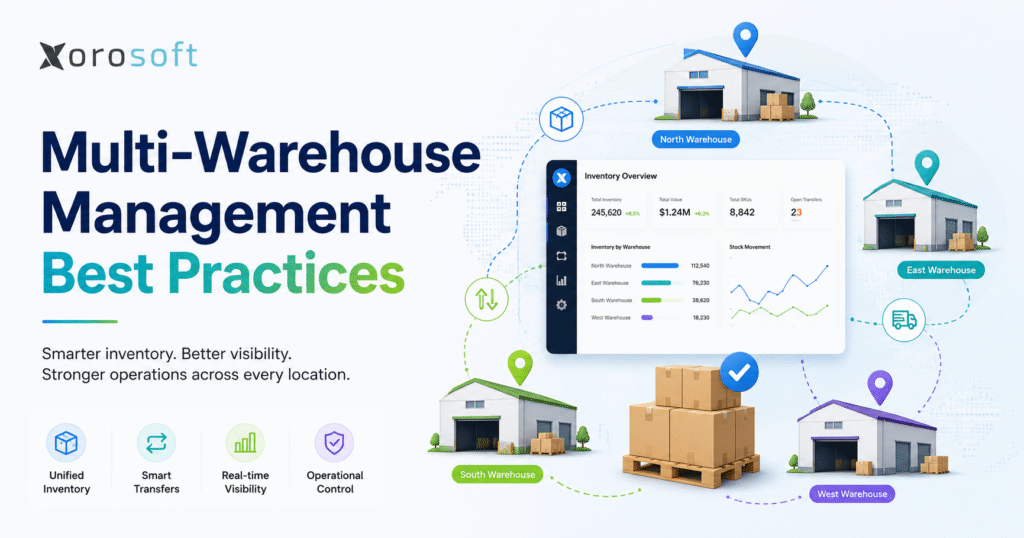
When organising your supply chain, it’s important to consider multi-warehouse management best practices to ensure efficiency and accuracy across locations.
1. Multi-Warehouse Management Challenges That Appear During Growth
Opening another warehouse often looks like a straightforward capacity decision. A growing business needs more storage space, faster delivery to a new region, or a location closer to important customers. However, the operational impact extends far beyond leasing a building and adding shelves.
Every additional location creates another inventory record, receiving process, replenishment decision, transfer workflow, fulfillment option, and financial transaction. Consequently, processes that worked informally in one building may become unreliable when several teams handle the same products and update inventory at different times.
At first, employees usually compensate with spreadsheets, emails, chat messages, manual reports, and frequent stock adjustments. Over time, however, those workarounds become harder to control. One warehouse may hold excess stock while another experiences repeated shortages. Transfers may leave the source without appearing at the destination. Meanwhile, customer service may promise units that have already been allocated to wholesale, marketplace, or production orders.
Effective multi-warehouse management best practices create a shared operating framework across every location. The business standardizes product data, inventory definitions, transaction rules, approvals, and reporting. At the same time, each warehouse retains enough flexibility to respond to local demand, labor, capacity, and delivery requirements.
The objective is not to make every warehouse identical. Instead, the goal is to ensure that every location contributes accurate information to the same operational and financial system.
1.1 Why Additional Warehouse Locations Increase Complexity
A single warehouse can sometimes operate through direct communication. A buyer can ask the warehouse manager whether a shipment arrived, while customer service can check availability through a quick message.
That approach breaks down when teams work across different time zones, systems, or third-party facilities. Therefore, each process must become visible, repeatable, and auditable.
Complexity usually increases through five areas:
• More inventory statuses and locations
• More transfers and replenishment decisions
• More order-routing possibilities
• More integration points
• More accounting and reconciliation requirements
Because these areas are connected, a weakness in one process quickly affects the others.
1.2 When a Business Needs Multi-Warehouse Inventory Management
A formal multi-location model becomes important when a business:
• Operates two or more stocking locations
• Transfers products regularly
• Sells through Shopify, Amazon, wholesale, or EDI
• Uses retail stores or third-party logistics providers
• Manages lots, serial numbers, or expiration dates
• Allocates inventory to specific customers or channels
• Manufactures products across locations
• Struggles to reconcile inventory with accounting
A low-volume company with one straightforward warehouse may not need advanced technology yet. Nevertheless, it still benefits from clear item data, controlled movements, and dependable inventory definitions.
2. Multi-Warehouse Management Best Practices Start With an Operating Model
Multi-warehouse management best practices begin by defining how each location contributes to the broader network.
A warehouse network may include:
• Central distribution centers
• Regional fulfillment centers
• Retail stores
• Showrooms
• Manufacturing plants
• Third-party logistics facilities
• Returns centers
• Virtual inventory locations
Although all these locations handle inventory, their purpose may differ considerably. For example, a central facility may receive containers and hold reserve stock. A regional warehouse, by contrast, may carry a smaller assortment designed for fast customer delivery.
Therefore, inventory policies should reflect the role of each location rather than treating every warehouse as interchangeable.
2.1 Define the Purpose of Every Warehouse Location
Each warehouse should have a documented role within the network. One facility may support high-volume ecommerce orders, while another handles wholesale pallets or local deliveries.
The role should determine:
• Which products the warehouse stocks
• Which customers or regions it serves
• Which channels it fulfills
• Which suppliers deliver there
• Which service levels apply
• Which KPIs management reviews
Without this clarity, locations often begin stocking the same products without a strong operational reason. As a result, inventory investment increases while customer service may not improve.
2.2 Separate Inventory Ownership From Physical Storage
Inventory can be stored at a third-party warehouse while still being owned by the business. Similarly, goods may be in transit, under inspection, held on consignment, or reserved for a customer.
Consequently, physical possession does not automatically determine whether inventory is available for sale or included in financial valuation.
A dependable operating model should identify:
• Where inventory is physically stored
• Who owns the inventory
• Whether it is available
• Whether it has been allocated
• Whether it belongs in financial inventory
• Which team owns the next action
These distinctions become especially important when ecommerce availability, fulfillment, and accounting depend on the same inventory record.
3. Standardized Data for Multi-Location Inventory Management
Multi-location inventory management cannot work reliably with inconsistent product data. If warehouses use different SKU codes, descriptions, units of measure, or product attributes, even a sophisticated platform will produce inaccurate results.
Therefore, the business needs a standardized item master shared across purchasing, warehouse operations, ecommerce, wholesale, manufacturing, and accounting.
3.1 Create Consistent SKU and Product Structures
Every sellable item should have one controlled identifier. Product descriptions, categories, dimensions, weights, variants, suppliers, and handling requirements should be maintained in structured fields.
For example, apparel companies may need relationships between style, color, and size. Furniture businesses may track fabric, finish, orientation, dimensions, and assembly status. Food companies, meanwhile, may require lot numbers, expiry dates, and temperature restrictions.
The objective is to create enough structure to support operations without making the item master unnecessarily complex.
3.2 Standardize Units of Measure Across Warehouses
Suppliers, warehouses, and customers may use different units. A supplier may ship pallets, the warehouse may store cases, and customers may order individual pieces.
For that reason, unit conversions should be configured centrally rather than calculated manually during receiving or fulfillment.
A conversion error can affect:
• Purchase-order quantities
• Receiving records
• Available inventory
• Customer orders
• Picking instructions
• Product costs
• Inventory valuation
Because the same item passes through several departments, even a small unit-of-measure error can spread quickly.
3.3 Design a Practical Warehouse Location Hierarchy
Each warehouse should have a logical internal structure consisting of zones, aisles, racks, shelves, bins, staging areas, and restricted locations.
Useful areas may include:
• Receiving
• Inspection
• Bulk storage
• Pick faces
• Packing
• Shipping
• Returns
• Quarantine
• Damaged inventory
• Production staging
However, the hierarchy should remain practical. Too many bins or virtual locations can slow transactions and make reporting difficult to interpret.
4. Multi-Warehouse Inventory Visibility and Availability Control
Knowing the company’s total stock is not enough. Teams must understand the condition and availability of inventory at each location.
A product may physically exist while being unavailable for a new order. For instance, it may already be allocated, picked, damaged, quarantined, or reserved as safety stock.
Therefore, multi-warehouse management best practices require more than a single on-hand quantity.
4.1 Separate On-Hand, Available, Allocated, and In-Transit Inventory
| Inventory status | Operational meaning | Available for a new order |
|---|---|---|
| On hand | Physically recorded at the location | Not always |
| Available | Usable stock not committed elsewhere | Usually |
| Allocated | Reserved for an order or requirement | No |
| Picked | Removed from storage for fulfillment | No |
| In transit | Moving between locations | Usually no |
| Quarantined | Awaiting inspection or approval | No |
| Damaged | Unsellable or awaiting disposition | No |
| Returned | Awaiting inspection or restocking | Not immediately |
A dependable system should show these differences without requiring users to combine several spreadsheets.
4.2 Calculate Available-to-Promise Inventory Consistently
Available-to-promise inventory represents the quantity the company can credibly commit to new demand.
A practical calculation is:
Available-to-promise inventory = usable on-hand stock + confirmed inbound supply − allocations − safety stock − restricted inventory
The exact calculation varies by business. Some companies include confirmed purchase orders or production orders, while others exclude inbound quantities until they reach a specific stage.
Nevertheless, the definition must remain consistent. Sales, customer service, ecommerce, purchasing, and warehouse teams should not use separate availability calculations.
4.3 Record Multi-Location Inventory Transactions in Real Time
Inventory visibility becomes unreliable when employees enter transactions hours or days after the physical activity.
Receipts should be recorded when goods are accepted. Transfers should change status when stock leaves the source. Picks, shipments, returns, and adjustments should also reflect the actual workflow.
Otherwise, delayed entry creates temporary gaps that can lead to overselling, duplicate purchasing, or inaccurate delivery promises.
4.4 Define One Inventory System of Record
When Shopify, accounting software, warehouse applications, and spreadsheets all maintain quantities, employees may not know which source to trust.
Therefore, management should define which system controls:
• Item creation
• Inventory quantities
• Allocations
• Purchasing
• Transfers
• Customer orders
• Fulfillment updates
• Returns
• Financial postings
Connected applications should exchange controlled data rather than independently rewriting the same record.
5. Multi-Warehouse Forecasting and Replenishment Best Practices
A company-wide forecast may predict total demand accurately while placing inventory in the wrong warehouses.
For example, the business may have enough units across the network and still experience stockouts because those units are concentrated in locations that do not serve the strongest demand.
Therefore, warehouse-level planning should account for regional sales, channel demand, customer assignments, delivery promises, and local seasonality.
5.1 Forecast Demand by Warehouse and Sales Channel
Each warehouse should have a demand profile based on:
• Historical shipments
• Regional customer behavior
• Ecommerce routing rules
• Wholesale commitments
• Marketplace demand
• Promotions
• Product launches
• Seasonal changes
• Local delivery expectations
Company-wide averages remain useful as a reference. However, replenishment decisions should reflect the location that will actually fulfill demand.
5.2 Set Location-Specific Reorder Points
A basic reorder-point formula is:
Reorder point = expected demand during replenishment lead time + safety stock
Suppose one warehouse ships 25 units per day and replenishment takes eight days. Expected demand during the lead time is 200 units. If the warehouse carries 75 units of safety stock, its reorder point is 275 units.
Another warehouse selling the same product may need a different threshold because demand, transfer time, supplier access, and service goals differ.
5.3 Calculate Safety Stock for Each Warehouse
Safety stock should reflect uncertainty rather than a fixed percentage applied to every SKU and location.
Relevant factors include:
• Demand variability
• Supplier reliability
• Transfer lead time
• Customer-service goals
• Product margin
• Stockout impact
• Seasonal exposure
• Alternative supply locations
Although higher safety stock can improve availability, it also increases carrying cost and obsolescence risk. Consequently, the business should balance service performance against inventory investment.
5.4 Rebalance Inventory Across Locations Before Purchasing More
Before issuing another purchase order, planners should check whether excess inventory is available elsewhere in the network.
However, a transfer is not automatically the best solution. Management should compare transportation cost, handling effort, expected demand, product margin, and remaining shelf life.
6. Multi-Warehouse Management Best Practices for Stock Transfers
Inter-warehouse transfers are among the most common sources of inventory discrepancies. Problems arise when goods leave one warehouse without being recorded, arrive without being received, or move through separate manual adjustments.
Accordingly, multi-warehouse management best practices treat every physical movement as a controlled transaction rather than an informal activity.
6.1 Create a Controlled Inter-Warehouse Transfer Workflow
A dependable transfer process includes:
- Transfer request
- Review and approval
- Inventory allocation
- Picking
- Shipment
- In-transit tracking
- Receipt
- Reconciliation
The transfer order should identify the source, destination, products, quantities, requested date, reason, and responsible users.
6.2 Track In-Transit Inventory Between Locations
Once goods leave the source warehouse, they should no longer appear as available there. At the same time, they should not become on-hand inventory at the destination until they are physically received.
An in-transit status protects visibility during this interval. Moreover, it helps operations and accounting explain where the inventory is located.
6.3 Reconcile Partial, Damaged, and Delayed Transfers
The destination warehouse should record what actually arrived rather than automatically accepting the quantity the source intended to ship.
Differences may result from:
• Picking mistakes
• Packing errors
• Carrier damage
• Missing cartons
• Partial shipments
• Unit-of-measure errors
• Receiving mistakes
Every material difference should have a documented resolution. Otherwise, unresolved transfers remain open and gradually distort network-wide stock.
6.4 Measure Inter-Warehouse Transfer Performance
Useful transfer measures include:
• Request-to-approval time
• Picking time
• Transit time
• Receiving delay
• Quantity variance
• Transfer cost
• Emergency transfer frequency
Frequent emergency transfers often point to poor forecasting or allocation. Therefore, managers should investigate the cause rather than treating each emergency as an isolated event.
7. Multi-Location Fulfillment and Order-Routing Best Practices
When several warehouses can fulfill an order, the system needs a defined method for choosing the correct location.
Routing every order to the nearest warehouse may reduce distance. However, it may also increase split shipments, overload one facility, or consume stock required for higher-priority demand.
7.1 Define the Primary Fulfillment Objective
Common routing objectives include:
• Fastest delivery
• Lowest shipping cost
• Complete-order fulfillment
• Fewest split shipments
• Balanced warehouse workload
• Inventory rebalancing
• Market-specific compliance
• Customer-specific service requirements
These objectives can conflict. For instance, the closest warehouse may not have the complete order, while a more distant warehouse may ship everything in one package.
7.2 Apply Warehouse Order-Routing Rules in Sequence
A practical routing hierarchy is:
- Confirm that the warehouse can serve the customer’s market.
- Check available inventory.
- Prefer a warehouse that can fulfill the complete order.
- Evaluate the promised delivery date.
- Compare shipping and handling cost.
- Review warehouse capacity.
- Apply inventory-balancing preferences.
The sequence should reflect the company’s customer promise and cost structure.
7.3 Reduce Split Shipments Across Warehouse Locations
Split shipments increase freight, packaging, labor, and customer communication. Nevertheless, waiting for replenishment may delay an urgent order.
The business should define when splitting is acceptable based on:
• Order value
• Customer priority
• Delivery promise
• Expected replenishment date
• Additional shipping cost
• Product margin
• Customer experience
7.4 Reserve Inventory Before Warehouse Picking Begins
Inventory should be allocated when the business makes a credible commitment, not only when warehouse picking begins.
Without allocation, several channels may promise the same units. In addition, the policy should define when cancelled, unpaid, abandoned, or expired orders release inventory.
8. Multi-Warehouse Management Best Practices for Warehouse Execution
Warehouse layouts may differ, but the most important controls should remain consistent across the network.
Every facility needs dependable processes for receiving, inspection, putaway, replenishment, picking, packing, shipping, cycle counting, and returns.
Therefore, multi-warehouse management best practices standardize control points while allowing local teams to adapt execution to the building.
8.1 Standardize Receiving Across Warehouse Locations
Receiving teams should compare supplier shipments with purchase orders and physical quantities.
They should record:
• Quantity received
• Quantity rejected
• Damage
• Shortages
• Overages
• Lot or serial information
• Expiry dates
• Unexpected substitutions
Automatically receiving the complete purchase order without verifying the shipment creates inaccurate inventory and accounts-payable records.
8.2 Use Directed Putaway and Bin-Level Inventory Control
Putaway rules may consider product size, weight, velocity, temperature, compatibility, security, and pick-face capacity.
Fast-moving items generally belong closer to packing and shipping areas. Meanwhile, bulky or slow-moving products may use reserve storage.
A dedicated warehouse management system becomes relevant when operations require mobile scanning, bin-level control, directed putaway, replenishment, advanced picking, and packing validation.
8.3 Select the Right Picking Method for Each Warehouse
| Picking method | Suitable environment | Primary advantage |
| Discrete picking | Lower-volume or complex orders | Simple execution |
| Batch picking | Several orders sharing products | Reduced travel |
| Wave picking | Orders grouped by carrier or deadline | Better workload control |
| Zone picking | Larger warehouses with defined areas | Specialized labor |
A facility may use several methods according to order type. For example, wholesale pallets may use discrete picking while ecommerce orders use batch or wave picking.
8.4 Validate Packing and Shipping Transactions
Packing should confirm the item, quantity, customer order, packaging, carrier, and service level.
High-risk products may also require:
• Serial-number validation
• Weight checks
• Image capture
• A second scan
• Additional inspection
• Special documentation
These controls reduce shipping errors and improve customer-service investigations.
9. Barcode Scanning for Multi-Warehouse Inventory Accuracy
Barcode or RFID technology improves transaction capture when it is placed at the correct operational points.
Scanning may confirm inventory during:
• Receiving
• Putaway
• Bin transfers
• Replenishment
• Picking
• Packing
• Shipping
• Warehouse transfers
• Cycle counts
• Returns
9.1 Connect Warehouse Scanning With Defined Workflows
Technology cannot correct an unclear process. Scanning the wrong label or selecting the wrong transaction can still create inaccurate data.
Before deploying mobile devices, management should define:
• Which label employees scan
• Which transaction the scan creates
• Which quantity the system expects
• What happens when quantities differ
• Who can override the transaction
• Which approval is required
9.2 Use Consistent Product and Location Labels
The same item should use the same approved barcode across every warehouse unless a documented business reason requires several identifiers.
Likewise, location labels should follow a common naming structure. Employees moving between facilities should not need to interpret completely different conventions.
9.3 Monitor Scan Exceptions Across Warehouses
Warehouse managers should review failed scans, manual overrides, unknown barcodes, duplicate labels, and transactions completed without scanning.
These exceptions often reveal training gaps, damaged labels, master-data problems, or workflows that are too difficult to follow.
10. Cycle Counting for Multi-Location Inventory Control
Annual physical counts alone do not provide enough control for active warehouse networks. A discrepancy may remain undetected for months while affecting purchasing, fulfillment, and financial reporting.
Cycle counting distributes the workload throughout the year and focuses attention on higher-risk inventory.
10.1 Create an ABC Cycle-Counting Schedule
Products can be classified according to value, velocity, handling complexity, theft exposure, customer importance, or historical variance.
A practical approach is:
• A items: counted frequently
• B items: counted on a moderate schedule
• C items: counted less frequently
However, the classification should reflect operational risk rather than annual sales alone.
10.2 Measure Unit and Financial Inventory Accuracy
A basic inventory-accuracy formula is:
Inventory accuracy = accurate records ÷ total records counted × 100
Nevertheless, record accuracy treats every SKU equally. A one-unit discrepancy on an expensive item may be financially more important than a larger variance on a low-cost product.
Therefore, management should review:
• Record accuracy
• Unit variance
• Financial variance
• Adjustment frequency
• Repeat discrepancy rate
• Variance by reason
10.3 Investigate the Causes of Warehouse Variances
A stock adjustment corrects the immediate record but does not explain why the error occurred.
Common causes include:
• Incorrect receiving
• Unrecorded putaway
• Picking mistakes
• Wrong units of measure
• Unrecorded damage
• Transfer differences
• Integration delays
• Unauthorized movement
• Labeling errors
Repeated discrepancies should lead to process changes, training, or tighter permissions.
11. Multi-Warehouse Purchasing and Replenishment Planning
Purchasing teams should not create orders from isolated warehouse spreadsheets. Instead, they need visibility into network-wide demand, current stock, open purchase orders, transfers, supplier lead times, and customer commitments.
11.1 Compare Direct Delivery With Centralized Replenishment
A supplier can deliver directly to each warehouse, or inventory can flow through a central hub.
Direct delivery may reduce internal transfers. However, it can create smaller supplier orders and more receiving work.
A hub-and-spoke model can consolidate purchasing, but it introduces another handling stage and additional in-transit inventory.
| Decision factor | Direct supplier delivery | Central hub replenishment |
| Supplier minimums | Harder for smaller sites | Easier to consolidate |
| Receiving effort | Distributed | Concentrated at hub |
| Transfer activity | Lower | Higher |
| Regional flexibility | Strong | Depends on hub |
| Inventory control | More decentralized | More centralized |
11.2 Use Exception-Based Purchasing Workflows
Buyers should focus on decisions instead of manually reviewing every SKU.
Useful purchasing exceptions include:
• Stock projected below safety levels
• Purchase orders likely to arrive late
• Excess inventory at another warehouse
• Supplier minimum conflicts
• Sudden demand increases
• Overstock risk
• Unusual forecast changes
• Delayed transfers
Consequently, purchasing teams can focus on the products that require judgment instead of reviewing stable items repeatedly.
12. Multi-Warehouse Inventory Accounting and Valuation
Warehouse and accounting records should represent the same operational transactions. Receipts, transfers, shipments, production, returns, and adjustments affect both quantity and value.
When warehouse software and accounting applications remain disconnected, finance teams often spend significant time reconciling differences at month-end.
12.1 Account for Inventory Moving Between Warehouses
Inventory moving between company-controlled locations may still be owned by the business. Therefore, the accounting treatment should reflect ownership during transit while preventing the quantity from appearing as available at either warehouse.
In addition, the business should define how transfer freight and handling costs affect inventory value.
12.2 Allocate Landed Costs Consistently
Freight, duty, brokerage, insurance, and handling can materially change product cost.
The business should define whether those costs are allocated by:
• Quantity
• Weight
• Volume
• Purchase value
• Container space
• Another documented method
The selected method should remain consistent and financially defensible.
12.3 Connect Warehouse Activity With Financial Reporting
A cloud ERP for inventory-driven businesses can connect purchasing, receiving, inventory valuation, transfers, fulfillment, and general-ledger activity.
As a result, finance teams rely less on separate warehouse reports and manual reconciliations. Management can also review margin, carrying cost, and inventory investment using the same transaction history that supports daily operations.
13. Multi-Warehouse Performance Metrics and KPI Reviews
Reporting should show where management needs to intervene rather than simply describe past activity.
Furthermore, every warehouse must calculate KPIs in the same way. Otherwise, location comparisons become unreliable.
13.1 Track Core Warehouse Network KPIs
| KPI | Basic calculation | Operational purpose |
| Inventory accuracy | Accurate records ÷ records counted | Measures data reliability |
| Fill rate | Demand filled immediately ÷ total demand | Measures availability |
| Picking accuracy | Correct lines ÷ lines picked | Measures execution quality |
| Order cycle time | Release time to shipment time | Measures fulfillment speed |
| Stockout rate | Stockout events ÷ demand events | Measures replenishment |
| Split-shipment rate | Split orders ÷ shipped orders | Measures routing efficiency |
| Transfer lead time | Receipt date minus transfer date | Measures rebalancing speed |
| Inventory turnover | Cost of goods sold ÷ average inventory | Measures capital productivity |
| Days on hand | Average inventory ÷ average daily usage | Measures inventory exposure |
13.2 Use Daily, Weekly, and Monthly Performance Reviews
Daily operational reviews should focus on exceptions such as delayed receipts, blocked orders, negative stock, failed integrations, and overdue transfers.
Weekly reviews should evaluate picking accuracy, fill rates, count variances, replenishment, and workload.
Monthly reviews, meanwhile, should examine inventory investment, warehouse cost, capacity, margin, customer service, and network design.
14. Multi-Warehouse Management Best Practices for Software Selection
Not every business needs a complete ERP and WMS environment. The technology choice should follow operational complexity and control requirements.
Accordingly, multi-warehouse management best practices begin with process design rather than software demonstrations.
14.1 When Spreadsheets Can Still Support Multiple Warehouses
Spreadsheets may work for a low-volume company with few products, limited transfers, and no real-time channel requirements.
However, they do not naturally enforce transaction sequences, prevent conflicting edits, reserve inventory, or maintain detailed audit trails.
14.2 When Standalone Inventory Software Is Sufficient
Inventory software may be appropriate when the business needs location quantities, purchasing, and order management but has relatively simple accounting and warehouse workflows.
Problems often appear later when separate applications are added for forecasting, EDI, warehouse scanning, manufacturing, and reporting.
14.3 When a Multi-Warehouse WMS Becomes Necessary
A WMS becomes more relevant when warehouse execution requires:
• Bin-level inventory
• Directed putaway
• Mobile scanning
• Pick-face replenishment
• Batch, wave, or zone picking
• Packing validation
• Detailed warehouse permissions
• High transaction volume
14.4 When a Cloud ERP Becomes the Better Operational System
An ERP becomes more valuable when inventory must connect with purchasing, accounting, customer orders, forecasting, manufacturing, and reporting.
A unified cloud ERP platform can reduce the number of separate operational databases while preserving warehouse-specific workflows.
Xorosoft is one option for inventory-driven businesses that want to connect inventory management, accounting, purchasing, warehouse management, manufacturing, forecasting, reporting, and ecommerce operations.
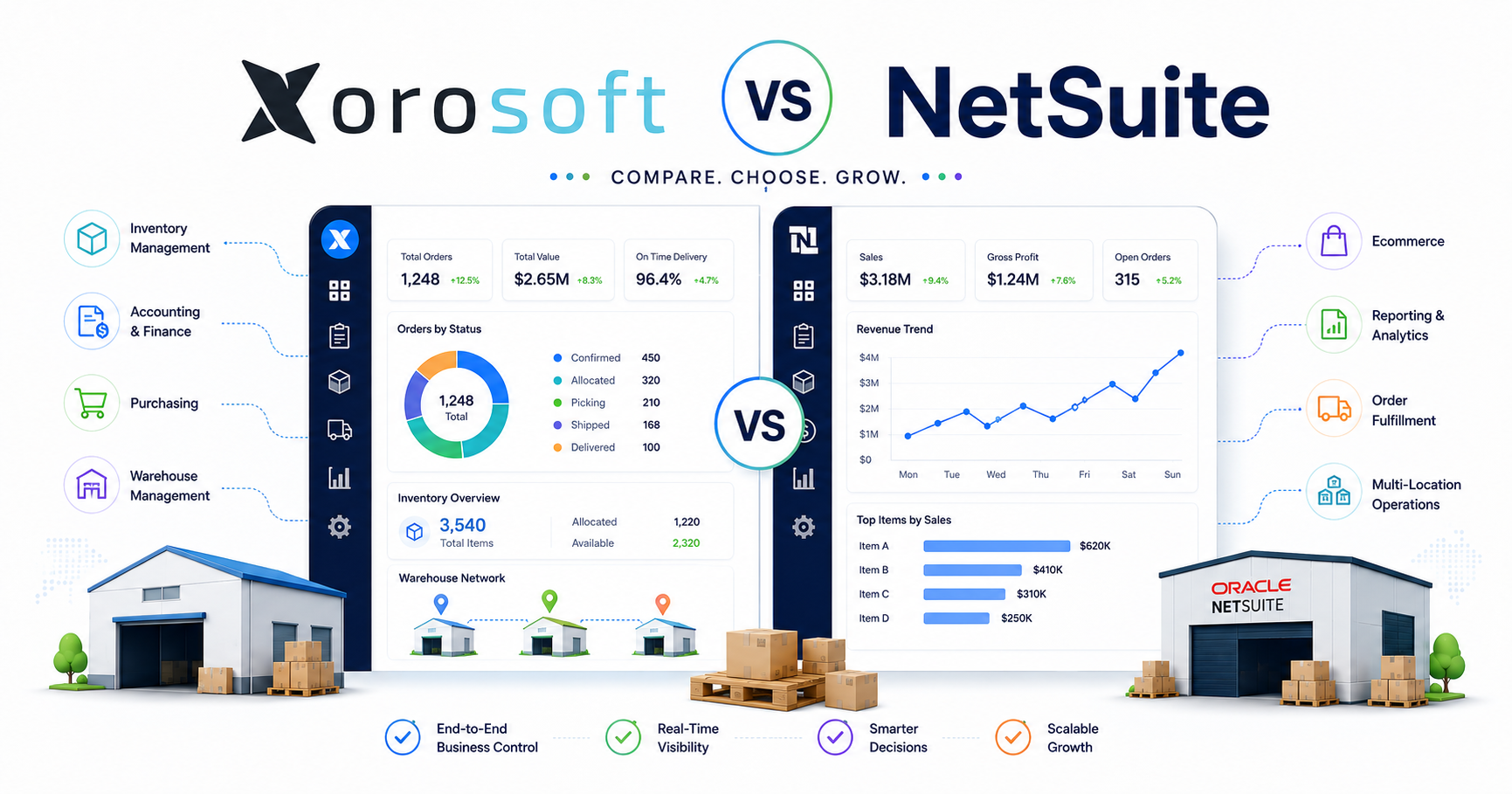
Businesses comparing broader ERP options can also review how Xorosoft compares with NetSuite while considering cost, implementation scope, reporting, integrations, and internal resources.
Ultimately, the best platform is the one that supports the required workflow without creating unnecessary complexity.
15. Shopify Multi-Warehouse Inventory Management
Shopify, Amazon, wholesale, EDI, and direct sales may all compete for the same inventory.
If each channel receives updates from a different application, overselling and allocation conflicts become difficult to prevent.
15.1 Define the Inventory System of Record
The business should decide which platform owns:
• Item creation
• Inventory quantities
• Available-to-promise calculations
• Allocations
• Customer orders
• Purchasing
• Transfers
• Fulfillment updates
• Returns
• Accounting
Integrations should exchange controlled information rather than allowing several platforms to modify the same record independently.
15.2 Manage Shopify Inventory Across Multiple Locations
Shopify merchants may use stores, warehouses, and third-party fulfillment partners as inventory locations. As complexity grows, the operational system behind Shopify must also account for purchasing, forecasting, transfers, warehouse execution, wholesale demand, and accounting.
The Xorosoft ERP app for Shopify fits naturally into this environment because it connects Shopify commerce activity with broader ERP workflows.
The goal is not simply to copy quantity figures into Shopify. Instead, Shopify should receive an availability number supported by controlled receipts, allocations, transfers, and fulfillment transactions.
15.3 Protect Wholesale and EDI Inventory Commitments
Wholesale orders may reserve significant inventory before shipment. EDI orders may also carry strict delivery windows, labeling rules, routing instructions, and documentation requirements.
Therefore, available-to-promise calculations should consider wholesale commitments before new ecommerce orders are accepted.
16. Multi-Warehouse Inventory Management by Industry
The basic principles remain consistent, but execution depends on the product, sales model, and customer promise.
16.1 Apparel and Fashion Inventory Across Warehouses
Apparel companies manage style, color, size, seasonal launches, markdown risk, and high return rates.
A warehouse may hold enough units of a style overall while lacking the specific sizes customers want. Consequently, forecasting, allocation, and replenishment must operate at the variant level.
16.2 Furniture Warehouse Network Management
Furniture businesses manage bulky inventory, showrooms, special orders, fragile goods, long supplier lead times, and customer delivery appointments.
Warehouse selection should consider storage capacity, handling equipment, delivery routes, assembly requirements, and customer location.
16.3 Sporting Goods and Consumer Products Inventory
These businesses may experience seasonal demand, bundles, kits, marketplace orders, and regional product preferences.
The operating model should clarify whether kits are pre-assembled, built when ordered, or represented as virtual bundles.
16.4 Food and Beverage Warehouse Control
Food businesses often require lot tracking, expiry dates, quality status, and first-expired-first-out allocation.
Transfers must preserve traceability and remaining shelf life. Therefore, inventory should not be moved simply to balance quantities if it may expire before local demand materializes.
16.5 Wholesale Distribution and EDI Inventory Management
Wholesale distributors commonly manage customer-specific pricing, case quantities, allocations, purchasing, ship windows, and EDI documents.
Inventory availability must reflect customer commitments rather than serving every channel on a first-come basis.
16.6 Manufacturing Inventory Across Multiple Locations
Manufacturers must track raw materials, components, work in process, and finished goods.
A warehouse transfer may support production rather than customer fulfillment. Planning should therefore connect bills of materials, production schedules, component demand, and finished-goods distribution.
Businesses can explore industry-specific ERP workflows when documenting these operational requirements.
17. Multi-Warehouse Implementation Best Practices
Trying to redesign every warehouse process at once creates unnecessary implementation risk.
Instead, a phased plan allows the business to validate data, integrations, employee adoption, and operational controls before expanding the solution.
17.1 Audit the Existing Warehouse Network
Document:
• Every physical and virtual location
• Active products
• Sales channels
• Supplier relationships
• Warehouse processes
• Current software
• Integrations
• Spreadsheets
• Reporting gaps
• Manual approvals
The audit should capture both formal workflows and unofficial workarounds.
17.2 Map Future Multi-Location Inventory Workflows
Create clear workflows for:
• Purchasing
• Receiving
• Putaway
• Replenishment
• Transfers
• Allocation
• Picking
• Packing
• Shipping
• Returns
• Adjustments
• Cycle counting
• Accounting
In addition, include exceptions because normal transactions rarely reveal the most difficult requirements.
17.3 Clean Inventory Data Before Migration
Resolve duplicate products, inconsistent units, incorrect barcodes, inactive suppliers, unnecessary locations, and inaccurate inventory before migration.
Otherwise, the new system will inherit the same operational weaknesses.
17.4 Pilot a Representative Warehouse or Process
Select a location or workflow that reflects genuine complexity. The easiest warehouse may not reveal integration, transaction-volume, or exception-handling requirements.
Test realistic receipts, transfers, orders, returns, counts, and financial postings before expanding the implementation.
17.5 Train Warehouse and Office Teams by Role
Warehouse employees, buyers, planners, customer-service teams, accountants, and managers require different training.
Employees should practice daily tasks and exceptions rather than watching only high-level product demonstrations.
18. Common Multi-Warehouse Management Mistakes
Several mistakes repeatedly appear in growing warehouse networks.
18.1 Expanding Without Multi-Warehouse Management Best Practices
Businesses sometimes open new locations before standardizing product data, transfers, inventory statuses, and reporting.
However, ignoring multi-warehouse management best practices during expansion spreads existing problems across a larger network.
18.2 Treating Every Warehouse as a Separate Business
Local teams need flexibility, but separate item definitions, reports, and adjustment rules fragment the organization.
18.3 Using the Same Reorder Point at Every Location
Demand, lead time, and customer expectations vary by warehouse. Therefore, a universal threshold creates excess inventory in some locations and shortages in others.
18.4 Moving Inventory Through Manual Adjustments
Separate negative and positive adjustments destroy the transfer audit trail and hide timing differences.
18.5 Allowing Unrestricted Inventory Changes
Manual adjustments should require reason codes, appropriate permissions, and approval when the value or quantity exceeds a defined threshold.
18.6 Routing Every Order Based Only on Proximity
The nearest warehouse may not have the complete order, may face a carrier cutoff, or may need its inventory for higher-priority demand.
18.7 Selecting Software Before Defining Requirements
Software demonstrations become more useful after the business defines its locations, transaction volume, channels, warehouse workflows, integrations, controls, and reporting expectations.
19. Multi-Warehouse Management Frequently Asked Questions
19.1 What Are Multi-Warehouse Management Best Practices?
Multi-warehouse management best practices include standardized product data, real-time inventory visibility, warehouse-specific forecasting, controlled transfers, structured order routing, regular cycle counting, connected accounting, and consistent KPI reporting.
Together, these practices create a dependable operating model across every inventory location.
19.2 Why Do Businesses Operate Multiple Warehouses?
Businesses add warehouses to reduce delivery distance, improve regional service, increase capacity, support new markets, and strengthen supply-chain resilience.
However, these benefits depend on accurate inventory positioning, reliable transfers, and clear operational control.
19.3 How Do You Manage Inventory Across Multiple Warehouses?
Use standardized item data, location-level inventory statuses, real-time transactions, warehouse-specific forecasts, formal transfer orders, controlled order routing, cycle counting, and integrated financial reporting.
In addition, define one authoritative system for inventory availability.
19.4 How Can Multi-Warehouse Inventory Accuracy Improve?
Improve receiving controls, scan important movements, restrict manual adjustments, count inventory according to risk, investigate discrepancies, train employees, and measure accuracy consistently at every warehouse.
Accuracy improves when transactions are completed at the point of activity.
19.5 What Is Available-to-Promise Inventory?
Available-to-promise inventory is the quantity the business can reasonably commit to new demand after considering usable on-hand stock, allocations, restrictions, safety stock, and confirmed inbound supply.
The calculation should be consistent across every sales channel.
19.6 How Should Reorder Points Be Set for Each Warehouse?
Calculate reorder points using expected demand during the warehouse’s replenishment lead time plus location-specific safety stock.
Review the calculation whenever demand, lead times, supplier performance, transfer times, or service targets change.
19.7 How Should Inter-Warehouse Transfers Be Managed?
Use transfer orders that document the source, destination, quantity, approval, picking, shipment, in-transit status, receipt, and reconciliation.
Avoid recording physical transfers through separate inventory adjustments.
19.8 How Can Split Shipments Be Reduced?
Prioritize warehouses that can fulfill complete orders, improve inventory allocation, maintain reliable availability, and compare the cost of splitting with the customer impact of waiting.
Routing logic should consider more than customer proximity.
19.9 What Is the Difference Between ERP and WMS?
A WMS focuses on warehouse execution, including receiving, bins, putaway, picking, packing, and shipping.
An ERP connects inventory with purchasing, accounting, sales, forecasting, manufacturing, and management reporting.
19.10 Does Every Multi-Warehouse Business Need ERP?
No. Smaller operations with limited complexity may use inventory software.
ERP becomes more relevant when warehouse activity must connect with accounting, purchasing, forecasting, manufacturing, multiple sales channels, and executive reporting.
19.11 Can Shopify Manage Multiple Inventory Locations?
Shopify can represent multiple inventory locations. However, growing merchants may need broader ERP or WMS capabilities for purchasing, advanced allocation, forecasting, warehouse execution, wholesale, EDI, manufacturing, and accounting.
19.12 Which Multi-Warehouse KPIs Matter Most?
Important measures include inventory accuracy, fill rate, picking accuracy, order cycle time, stockout rate, split-shipment rate, transfer lead time, inventory turnover, days on hand, and carrying cost.
19.13 How Often Should Warehouses Perform Cycle Counts?
Count high-value, high-velocity, or historically inaccurate inventory more frequently. Lower-risk products can follow a longer schedule.
Counting frequency should reflect operational and financial risk rather than one universal calendar.
19.14 When Should a Business Replace Inventory Spreadsheets?
Consider an upgrade when manual reconciliation, conflicting reports, uncontrolled transfers, overselling, duplicate data entry, delayed financial closes, and integration failures become normal operating conditions.
19.15 How Should Returns Be Managed Across Warehouse Locations?
Route returns according to inspection capability, product type, resale potential, transportation cost, customer convenience, and refurbishment requirements.
Returned inventory should remain unavailable until its condition and disposition are confirmed.
20. Practical Conclusion: Apply Multi-Warehouse Management Best Practices Before Expanding
The most effective multi-warehouse management best practices do not begin with software. They begin with consistent inventory definitions, disciplined transactions, reliable data, and clear responsibility for every movement.
A practical implementation sequence is:
- Standardize products, units, and location structures.
- Establish one trusted source of inventory information.
- Separate on-hand, available, allocated, and in-transit stock.
- Forecast and replenish according to warehouse demand.
- Control transfers through formal workflows.
- Route orders according to service, cost, and inventory priorities.
- Standardize receiving, putaway, picking, packing, and shipping.
- Connect physical warehouse activity with accounting.
- Manage the network through consistent KPIs.
- Select technology after operational requirements are documented.
Additional warehouses create value only when inventory can be positioned intentionally and every movement can be trusted. Without those controls, expansion increases complexity faster than service capacity.
For inventory-driven businesses that have outgrown QuickBooks, spreadsheets, inventory-only applications, or disconnected warehouse tools, Xorosoft provides a connected environment for inventory, purchasing, accounting, warehouse management, forecasting, manufacturing, Shopify, wholesale, Amazon, and EDI workflows.
Book a personalized demo to review your warehouse network, sales channels, purchasing processes, accounting requirements, and operational growth plans.