If you are considering which inventory management solution is best for your business, this article will compare Stocky vs Xorosoft to help you make an informed decision.
1. Shopify Operators Need a Clear Replacement Plan
Shopify merchants are not comparing Stocky vs Xorosoft just to review another software feature list. Instead, this Stocky vs Xorosoft comparison helps growing operators understand whether their current inventory setup can support the next stage of growth.
For smaller Shopify teams, Stocky has helped with inventory planning, purchase orders, stocktakes, transfers, and replenishment. In many cases, it gave merchants a practical way to manage stock without moving into a full ERP system too early.
However, growing brands now manage more SKUs, more warehouses, more suppliers, more sales channels, and more fulfillment expectations. As a result, the Stocky replacement decision has become much more strategic.
Inventory is no longer just a product count. It affects purchasing, cash flow, warehouse efficiency, accounting accuracy, customer experience, and reporting.
When inventory data is wrong, buyers order the wrong products. Meanwhile, disconnected purchase orders create receiving blind spots. In addition, manual reconciliation slows month-end close. Eventually, the software decision becomes an operating decision.
For many Shopify merchants, the Stocky transition creates a bigger question: does the business need another inventory app, or does it need a connected system that can support inventory, purchasing, warehouse management, accounting, forecasting, and reporting together?
That question is the real business context behind this comparison.
2. Practical Inventory Workflows Stocky Covers
2.1 Basic Shopify Inventory Management in Stocky
Stocky helps Shopify merchants manage practical inventory workflows. It supports stock planning, purchase orders, stocktakes, inventory counts, transfers, and replenishment.
A merchant that sells mainly through Shopify and has a manageable catalog can use those tools through an early stage of growth. Because the workflow stays simple, a small team can see what is running low, what needs to be reordered, and how much stock is available.
This works especially well when the company does not yet need advanced warehouse controls, accounting-connected inventory valuation, or manufacturing workflows. However, as the business scales, inventory decisions become more connected.
Products may sit in one warehouse but not another. Meanwhile, purchase orders may affect cash planning, supplier delays may affect wholesale commitments, and stock adjustments may affect accounting. Therefore, at a certain stage, inventory software needs more operational depth.
2.2 Purchase Orders and Replenishment Planning
Purchase orders are one of the most important Stocky workflows. They help Shopify merchants reorder inventory, organize supplier purchases, and plan replenishment before stockouts happen.
Smaller brands can often manage this process without adding heavy systems. A buyer can review sales history, check current inventory, and place orders with suppliers. Because the workflow stays straightforward, teams can manage purchasing without creating extra process layers.
However, purchasing becomes more complex when more people, more suppliers, and more warehouses enter the process. Teams may need approval workflows, supplier lead-time tracking, landed cost visibility, receiving controls, and reporting that connects purchases with inventory and accounting.
Once that happens, basic purchase order management may no longer be enough.
2.3 Stocktakes, Transfers, and Inventory Counts
Stocktakes help teams compare system inventory with physical inventory. Transfers, meanwhile, help move inventory between locations.
Regular verification matters because inventory accuracy depends on consistent checks. Still, stock counts only show the result of the process. They do not always solve the cause of the problem.
For example, inconsistent receiving, manual picking habits, slow returns processing, and delayed transfers can all create inventory drift. Therefore, growing Shopify brands need more than periodic stocktakes. They need stronger workflows around receiving, putaway, picking, packing, cycle counts, and real-time inventory movement.
3. Stocky Transition Risks Merchants Should Handle Early
3.1 Stocky Replacement Planning Before the Deadline
Shopify says merchants will no longer be able to use Stocky for inventory management after August 31, 2026. Therefore, merchants should treat this as an operational planning deadline, not just a software change.
A rushed transition can create problems across inventory, purchasing, supplier records, stocktakes, and reporting. Waiting too long may force teams to export data quickly, choose a replacement under pressure, and retrain users without enough testing.
Better planning starts with workflow review. Merchants should identify which Stocky features they actively use, which reports they depend on, and which processes they need to replace, improve, or redesign.
3.2 Migration Data Worth Preserving
Before moving away from Stocky, merchants should export the historical records they may need later. This can include purchase orders, stocktake records, inventory reports, and operational data used by finance or purchasing teams.
Historical inventory data can support future planning. For example, it can help teams review supplier performance, understand seasonal demand, analyze reorder patterns, and reconcile past inventory decisions.
Even when the next system is not an ERP, clean migration data reduces risk. However, when the next system is an ERP, clean data becomes even more important because inventory connects to accounting, purchasing, warehouse management, and reporting.
3.3 Native Shopify Inventory or a Stocky Alternative
Some merchants may be able to use Shopify’s native inventory tools after Stocky. This can work when operations remain simple, sales happen mostly through Shopify, and the business does not need advanced purchasing, warehouse management, accounting, EDI, Amazon, or manufacturing workflows.
A dedicated Stocky alternative becomes more important when operations grow more complex. For instance, if the business needs multi-warehouse inventory, purchasing automation, barcode workflows, inventory valuation, forecasting, or wholesale allocation, native inventory tools may not provide enough depth.
That is where Stocky vs Xorosoft becomes a practical comparison for growing operators.
4. How to Think About Stocky vs Xorosoft
4.1 Inventory App or Cloud ERP
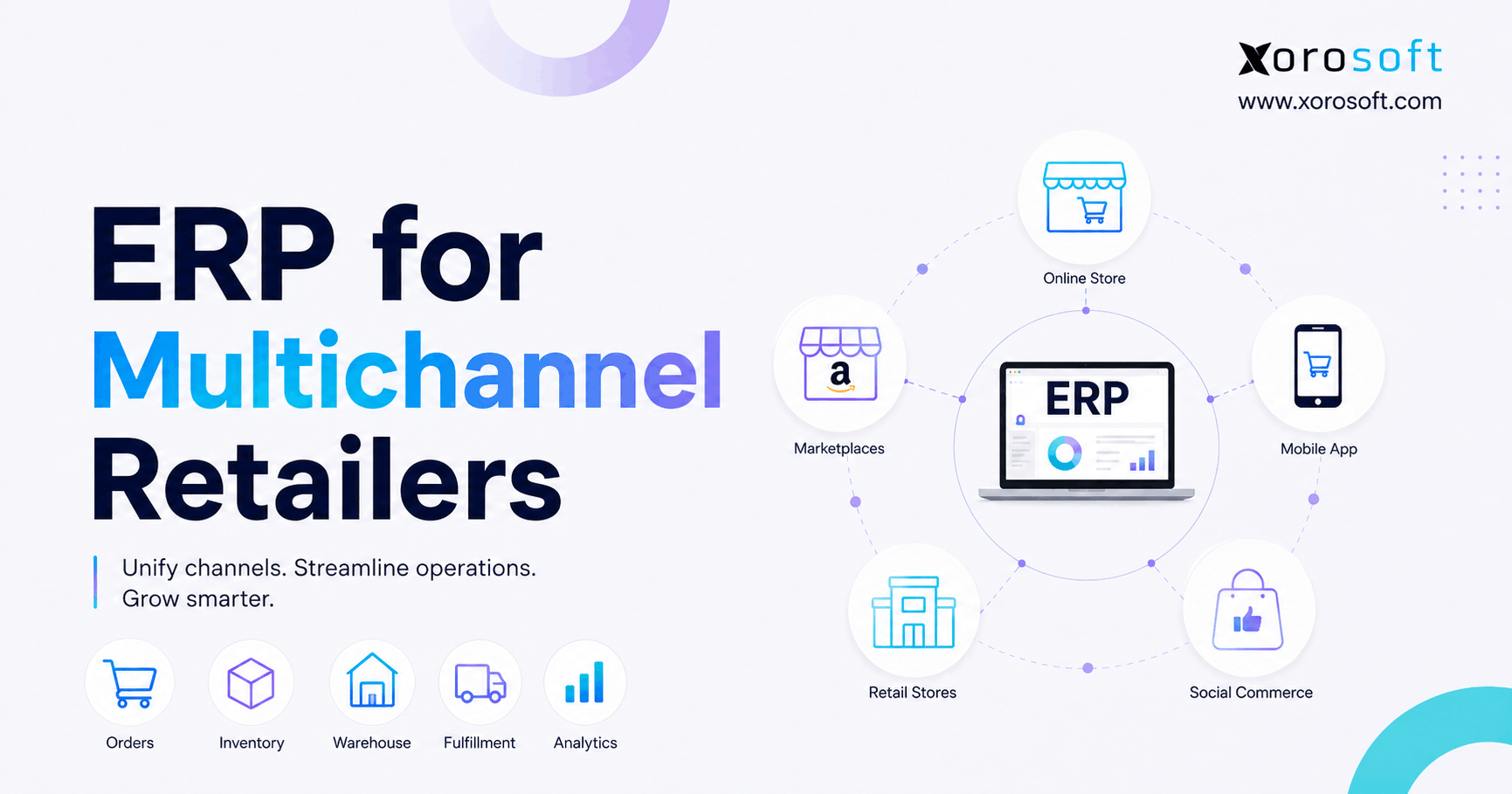
The most important difference in the Stocky vs Xorosoft comparison is category. Stocky focuses on Shopify inventory workflows. By contrast, Xorosoft serves inventory-driven businesses as a cloud ERP platform. That is why Stocky vs Xorosoft is not a simple app-to-app comparison.
This means the comparison is not only about which system handles purchase orders or stock counts. Instead, the real question is whether the business needs a simple inventory replacement or a broader operating system.
If the company only needs basic replenishment and stock visibility, a lighter inventory tool may be enough. However, when inventory, accounting, purchasing, warehouse management, Shopify, Amazon, EDI, manufacturing, and reporting need to work together, an ERP platform becomes more relevant.
4.2 Operational Complexity Changes the Decision
A small Shopify brand may not need ERP. If it has one warehouse, one main sales channel, a simple catalog, and limited purchasing complexity, a simple replacement may fit the business better.
The decision changes when operational complexity increases. For example, multi-warehouse inventory, wholesale orders, EDI, Amazon, manufacturing, supplier planning, and accounting reconciliation all create pressure on the system.
Because of that, Stocky vs Xorosoft should be evaluated based on business stage, not just features.
Growing Shopify merchants should take Stocky vs Xorosoft more seriously when inventory issues start affecting purchasing, warehouse operations, accounting, and customer experience at the same time.
4.3 ERP Depth for Growing Shopify Brands
Shopify brands usually start considering ERP when disconnected tools create daily operational friction. For example, inventory may live in one system, accounting in another, purchasing in spreadsheets, warehouse activity in a separate app, and reporting in manual exports.
At first, this setup feels flexible. Later, however, it becomes fragile. Teams spend more time reconciling information than using it.
A cloud ERP for inventory-driven businesses becomes relevant when the company needs one connected source of truth across departments.
5. Feature Comparison for Shopify Inventory and ERP Workflows
5.1 Practical Feature Differences
Operators should view Stocky vs Xorosoft as a stage-of-growth decision. Stocky can support Shopify merchants that need basic inventory planning, purchase orders, stocktakes, and replenishment. It can work well when the business has simple workflows, a smaller catalog, and limited operational complexity.
Xorosoft fits a different stage of growth. It connects Shopify inventory with broader ERP workflows such as purchasing, receiving, warehouse management, accounting, forecasting, manufacturing, wholesale, EDI, and reporting.
In Shopify inventory workflows, Stocky supports basic planning, while Xorosoft connects Shopify with broader operational processes. On the purchasing side, Stocky is useful for straightforward replenishment, whereas Xorosoft links purchasing with receiving, inventory, and accounting.
When it comes to stocktakes, Stocky helps teams complete inventory counts. In comparison, Xorosoft adds inventory control inside wider business operations. For multi-location inventory, Stocky gives basic location visibility, while Xorosoft supports more advanced multi-warehouse operations.
Warehouse management creates another major difference. Stocky offers limited warehouse depth, while Xorosoft supports receiving, putaway, picking, packing, and warehouse workflows. Accounting also changes the decision because Stocky does not function as a full accounting system, whereas Xorosoft brings inventory and accounting workflows closer together.
Forecasting, manufacturing, EDI, wholesale, and reporting also become stronger reasons to evaluate ERP. Stocky can support reorder planning, but Xorosoft extends forecasting across connected workflows. Stocky does not manage full production workflows, while Xorosoft can support BOMs, work orders, and production-related processes. Finally, Stocky focuses mainly on inventory reporting, while Xorosoft provides wider operational and financial reporting.
5.2 Inventory Management Compared for Shopify Operators
Stocky helps merchants manage inventory tasks inside Shopify. Xorosoft becomes more relevant when inventory needs to connect with purchasing, warehouse management, accounting, reporting, and multi-channel sales.
This distinction matters because inventory accuracy is not only about knowing how many units exist. Operators also need to know where inventory is, what is committed, what is incoming, what is available to sell, and how inventory affects financial reporting.
As a result, inventory management becomes less about a single screen and more about how every transaction moves through the business.
In practical terms, Stocky vs Xorosoft comes down to whether inventory should stay inside a Shopify-focused workflow or connect with the wider operating system behind the business.
5.3 Purchasing Automation After Stocky
Stocky can support purchase order workflows for Shopify merchants. However, purchasing automation becomes more important when teams manage multiple suppliers, approval processes, lead times, partial receipts, landed costs, and warehouse receiving.
In that environment, purchasing should not sit apart from inventory and accounting. Instead, it should be part of a connected operational flow.
Therefore, the right system should help teams understand not only what to buy, but also when to buy, where to receive it, and how those decisions affect cash and reporting.
This is another reason Stocky vs Xorosoft matters for growing brands. Purchasing decisions affect stock availability, supplier planning, warehouse receiving, cash flow, and financial reporting.
5.4 Warehouse Management in a Shopify ERP Workflow
Warehouse complexity is one of the strongest reasons businesses outgrow inventory-only tools. Receiving, putaway, barcode scanning, bin control, picking, packing, returns, and cycle counts require structured workflows.
Companies that need more control in the warehouse can use a connected warehouse management system to reduce manual work and improve inventory accuracy.
Additionally, warehouse workflows become more important when order volume increases. Without process discipline, even accurate inventory data can become unreliable once goods start moving quickly.
Warehouse-heavy teams should evaluate Stocky vs Xorosoft around execution depth, not just inventory visibility. Receiving, putaway, picking, packing, barcode scanning, and cycle counts all influence accuracy.
5.5 Accounting Visibility Beyond Basic Inventory Apps
Accounting often changes the software decision. Stocky does not function as a full accounting system. Therefore, if the business needs inventory valuation, COGS visibility, month-end close support, reconciliation, and financial reporting, ERP becomes more relevant.
This is especially important for brands that have outgrown QuickBooks plus spreadsheets but are not ready for the cost or complexity of larger enterprise ERP systems.
In practice, finance teams need inventory data they can trust. Otherwise, every close cycle becomes another round of manual checks, adjustments, and reconciliations.
Finance teams often see the Stocky vs Xorosoft decision differently from warehouse teams. They care about inventory valuation, COGS accuracy, reconciliation, and month-end close confidence.
6. When a Simple Stocky Replacement May Be Enough
6.1 Simple Shopify Sellers May Not Need ERP Yet
A basic Stocky alternative may be enough if the business sells mostly through Shopify, has a smaller SKU count, and does not manage complex warehouse operations.
In this case, the goal is continuity. The team needs a way to manage stock levels, reorder products, and keep inventory reasonably accurate without adding unnecessary system complexity.
Moreover, choosing a lighter tool can be the right decision when the company is not ready for ERP-level process change.
6.2 Smaller Catalogs Can Work With Lightweight Inventory Tools
A smaller product catalog is easier to manage. If the business has limited variants, predictable demand, and simple supplier relationships, native Shopify inventory tools or an inventory-focused app may be enough.
This is especially true when the business does not need advanced purchasing controls, financial inventory valuation, or multi-warehouse reporting.
However, leaders should still review growth plans. A system that works for one warehouse and one channel may become limiting once the business adds wholesale, Amazon, or more fulfillment locations.
6.3 Basic Purchasing Needs May Not Require ERP
Some merchants only need basic purchase order management. If one person handles purchasing and supplier workflows are simple, a lightweight tool can work.
That changes when multiple people approve purchases, suppliers have different lead times, or receiving errors affect inventory accuracy. In those cases, the business may need a more connected system.
Therefore, the best choice depends on how purchasing actually works, not how the team hopes it works on paper.
6.4 ERP Can Be Too Heavy for Very Small Teams
ERP is not always the right move. A very small merchant with simple Shopify operations may find ERP unnecessary because implementation requires process planning, team training, and clean data.
The right decision is not the most powerful system. Instead, it is the system that matches the company’s operating model.
For that reason, a responsible Stocky vs Xorosoft comparison should also explain who does not need ERP yet.
7. When Shopify Brands Outgrow Inventory Apps
7.1 Data Mismatch Often Signals an Inventory App Limit
The first warning sign is usually inventory mismatch. The system says one number, the warehouse sees another, and customer service gives a different answer to customers.
This usually happens because inventory moves through too many disconnected workflows. Receiving may happen manually, transfers may lag, returns may move slowly, and sales channels may not sync at the right time.
Once teams no longer trust inventory data, they begin creating side spreadsheets. As a result, operators lose the single source of truth they need to make confident decisions.
At this stage, Stocky vs Xorosoft becomes less about replacing one tool and more about choosing the right operational foundation for the next phase of growth.
7.2 Spreadsheet-Driven Purchasing Creates Stocky Alternative Demand
Purchasing spreadsheets often start as a quick fix. Over time, though, they become risky. Buyers may over-order, reorder late, miss supplier changes, or rely on outdated inventory numbers.
A better purchasing workflow connects demand, inventory, open purchase orders, supplier lead times, receiving, and finance. However, that is difficult to manage when data is scattered across apps and spreadsheets.
Consequently, many growing Shopify brands start looking for a Stocky alternative when purchasing becomes too important to manage manually.
7.3 Multi-Warehouse Inventory Requires More Than Basic Counts
Multi-warehouse businesses need more than location-level inventory. They need visibility into receiving, putaway, transfers, picking, packing, cycle counts, and available-to-sell inventory.
Without warehouse-level control, the business may technically have inventory but still fail to fulfill orders efficiently.
In addition, every location adds another place where inventory can drift. Therefore, warehouse structure becomes essential as the network grows.
7.4 Accounting Pressure Makes Shopify ERP Software More Important
Inventory affects accounting directly. If inventory quantities are wrong, valuation is wrong. Incorrect costs weaken margin reporting. Meanwhile, untracked warehouse movement makes reconciliation painful.
That is why Shopify ERP software becomes relevant when finance teams struggle to close the books, calculate COGS, or reconcile Shopify, inventory, and accounting data.
In other words, inventory problems eventually become finance problems.
8. Where Xorosoft Fits as a Stocky Alternative
8.1 Xorosoft ERP for Inventory-Driven Businesses
Xorosoft fits best when the Stocky replacement decision has become a broader operational decision. It serves inventory-driven businesses that need inventory management, accounting, purchasing, warehouse management, manufacturing, forecasting, reporting, and ecommerce operations in one system.
This makes it different from an inventory-only app. The value is not only tracking stock. Instead, the value is connecting the workflows around stock.
For example, a purchase order can connect to receiving, inventory availability, accounting, reporting, and future replenishment planning.
A Stocky vs Xorosoft evaluation makes the most sense when Shopify merchants want inventory, purchasing, warehouse management, accounting, ecommerce, and reporting to work together.
8.2 Shopify, Amazon, Wholesale, and EDI Workflows
Many growing Shopify merchants eventually sell through more than one channel. They may add Amazon, wholesale, retail, B2B orders, or EDI workflows. Each channel creates additional inventory pressure.
Xorosoft is especially relevant for businesses that need Shopify connected with broader operations. Merchants can also review Xorosoft ERP on the Shopify App Store when evaluating Shopify integration fit.
Because sales channels compete for the same inventory pool, operators need accurate allocation and timely updates.
8.3 Inventory, Purchasing, Accounting, and WMS in One System
A company may start by looking for a Stocky alternative. The real need, however, may include purchasing automation, warehouse workflows, inventory valuation, reporting, and accounting visibility.
In that case, Xorosoft becomes more than a replacement. It becomes a way to reduce the number of disconnected systems behind Shopify.
As a result, teams can spend less time reconciling information and more time managing the business.
9. Inventory Accuracy After Stocky
9.1 Inventory Visibility Beyond Product Counts
Inventory visibility should answer more than “how many do we have?” A strong system should show what is on hand, what is committed, what is incoming, what is damaged, what is reserved, and what is available to sell.
Stocky can support basic inventory visibility for Shopify workflows. Xorosoft becomes a better fit when inventory visibility must connect with warehouses, purchasing, accounting, Shopify, Amazon, wholesale, and reporting.
Therefore, the stronger fit depends on how many parts of the business depend on inventory accuracy.
Inventory accuracy is one of the strongest reasons operators compare Stocky vs Xorosoft. Once teams stop trusting stock numbers, every department starts working around the system instead of through it.
9.2 Shopify Multi-Warehouse Inventory Control
Multi-warehouse inventory creates more operational pressure. Stock may be available in one location but not another. Transfers may be in progress, purchase orders may be partially received, and wholesale orders may reserve products before ecommerce orders are fulfilled.
These scenarios require stronger controls than basic inventory counts.
Moreover, warehouse teams need to know not only where inventory exists, but also whether it is available, committed, damaged, or waiting to be received.
9.3 Reconciliation for Growing Shopify Brands
Inventory reconciliation becomes harder when systems are disconnected. Teams may need to compare Shopify orders, warehouse activity, purchase orders, returns, and accounting records manually.
A connected ERP approach reduces reconciliation pressure because inventory transactions flow through one operational structure.
In practice, this gives operators a clearer view of what happened, why it happened, and how it affects financial reporting.
9.4 Inventory Valuation and Cost Accuracy
Inventory valuation is one of the biggest reasons finance teams care about inventory systems. Product businesses need to know not only what they have, but what it is worth.
When cost data, purchase orders, receiving, and accounting are disconnected, margins become harder to trust.
Consequently, the Stocky vs Xorosoft decision becomes more important once inventory accuracy affects profit reporting.
10. Purchasing and Replenishment Beyond Basic Stocky Workflows
10.1 Purchase Orders vs ERP Purchasing Workflows
Stocky purchase orders can work well for basic replenishment. ERP purchasing workflows become more useful when buying affects multiple teams.
In a growing operation, purchasing may need approval routing, supplier rules, expected delivery dates, partial receiving, landed cost, warehouse visibility, and accounting review.
In that environment, purchase orders are not just documents. They are operational commitments that affect inventory, cash flow, and fulfillment.
10.2 Supplier Management After Stocky
Supplier management becomes more important as the business grows. Teams need to understand supplier lead times, minimum order quantities, price changes, payment terms, and reliability.
If supplier information lives in spreadsheets, purchasing decisions become reactive. A connected system helps teams plan with better data.
Additionally, better supplier visibility helps operators reduce stockouts, avoid overbuying, and respond faster when lead times change.
10.3 Forecasting and Replenishment for Shopify Brands
Forecasting depends on accurate data. If sales, inventory, open purchase orders, wholesale commitments, and warehouse availability are disconnected, forecasts become less reliable.
A stronger replenishment process connects demand planning with real inventory movement.
Therefore, forecasting should not be treated as a separate report. It should be connected to purchasing, receiving, channel demand, and available inventory.
10.4 Landed Cost and Receiving Accuracy
Landed cost matters for businesses that import products or deal with freight, duties, and handling costs. If these costs are not reflected accurately, product margins may look better than they really are.
Receiving accuracy also matters. If goods arrive with wrong quantities or incorrect cost details, inventory and accounting problems start immediately.
As a result, growing merchants need purchasing workflows that continue all the way through receiving and cost validation.
11. Warehouse Operations for Growing Shopify Brands
11.1 Warehouse Management Beyond Stocky Inventory Counts
Warehouse teams need more than product counts. They need workflows for receiving, putaway, picking, packing, shipping, returns, transfers, and cycle counts.
Because of that, warehouse-heavy Shopify merchants often look beyond basic inventory tools.
In addition, warehouse processes need to be repeatable. Otherwise, inventory accuracy depends too much on individual habits.
11.2 Barcode Scanning and Picking Accuracy
Barcode scanning helps reduce manual errors. It gives warehouse teams a more reliable way to confirm items during receiving, picking, packing, and inventory counts.
Without barcode discipline, accuracy depends heavily on manual habits. That becomes risky as order volume increases.
Therefore, barcode workflows can be a practical step toward better inventory control, especially for multi-warehouse teams.
11.3 Bin-Level Control for Multi-Warehouse Brands
Knowing that inventory exists is not the same as knowing where it is. Bin-level control helps warehouse workers find products faster and reduces fulfillment delays.
This becomes especially important for businesses with multiple warehouses, large catalogs, or high order volume.
Moreover, bin-level visibility supports better picking paths, faster training, and fewer fulfillment errors.
11.4 Returns and Warehouse Visibility
Returns can quietly damage inventory accuracy. If teams restock, quarantine, repair, or write off returned items incorrectly, inventory reports become unreliable.
A stronger warehouse process helps protect both inventory accuracy and customer experience.
For that reason, returns should be treated as part of inventory control, not just customer service.
12. Why Accounting Changes the Stocky vs Xorosoft Decision
12.1 Inventory Valuation and Financial Confidence
Stocky helps with inventory management, but growing brands often need inventory valuation tied more closely to accounting. This is where the comparison becomes financial, not just operational.
Inventory valuation affects the balance sheet. It also affects margin reporting, COGS, and financial confidence.
Therefore, finance teams should be involved in the Stocky replacement decision early.
12.2 COGS Accuracy for Shopify ERP Users
Cost of goods sold depends on accurate product costs and inventory movement. If teams adjust inventory manually or miss purchase costs, COGS can become unreliable.
A connected ERP structure helps finance teams understand how purchasing, receiving, sales, returns, and adjustments affect margins.
As a result, operators can make decisions using numbers that better reflect reality.
12.3 Month-End Close and Reconciliation
Delayed month-end close often signals disconnected systems. Finance teams may wait for inventory reports, reconcile spreadsheets, adjust costs, and verify movement manually.
When inventory and accounting work together, finance can close faster and with more confidence.
In addition, better reconciliation reduces the operational stress that usually appears at the end of every month.
12.4 QuickBooks Limitations for Inventory-Driven Businesses
Many businesses start with QuickBooks because it is familiar and practical. However, QuickBooks may become limited when inventory complexity increases.
A brand may outgrow QuickBooks-centered workflows when it needs multi-warehouse inventory, purchasing automation, manufacturing, landed cost, and operational reporting.
At that point, the company may need a system that connects accounting with the operational events that create financial impact.
13. Shopify, Amazon, EDI, and Wholesale Operations
13.1 Multi-Channel Shopify ERP Workflows
Shopify inventory sync is important, but it is only one part of the operating model. Growing brands also need to manage Amazon, wholesale, EDI, warehouse activity, purchasing, and accounting.
This is where Shopify ERP software becomes relevant. It helps connect ecommerce operations with the systems behind fulfillment and finance.
Consequently, the business can manage channels through a more structured operational backbone instead of relying on disconnected apps.
13.2 Amazon Inventory and Marketplace Complexity
Amazon creates additional inventory pressure because it may compete with Shopify and wholesale orders for the same stock.
If the business does not manage allocation properly, it can oversell on one channel while holding inventory for another.
Therefore, multi-channel brands need clear rules for availability, reservation, and replenishment.
13.3 Wholesale and EDI Workflows
Wholesale customers often need pricing rules, allocations, order minimums, EDI documents, shipping requirements, and invoice workflows.
These requirements usually go beyond basic Shopify inventory management. They require structured workflows across sales, inventory, warehouse, and accounting teams.
In addition, wholesale orders can consume inventory before ecommerce teams realize stock has already been committed.
13.4 Customer-Specific Pricing and Inventory Allocation
Customer-specific pricing can become difficult to manage manually. If pricing rules and inventory allocation live in spreadsheets, teams risk margin errors and fulfillment mistakes.
A connected system gives operators better control over what is available, who it is reserved for, and how it should be fulfilled.
As a result, wholesale operations become easier to manage without creating inventory confusion for ecommerce teams.
14. Manufacturing and BOM Workflows Beyond Stocky
14.1 Manufacturing Limits in Basic Stocky Alternatives
Manufacturing businesses need more than finished-goods inventory. They need raw material visibility, BOMs, work orders, production planning, and component-level tracking.
A basic inventory app may help track products, but it usually cannot manage the full production workflow.
Therefore, manufacturers should evaluate whether the Stocky replacement can support both components and finished goods.
14.2 BOM Management and Material Planning
A bill of materials connects finished goods to the components required to produce them. For apparel, furniture, food, sporting goods, or consumer products, this can include raw materials, packaging, parts, labels, and assemblies.
If BOM data lives in spreadsheets, production planning becomes harder and inventory accuracy suffers.
Moreover, poor BOM visibility can create purchasing mistakes because teams may not know which components are truly required.
14.3 Work Orders and Production Visibility
Work orders help manufacturers plan what to make, when to make it, and which materials they need.
Without work order visibility, production teams often rely on spreadsheets. That creates risk when demand changes, materials run short, or finished goods must be allocated across sales channels.
As production volume increases, these risks become harder to manage manually.
14.4 Finished Goods and Component Inventory Accuracy
Manufacturing affects inventory at multiple levels. Teams consume components, create finished goods, and track costs across each production step.
ERP becomes more important when production activity affects inventory, purchasing, accounting, and fulfillment at the same time.
In practice, the business needs one system view across raw materials, work in progress, finished goods, and sales demand.
15. Industry Use Cases for Stocky Alternatives and ERP
15.1 Apparel and Fashion Brands
Apparel brands often manage size, color, style, seasonality, returns, and wholesale demand. A small catalog may be manageable, but complexity grows quickly as variants expand.
For apparel companies, the key question is whether inventory planning can support seasonal buying, warehouse movement, and channel-specific allocation.
Additionally, returns and exchanges can create inventory drift if warehouse workflows lack discipline.
15.2 Furniture Businesses
Furniture businesses deal with large items, long lead times, supplier delays, storage constraints, and delivery coordination.
Stock visibility is important, but warehouse visibility and purchasing accuracy are often just as important.
Because products are bulky and lead times are longer, small inventory mistakes can create expensive fulfillment problems.
15.3 Sporting Goods Companies
Sporting goods companies may carry large SKU ranges, seasonal products, bundles, and channel-specific demand.
Forecasting, purchasing, and warehouse accuracy become more important as the business grows across ecommerce, wholesale, and marketplace channels.
Therefore, a simple inventory app may become limiting once seasonal buying and multi-channel allocation become more complex.
15.4 Food and Beverage Brands
Food and beverage brands may deal with expiration dates, lot tracking, replenishment timing, and warehouse discipline.
Even when compliance needs vary, inventory accuracy and purchasing control remain essential.
In addition, poor inventory visibility can create waste, stockouts, or rushed purchasing decisions.
15.5 Wholesale Distributors
Wholesale distributors often need customer-specific pricing, EDI, inventory allocation, purchase planning, and warehouse visibility.
These workflows usually require more than a simple inventory app. Operators can review ERP for inventory-driven industries when mapping industry-specific requirements.
As wholesale volume increases, inventory allocation and customer commitments become much harder to manage manually.
15.6 Manufacturers
Manufacturers need BOMs, work orders, material planning, finished-goods visibility, and accounting alignment.
For these companies, the Stocky replacement decision is usually part of a broader ERP decision.
Therefore, manufacturers should evaluate systems based on production planning, component tracking, purchasing, and cost visibility.
16. Other Stocky Alternatives to Consider
16.1 Shopify Native Inventory
Simple merchants may find Shopify native inventory enough. This option often works best when the business sells mainly through Shopify and does not need advanced warehouse, purchasing, or accounting workflows.
However, merchants should test whether native workflows cover the specific tasks they previously handled in Stocky.
16.2 Inventory-Only Apps
Inventory-only apps can help with product tracking, replenishment, and basic stock visibility. They can be a good middle step for businesses that are not ready for ERP.
However, they may not solve accounting, warehouse execution, manufacturing, wholesale, or EDI problems.
For that reason, operators should separate inventory visibility needs from broader operational needs.
16.3 Warehouse Management Systems
A WMS can help when the warehouse is the main pain point. It can improve receiving, picking, packing, barcode scanning, and cycle counts.
However, a standalone WMS may not solve purchasing, accounting, forecasting, or reporting problems.
Therefore, warehouse-focused teams should decide whether they need WMS alone or WMS as part of a broader ERP workflow.
16.4 Cloud ERP Platforms
Cloud ERP platforms better support businesses that need connected inventory, purchasing, warehouse management, accounting, ecommerce, wholesale, manufacturing, and reporting.
This is the category where Xorosoft fits.
In practice, ERP becomes more relevant when the company wants fewer disconnected systems behind Shopify.
16.5 Enterprise ERP and Other Options
Many Shopify merchants also evaluate NetSuite, Acumatica, Cin7, Brightpearl, Fishbowl, Sage, and Microsoft Dynamics 365 Business Central.
Each option has different strengths, implementation requirements, costs, and ideal customer profiles. If NetSuite is part of the evaluation, it may help to compare Xorosoft and NetSuite during the selection process.
Therefore, the best comparison is not only about brand names. It should focus on fit, workflow depth, implementation effort, and long-term operating needs.
17. Stocky-to-ERP Migration Plan
17.1 Export Historical Stocky Data
The first migration step is data preservation. Export purchase orders, stocktakes, inventory reports, and any planning data the business may need later.
This protects historical context and helps teams prepare for the next system.
Additionally, keeping old records can support audits, supplier reviews, and future demand planning.
17.2 Clean SKU, Supplier, and Inventory Records
Clean product data makes migration easier. Teams should review SKU names, variants, supplier records, product costs, inventory quantities, and warehouse locations before importing data into a new system.
Bad data creates problems in any platform.
Therefore, cleanup should happen before implementation, not after the new system goes live.
17.3 Map Purchasing and Receiving Workflows
Before choosing software, document the real purchasing workflow. Start with purchase order ownership. Then identify approval steps, receiving responsibilities, cost update points, and the way teams handle supplier delays.
This helps the business choose a system that supports real workflows instead of idealized ones.
Moreover, workflow mapping reveals whether the company needs a simple replacement or a full ERP process redesign.
17.4 Review Accounting Requirements Early
Finance teams should define how inventory valuation, COGS, landed cost, and reconciliation should work in the future system.
This step matters because inventory migration can affect financial reporting.
As a result, finance should not be brought into the project at the last minute.
17.5 Test Shopify Inventory Sync Before Launch
Do not assume Shopify sync works just because an integration exists. Test orders, returns, cancellations, transfers, inventory updates, and edge cases before go-live.
Testing helps prevent inventory surprises after launch.
In addition, user testing gives warehouse, purchasing, and accounting teams confidence before the switch.
18. Decision Framework for Stocky Replacement and ERP Readiness
18.1 When a Simple Replacement Makes Sense
A simple replacement may be right if the business sells mostly through Shopify, has a manageable SKU count, uses one or two locations, and does not need advanced warehouse, accounting, wholesale, EDI, or manufacturing workflows.
In this case, the goal is continuity, not transformation.
Therefore, the business should avoid overbuilding its software stack before operations require it.
18.2 When ERP Becomes the Better Choice
ERP becomes more relevant when inventory problems are connected to accounting, purchasing, warehouse management, forecasting, wholesale, Amazon, EDI, manufacturing, and reporting.
If teams spend too much time reconciling systems, exporting reports, and fixing manual errors, the business may need a connected platform.
In other words, ERP becomes valuable when the same data needs to support multiple departments.
18.3 Readiness Signals Operators Should Watch
A business may be ready to evaluate ERP when it manages multiple warehouses, sells through Shopify plus Amazon or wholesale, faces frequent stockouts or overstocks, relies on manual purchasing spreadsheets, or struggles with delayed month-end close.
ERP may also be worth considering when the company has inventory valuation issues, EDI requirements, manufacturing or BOM workflows, poor reporting visibility, or too many disconnected apps behind Shopify.
In short, the business should not evaluate ERP only because Stocky is changing. It should evaluate ERP when inventory, purchasing, warehouse management, accounting, and reporting are already connected problems.
The Stocky vs Xorosoft decision should not start with software demos. It should start with a clear review of current workflows, future complexity, and the cost of staying disconnected.
18.4 Better Questions Before Booking a Demo
Before booking a demo, operators should ask practical workflow questions. Will Shopify inventory sync correctly? Can purchase orders support real buying workflows? What happens when receiving updates stock? How will accounting get accurate cost data? Which process will warehouse teams use for picking and packing? Where will reporting improve?
Better questions lead to better software decisions.
Additionally, these questions help teams compare systems based on operational fit rather than surface-level features.
19. Common Questions Operators Ask Before Replacing Stocky
19.1 How do Stocky and Xorosoft differ?
Stocky works as an inventory-focused tool for Shopify merchants. In comparison, Xorosoft is a cloud ERP platform for inventory-driven businesses. Merchants usually use Stocky for workflows like purchase orders, stocktakes, and replenishment. With Xorosoft, the scope is broader because inventory connects with accounting, purchasing, warehouse management, manufacturing, forecasting, ecommerce, and reporting.
19.2 What is happening to Stocky after August 31, 2026?
Shopify has stated that merchants will no longer be able to use Stocky for inventory management after August 31, 2026. Because of that deadline, merchants should review their current workflows early. A planned transition gives teams more time to export data, test replacement systems, and avoid last-minute operational disruption.
19.3 When can Xorosoft work as a Stocky replacement?
For businesses that need more than basic inventory workflows, Xorosoft can replace Stocky. It is especially relevant for companies managing multi-warehouse inventory, purchasing automation, warehouse management, accounting visibility, Shopify operations, Amazon, EDI, wholesale, or manufacturing. However, smaller merchants with simple needs may only require a lightweight inventory tool.
19.4 Does Xorosoft work beyond inventory management?
Yes. Xorosoft works as a cloud ERP platform, not just an inventory app. Inventory management forms one part of the system, while accounting, purchasing, warehouse management, manufacturing, forecasting, reporting, and ecommerce operations are also supported. As a result, it fits companies that need connected workflows behind Shopify.
19.5 Where does Shopify fit into Xorosoft workflows?
Shopify merchants can evaluate Xorosoft when they need ecommerce operations connected with inventory, purchasing, accounting, warehouse management, and reporting. Its Shopify App Store listing also helps merchants review integration fit. For growing brands, the main value is connecting Shopify activity with the operational systems behind fulfillment and finance.
19.6 Do purchase orders work inside Stocky?
Yes. Shopify merchants can use Stocky for purchase order workflows. This can be useful for basic replenishment and supplier ordering, especially when purchasing requirements are still simple. As the business grows, though, teams may need approvals, landed cost, receiving controls, and accounting visibility.
19.7 How does purchasing work in Xorosoft?
Xorosoft includes purchase orders as part of broader ERP workflows. Teams can connect purchase orders with inventory, receiving, supplier management, accounting, forecasting, and reporting. Because purchasing affects both stock availability and cash flow, this connection becomes useful for growing inventory-driven businesses.
19.8 Does Stocky cover accounting needs?
Stocky primarily focuses on inventory management. Businesses that need accounting workflows, inventory valuation, COGS visibility, month-end close support, and reconciliation usually need accounting software connected to inventory or a broader ERP system. Therefore, accounting requirements often push the decision beyond a simple Stocky replacement.
19.9 Which warehouse workflows can Xorosoft support?
Xorosoft supports warehouse management workflows, including receiving, putaway, picking, packing, barcode scanning, returns, and multi-warehouse operations. This makes it relevant for Shopify merchants that have outgrown basic inventory counts and need stronger warehouse control.
19.10 At what stage does ERP become the better choice?
A Shopify merchant should consider ERP when inventory issues are connected to purchasing, warehouse operations, accounting, forecasting, wholesale, Amazon, EDI, manufacturing, or reporting. At that stage, disconnected apps and spreadsheets create operational risk. ERP becomes useful because the same data can support multiple teams.
19.11 Which merchants may not need Xorosoft yet?
Very small merchants may not need Xorosoft yet. If the business has simple Shopify inventory, limited SKUs, one location, no warehouse complexity, no accounting issues, and no wholesale or manufacturing requirements, a lighter inventory tool may be enough. In that case, ERP could add more structure than the team currently needs.
19.12 What should operators do after this comparison?
The best next step is to document current workflows, export Stocky data, clean inventory records, and identify operational gaps. After that, the business can decide whether it needs a simple inventory replacement or a connected ERP platform. This approach keeps the decision practical instead of feature-driven.
20. Practical Next Step for Shopify Merchants Replacing Stocky
Merchants should not treat the Stocky transition as a simple app swap. Instead, it gives Shopify merchants a chance to review how the business actually operates behind the storefront.
For smaller merchants, a lightweight Stocky alternative may be enough. A simple inventory tool can still make sense when the business sells mainly through Shopify, manages a limited SKU catalog, and does not need advanced warehouse, accounting, wholesale, EDI, or manufacturing workflows.
However, the decision becomes bigger when inventory problems connect with purchasing, warehouse management, accounting, forecasting, wholesale, Amazon, EDI, or manufacturing. At that stage, the business may need a connected ERP platform that supports inventory-driven operations from one system.
Shopify merchants should evaluate Xorosoft when Shopify operations, inventory management, accounting, purchasing, warehouse management, manufacturing, forecasting, and reporting need to work together instead of relying on disconnected apps and spreadsheets.
Teams replacing Stocky should map current workflows, identify system gaps, and use this Stocky vs Xorosoft comparison to decide whether a connected ERP platform fits the next stage of growth. From there, merchants can book a personalized ERP demo to see how a connected platform could support inventory, warehouse, purchasing, accounting, and reporting workflows.