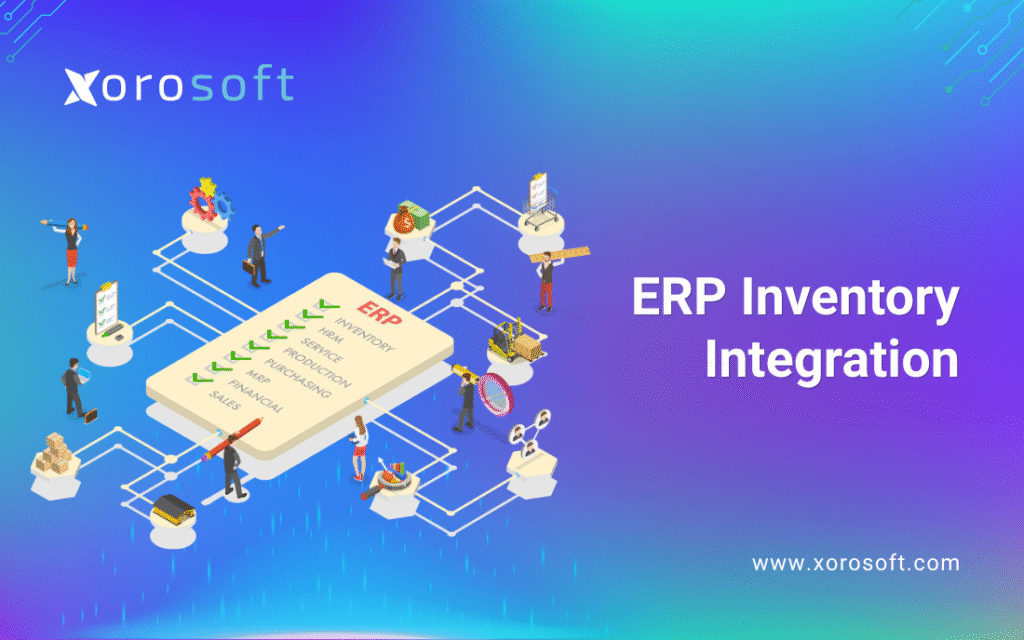
If you’re looking to improve efficiency and accuracy in your business operations, ERP inventory integration can be an essential solution.
1. The Hidden Inventory Problem Inside Growth
ERP inventory integration becomes important when inventory is no longer just a stock-counting task. As a product business grows, inventory starts affecting sales, purchasing, warehouse work, accounting, forecasting, customer service, and leadership reporting. Therefore, the real challenge is not only knowing how much stock is available. The bigger challenge is making sure every team sees the same inventory truth at the same time.
At first, a business may manage stock with spreadsheets, basic accounting software, or a simple inventory app. However, those tools often become harder to manage as order volume increases. Sales teams need accurate availability. Purchasing teams need live demand signals. Warehouse teams need clear picking and receiving data. Meanwhile, accounting teams need clean inventory values, costs, and reconciliation records.
Because these workflows depend on each other, disconnected systems create pressure quickly. For example, Shopify may show one stock number, the warehouse may see another number, and accounting may close the month with a third version. As a result, the business grows, but the operating system underneath it becomes weaker.
ERP inventory integration solves this by connecting inventory with the systems that create, move, sell, purchase, and report on stock. Instead of forcing teams to copy data between tools, the business builds one connected flow across orders, warehouses, purchasing, accounting, and reporting.
1.1 The Real Problem Is Not Inventory Alone
Inventory problems often look like warehouse problems. However, many inventory errors begin before the warehouse touches the order. A sales order may not reserve stock correctly. A purchase order may not update incoming inventory. A return may not flow back into available stock. Similarly, an ecommerce order may reduce inventory in one system but not another.
Because of this, teams may blame cycle counts, pickers, or warehouse staff when the real issue is system fragmentation. Inventory cannot stay accurate if sales, purchasing, warehouse, and accounting all work from separate tools.
In other words, inventory accuracy depends on process accuracy. When the process is disconnected, stock data becomes unreliable.
1.2 How Disconnected Systems Create Operational Blind Spots
Disconnected systems create delays, and those delays create bad decisions. For instance, if ecommerce orders are exported manually, warehouse teams may pick from outdated order data. Likewise, if purchasing teams rely on spreadsheets, they may reorder products without seeing real-time sales velocity or incoming purchase orders.
Over time, these blind spots become expensive. Stockouts hurt revenue. Overstock ties up cash. Late shipments damage customer trust. In addition, finance teams spend more time cleaning up reports instead of analyzing performance.
Therefore, ERP inventory integration is not just a software improvement. It is an operational control improvement.
1.3 When Manual Workarounds Start Failing
Manual workarounds are normal in the early stage. A spreadsheet may help a small team manage reorder points. A basic app may help track stock in one warehouse. However, those tools rarely scale well across multiple warehouses, sales channels, suppliers, purchase orders, returns, landed costs, wholesale orders, and accounting workflows.
Eventually, the team spends more time checking data than using data. As a result, managers cannot trust reports, buyers cannot trust stock levels, and warehouse teams cannot trust order instructions.
That is usually the point where ERP inventory integration becomes a serious requirement.
2. What ERP Inventory Integration Means
ERP inventory integration means connecting inventory data with the rest of the business. This includes sales orders, purchase orders, warehouse transactions, ecommerce orders, marketplace orders, accounting entries, supplier data, manufacturing activity, and reporting.
Instead of treating inventory as a separate tool, an integrated inventory ERP system makes inventory part of the company’s operating system. Therefore, every stock movement can connect to the financial, warehouse, purchasing, and customer-facing workflows around it.
2.1 ERP Inventory Integration Defined
ERP inventory integration is the process of linking inventory activity with ERP workflows so stock data updates automatically when business transactions happen. Once a sales order is placed, available stock changes. After a purchase order is received, inventory increases. As soon as goods are shipped, stock decreases. Then, accounting receives the cost and valuation impact.
Simply put, ERP inventory integration connects stock movement with business movement.
2.2 What Systems Usually Need to Connect
A strong inventory ERP integration usually connects ecommerce, marketplaces, warehouse management, purchasing, accounting, supplier records, manufacturing, EDI, and reporting.
For example, ecommerce platforms create orders. Warehouses fulfill those orders. Purchasing teams replenish stock. Accounting records inventory value and cost of goods sold. Meanwhile, leadership needs reporting across every department.
Because all of those processes depend on inventory, they should not operate in isolation.
2.3 What Data Should Move Between Systems
The most important data includes SKUs, item records, available stock, reserved stock, committed stock, purchase orders, sales orders, transfers, returns, landed costs, supplier lead times, inventory valuation, and fulfillment status.
When this data moves correctly, the company gains real-time inventory integration. However, when the data is delayed or manually copied, every department begins making decisions from incomplete information.
2.4 Inventory Data
Inventory data includes SKU, product name, category, warehouse, bin location, quantity on hand, available quantity, reserved quantity, damaged stock, lot number, serial number, and transfer status.
Accurate inventory data is the foundation. Without it, every connected workflow becomes weaker.
2.5 Order Data
Order data includes customer name, sales channel, order date, promised ship date, item quantity, fulfillment status, shipping method, tax, discount, and payment status.
Because order data affects stock allocation, it must update inventory quickly.
2.6 Purchasing Data
Purchasing data includes supplier, purchase order, expected receipt date, lead time, unit cost, minimum order quantity, reorder point, and inbound shipment status.
Therefore, purchasing teams need inventory data that is current, not data that is several days old.
2.7 Accounting Data
Accounting data includes inventory asset value, cost of goods sold, landed cost, purchase accruals, revenue, taxes, refunds, adjustments, and reconciliation entries.
As a result, ERP accounting integration becomes one of the most important parts of inventory control.
3. How ERP Inventory Integration Works
ERP inventory integration works by creating a connected flow from order capture to inventory movement, warehouse execution, purchasing, and accounting. Instead of each system holding separate stock numbers, the ERP becomes the central source for inventory activity.
This does not mean every process becomes automatic overnight. However, it does mean the business can reduce manual entry, duplicate updates, and disconnected reporting.
3.1 Sales Orders Flow Into Inventory
The workflow often starts with sales. Orders may come from Shopify, Amazon, wholesale customers, EDI, retail stores, or sales reps. Once an order enters the ERP, the system checks availability, reserves stock, and prepares the warehouse for fulfillment.
Because sales orders directly affect stock, they should not sit in a separate system for hours or days.
3.2 Shopify Orders
For Shopify merchants, ERP inventory integration helps prevent overselling by connecting online orders with warehouse stock and accounting data. When Shopify orders, returns, and restocks are connected to ERP, teams can make better decisions across fulfillment and purchasing.
Additionally, Shopify teams that want to review the app ecosystem can view the Xorosoft ERP listing in the Shopify App Store. This is useful when evaluating how ERP can support ecommerce inventory and operations.
3.3 Amazon Orders
Amazon orders create similar pressure because marketplace activity must stay aligned with warehouse stock, fulfillment rules, fees, and accounting. If Amazon inventory is not connected with the main inventory system, the business may oversell, ship late, or rely on emergency adjustments.
Therefore, Amazon inventory should not be managed as a separate island.
3.4 Wholesale Orders
Wholesale orders add another layer of complexity. They often involve customer-specific pricing, bulk quantities, credit terms, allocations, EDI documents, and special fulfillment rules.
Because of these requirements, wholesale inventory integration must connect sales, purchasing, warehouse, and finance teams.
4. Inventory Updates Across Warehouses
Inventory becomes harder to control when the business operates more than one warehouse. Stock may sit in a main warehouse, a 3PL, a retail location, a supplier location, or in transit between facilities. Therefore, ERP warehouse integration is essential for growing product companies.
4.1 Available Stock
Available stock is the quantity that can actually be sold. It should exclude reserved, damaged, blocked, or committed inventory.
However, many businesses confuse quantity on hand with available stock. As a result, sales teams may promise products that cannot actually ship.
4.2 Reserved Stock
Reserved stock is inventory assigned to open orders. Without reservation logic, two sales channels may accidentally compete for the same units.
For example, Shopify and wholesale teams may both think stock is available unless the ERP reserves it properly.
4.3 In-Transit Stock
In-transit stock includes items moving between suppliers, warehouses, 3PLs, or stores. This matters because incoming stock affects purchasing decisions, customer promises, and cash planning.
Additionally, visibility into in-transit stock helps teams avoid unnecessary emergency purchases.
5. Purchasing Responds to Real Demand
Purchasing becomes stronger when it is connected to live inventory and sales data. Instead of buying based on instinct or old spreadsheets, buyers can use sales velocity, open orders, supplier lead times, safety stock, and reorder points.
Because purchasing decisions affect cash flow, ERP inventory integration helps teams buy more carefully.
5.1 Reorder Points
Reorder points help teams decide when to purchase more stock. However, they only work when inventory and sales data are accurate.
If stock counts are wrong, reorder points will produce poor recommendations.
5.2 Supplier Lead Times
Supplier lead times affect how much inventory a business must carry. When lead times are long or unpredictable, buyers need stronger planning.
Therefore, supplier data should connect with purchasing, inventory, and forecasting workflows.
5.3 Purchase Order Automation
Purchase order automation can reduce manual work. However, automation should be based on clean demand signals, accurate stock counts, and realistic supplier lead times.
At this stage, platforms such as XoroONE become relevant for businesses that need sales, purchasing, inventory, warehouse management, accounting, ecommerce, EDI, reporting, and forecasting in one connected system.
6. Warehouse Teams Fulfill Orders Faster
Warehouse teams need accurate instructions. They need to know what to pick, where to find it, how much is reserved, which order should ship first, and how each shipment affects inventory.
Because ERP inventory integration connects orders with warehouse execution, fulfillment becomes more reliable.
6.1 Picking
Picking becomes faster when items, bins, orders, and inventory locations are connected. Instead of searching for products manually, warehouse staff can follow system-guided instructions.
Additionally, barcode workflows can reduce picking errors.
6.2 Packing
Packing becomes cleaner when the system confirms item quantities, shipping rules, and customer order details before dispatch.
As a result, teams can reduce wrong-item shipments and missing-product issues.
6.3 Shipping
Shipping data should update fulfillment status, customer records, marketplace records, and accounting workflows.
For businesses that need deeper warehouse control, XoroWMS is a relevant internal resource to link when explaining receiving, picking, packing, shipping, and warehouse execution.
7. Accounting Receives Cleaner Inventory Data
Accounting is often where disconnected inventory creates the most pain. If inventory movement is not connected to finance, the accounting team must reconcile sales, purchases, receiving, shipping, landed costs, returns, and cost of goods sold manually.
Therefore, ERP accounting integration is critical for accurate financial reporting.
7.1 Cost of Goods Sold
Cost of goods sold should reflect actual inventory movement and product cost. Otherwise, margins become unreliable.
For example, if inventory is shipped but cost is not recorded correctly, profit reports may look stronger or weaker than reality.
7.2 Inventory Valuation
Inventory valuation depends on accurate quantities and costs. When receiving, adjustments, landed costs, and shipments are disconnected, inventory value becomes harder to trust.
Consequently, month-end close becomes slower and more stressful.
7.3 Reconciliation
Reconciliation becomes easier when inventory and accounting share the same transaction data. Instead of comparing several exports, finance teams can review connected records.
This is one reason many growing companies move from basic tools to ERP inventory integration.
8. Core Benefits of ERP Inventory Integration
ERP inventory integration gives product businesses a stronger operating foundation. The goal is not only automation. More importantly, the goal is better visibility, cleaner decisions, and fewer manual corrections.
8.1 Better Inventory Accuracy
Inventory accuracy improves when stock changes are captured at the source. Sales orders, purchase receipts, transfers, returns, cycle counts, and adjustments should all update the same inventory record.
Therefore, teams no longer need to ask which spreadsheet is correct.
8.2 Real-Time Inventory Visibility
Real-time inventory integration helps teams see what is available, what is reserved, what is incoming, and where products are located.
This is especially useful for ecommerce, wholesale, and multi-warehouse businesses.
8.3 Cleaner Accounting and Inventory Valuation
When inventory and accounting are connected, finance teams can close faster and trust inventory values more.
As a result, month-end close becomes less dependent on spreadsheet cleanup.
8.4 Smarter Purchasing and Replenishment
Purchasing improves because buyers can see actual demand, sales trends, open orders, supplier lead times, and expected receipts.
Therefore, companies can reduce both stockouts and overstock.
8.5 Faster Warehouse Execution
Warehouse teams benefit from clearer pick lists, location data, stock reservations, barcode workflows, and fulfillment updates.
Consequently, orders move faster with fewer manual checks.
8.6 Better Forecasting and Planning
Forecasting depends on clean data. If sales, inventory, purchasing, and returns are integrated, demand planning becomes more realistic.
Because of this, ERP inventory integration improves planning quality across the business.
9. Check Whether Your Systems Are Ready to Scale
Not every business needs ERP immediately. However, if inventory errors, disconnected accounting, spreadsheet purchasing, or multi-warehouse confusion are slowing growth, it may be time to review the operating model.
A practical next step is to compare current workflows against future needs. For example, if your team is adding new sales channels, warehouses, suppliers, or product lines, disconnected systems may create more risk.
At this point, a guided review or demo discussion can help clarify whether ERP inventory integration is the right move.
10. ERP Inventory Integration vs Standalone Inventory Software
Standalone inventory software can be useful, especially for smaller businesses. However, it usually focuses on stock control rather than the full operational and financial picture.
ERP inventory integration becomes more valuable when inventory needs to connect with accounting, purchasing, ecommerce, warehouse management, manufacturing, EDI, and reporting.
10.1 Where Inventory Software Works Well
Inventory software works well when a business needs simple stock tracking, low-stock alerts, barcode scanning, and basic purchase orders.
For small teams, that may be enough. However, once the company adds more channels, more warehouses, or more complex accounting, the limits become clear.
10.2 Where Standalone Tools Start to Break
Standalone tools start to break when multiple workflows depend on the same inventory data. For example, ecommerce needs availability, purchasing needs demand, warehouse teams need locations, and accounting needs cost data.
If these workflows are not connected, teams spend more time fixing gaps than improving operations.
10.3 When ERP Becomes the Better Fit
ERP becomes a better fit when inventory decisions affect finance, purchasing, warehouse planning, ecommerce availability, and leadership reporting.
For growing companies comparing several systems, the Compare Xorosoft page can support vendor evaluation without forcing the article to become sales-heavy.
| System Type | Best For | Strength | Limitation |
|---|---|---|---|
| ERP | Growing product businesses | Connects inventory, accounting, purchasing, warehouse, ecommerce, and reporting | Requires process planning |
| Inventory App | Smaller teams | Faster setup and simple stock tracking | Limited financial and operational depth |
| Middleware | Businesses keeping several tools | Connects separate systems | Can increase complexity if core workflows are weak |
| Spreadsheets | Very early-stage teams | Flexible and low-cost | High risk of errors as volume grows |
11. ERP Inventory Integration vs QuickBooks Inventory
QuickBooks is often a strong early accounting tool. However, product companies may outgrow it when inventory becomes more complex than basic accounting support.
Therefore, the real question is not whether QuickBooks is good or bad. The better question is whether the business now needs deeper inventory, warehouse, purchasing, and accounting integration.
11.1 Why QuickBooks Works Early
QuickBooks can work well when a business has simple products, low order volume, one warehouse, and limited purchasing complexity.
Additionally, it gives early teams a familiar way to manage invoices, expenses, and financial records.
11.2 Where QuickBooks Struggles With Inventory Complexity
As inventory grows, the business may need multi-warehouse visibility, advanced purchasing, forecasting, barcode workflows, landed cost, order allocation, manufacturing, or EDI.
At that point, QuickBooks may remain useful for accounting, but it may not be enough as the operational backbone.
11.3 Upgrade Signals for Growing Product Businesses
Upgrade signals include frequent stock discrepancies, spreadsheet purchasing, slow month-end close, manual ecommerce reconciliation, warehouse confusion, and weak reporting.
In addition, teams may notice that every new sales channel creates more manual work.
| Requirement | QuickBooks Inventory | ERP Inventory Integration |
|---|---|---|
| Basic accounting | Strong | Strong |
| Multi-warehouse inventory | Limited for complex needs | Stronger fit |
| Purchasing automation | Basic | More advanced |
| Warehouse execution | Limited | Integrated |
| Manufacturing workflows | Limited | Better fit |
| Forecasting | Limited | More complete |
| Ecommerce operations | Often needs add-ons | Centralized |
| Real-time operational reporting | Limited by setup | Stronger fit |
12. Key Systems Connected Through ERP Inventory Integration
ERP inventory integration is most valuable when it connects the systems that create, move, cost, sell, and report on inventory.
Because product businesses often operate across several tools, integration should be planned around workflow flow, not just software names.
12.1 Ecommerce Platforms
Ecommerce platforms such as Shopify create high order velocity. If inventory does not sync quickly, the business may oversell or delay fulfillment.
For Shopify merchants, ERP inventory integration can connect orders, warehouse stock, purchasing, accounting, and forecasting behind the storefront.
12.2 Marketplaces
Marketplaces such as Amazon add complexity because order volume, fulfillment rules, fees, and stock availability must stay aligned with the main inventory system.
Therefore, marketplace activity should feed the same inventory and accounting records as other channels.
12.3 Warehouse Management
Warehouse operations need inventory by location, bin, status, and order priority.
ERP warehouse integration helps warehouse teams work from live operational data instead of delayed spreadsheets.
12.4 Accounting and Finance
Accounting teams need inventory valuation, landed cost, COGS, purchase accruals, returns, and adjustments.
Without integration, finance teams often spend too much time reconciling transactions manually.
12.5 Purchasing and Supplier Management
Purchasing teams need demand signals, reorder points, supplier lead times, and expected receipts.
With ERP inventory integration, purchasing becomes proactive instead of reactive.
12.6 Manufacturing and Production
Manufacturing companies need BOMs, work orders, raw material planning, finished goods tracking, and production visibility.
For businesses that need manufacturing workflows, XoroERP is a useful internal link because it supports the manufacturing side of ERP discussions.
12.7 EDI and Wholesale Operations
Wholesale businesses often need EDI, customer-specific pricing, inventory allocation, bulk ordering, and special shipping rules.
Because of that, wholesale inventory integration should centralize orders, inventory, purchasing, warehouse activity, and accounting.
13. See the Workflow Before You Commit
If your team sells through Shopify, Amazon, wholesale, EDI, or multiple warehouses, the workflow is easier to understand when you see it in action.
A demo can show how inventory, orders, purchasing, warehouse activity, and accounting connect in practice. More importantly, it can reveal whether your current process gaps are software problems, data problems, or workflow problems.
You can book a demo when your team is ready to review those workflows.
14. Industry Use Cases for ERP Inventory Integration
Different industries experience inventory complexity in different ways. However, the core issue is usually the same: inventory data must connect to the rest of the business.
For a broader view of supported verticals, the Industries We Serve page can be linked naturally from this section.
14.1 Ecommerce Brands
Ecommerce brands need fast inventory sync across online stores, marketplaces, warehouses, and accounting.
Otherwise, they risk overselling, late shipments, manual refunds, and poor customer experience.
14.2 Wholesale Distributors
Wholesale distributors need pricing rules, inventory allocation, EDI, purchasing, backorders, and warehouse execution.
Therefore, ERP inventory integration helps wholesale teams manage complexity without relying on disconnected spreadsheets.
14.3 Apparel and Fashion Companies
Apparel companies manage sizes, colors, styles, seasons, returns, and channel-specific demand.
Because product variations multiply quickly, apparel brands need accurate stock visibility by SKU, location, and channel.
14.4 Furniture Businesses
Furniture companies often deal with large items, long supplier lead times, warehouse space constraints, and special delivery requirements.
As a result, integration helps teams plan purchasing and fulfillment more carefully.
14.5 Sporting Goods Brands
Sporting goods companies may manage seasonal demand, wholesale customers, ecommerce orders, and multiple product categories.
Therefore, connected inventory operations help teams respond to demand changes without losing control.
14.6 Food and Beverage Companies
Food and beverage companies may require lot tracking, expiry control, purchasing discipline, and warehouse accuracy.
Because small inventory errors can affect compliance, waste, and fulfillment, integration becomes especially important.
14.7 Manufacturers
Manufacturers need raw materials, finished goods, BOMs, work orders, production planning, and purchasing to work together.
Without integration, production teams may schedule work without reliable material availability.
15. Common ERP Inventory Integration Mistakes
ERP inventory integration can improve operations, but only when it is implemented with clear processes. Software cannot fix unclear workflows by itself.
Therefore, businesses should prepare their data, teams, and process maps before connecting systems.
15.1 Integrating Bad Data
Bad item records, duplicate SKUs, wrong units of measure, and inaccurate stock counts can create problems inside any ERP.
Because of this, data cleanup should happen before integration.
15.2 Ignoring Accounting Workflows
Some teams focus only on warehouse and sales workflows. However, accounting must be part of the design because inventory affects COGS, valuation, purchase accruals, margins, and month-end close.
As a result, finance should be involved early.
15.3 Treating Warehouse Processes as an Afterthought
Warehouse workflows need careful mapping. Receiving, putaway, picking, packing, transfers, cycle counts, and returns should be designed before the system goes live.
Otherwise, the ERP may reflect a process that does not work well in the real warehouse.
15.4 Over-Customizing Too Early
Customization can help, but too much customization too early can make implementation slower and harder to maintain.
In many cases, process discipline is better than unnecessary customization.
15.5 Choosing Software Without Process Mapping
Software selection should begin with workflow mapping. A business should understand how orders, inventory, purchasing, warehouse, manufacturing, and accounting currently work before choosing a platform.
Therefore, the best ERP inventory integration projects start with process clarity.
16. How to Choose the Right ERP Inventory Integration Approach
Choosing the right approach requires more than comparing feature lists. Instead, the business needs to understand its operating model, pain points, and future growth path.
Because every product business is different, the best choice depends on channels, warehouses, SKU complexity, accounting needs, supplier workflows, and fulfillment requirements.
16.1 Start With Operational Requirements
Start by documenting channels, warehouses, SKU count, order volume, purchasing workflows, manufacturing needs, accounting requirements, and reporting expectations.
Additionally, involve the people who use the process every day.
16.2 Map Inventory, Purchasing, Warehouse, and Accounting Flows
The best ERP projects map the full transaction flow. For example, a purchase order should connect to receiving, inventory value, supplier bill, landed cost, and financial reporting.
This mapping helps the business avoid gaps during implementation.
16.3 Decide Between Native ERP, Middleware, and Point Solutions
A native ERP approach centralizes operations in one platform. Middleware connects separate tools. Point solutions solve specific issues but may not remove system fragmentation.
Therefore, the right choice depends on whether the business wants one operating system or several connected tools.
16.4 Evaluate Scalability by Channel, Warehouse, and SKU Count
A business should evaluate whether the system can support more SKUs, more warehouses, more orders, more users, and more channels without creating manual workarounds.
If every new channel requires another spreadsheet, the current system may not scale.
16.5 Review Reporting and Forecasting Needs
Reporting should show inventory availability, sales trends, gross margin, purchasing needs, warehouse performance, and forecast demand.
Without reliable reports, leadership cannot make confident decisions.
17. ERP Inventory Integration Comparison Tables
17.1 ERP vs Inventory App vs Middleware
| Option | Best For | Strength | Limitation |
|---|---|---|---|
| ERP | Growing inventory-driven businesses | Centralizes inventory, accounting, purchasing, warehouse, and reporting | Requires process planning |
| Inventory App | Small teams managing basic stock | Simple setup and easy stock tracking | Limited accounting and operational depth |
| Middleware | Connecting existing apps | Useful when systems must stay separate | Can increase complexity |
| Spreadsheets | Very early businesses | Flexible and low-cost | High risk of errors |
17.2 ERP Inventory Integration by Business Type
| Business Type | Integration Need | Main Pain Point |
|---|---|---|
| Ecommerce | Shopify, Amazon, warehouse, accounting | Overselling and delayed stock updates |
| Wholesale | EDI, pricing, allocation, purchasing | Customer-specific complexity |
| Manufacturing | BOMs, work orders, materials, purchasing | Raw material and production visibility |
| Multi-Warehouse | Transfers, stock by location, fulfillment | Inaccurate location-level inventory |
| Food & Beverage | Lot tracking, expiry, purchasing | Compliance and waste control |
17.3 ERP Platform Comparison for Inventory-Driven Businesses
| Platform | Best Fit | Inventory Strength | Watch-Out |
|---|---|---|---|
| Xorosoft | Inventory-driven businesses using ecommerce, wholesale, purchasing, warehouse, accounting, and manufacturing workflows | Cloud ERP built around inventory, accounting, purchasing, warehouse, forecasting, Shopify, Amazon, EDI, and multi-warehouse operations | Best suited for product businesses, not service-only companies |
| NetSuite | Larger mid-market and enterprise companies | Broad ERP suite with financials, inventory, supply chain, and operations | Can be complex for some growing teams |
| Acumatica | Mid-market companies wanting flexible cloud ERP | Distribution, manufacturing, and finance capabilities | Usually requires careful partner-led configuration |
| Cin7 | Product businesses needing inventory and order management | Inventory and channel management | May not replace deeper ERP accounting needs for every company |
| Brightpearl | Retail and ecommerce operations | Retail operations and order management | Fit depends on operational complexity |
| Fishbowl | Smaller businesses using QuickBooks | Inventory and warehouse add-on workflows | Businesses may outgrow it when ERP-level planning is needed |
| Microsoft Business Central | Companies in the Microsoft ecosystem | Finance, operations, and inventory capabilities | Implementation design matters heavily |
| Sage | Finance-led businesses needing ERP functions | Accounting and business management depth | Fit depends on inventory complexity |
For readers specifically comparing NetSuite, the Xorosoft vs NetSuite comparison can be used as a deeper internal link without overloading the main article.
18. When a Business Should Upgrade to ERP Inventory Integration
A business should consider upgrading when inventory problems become cross-functional problems.
In other words, the upgrade point arrives when stock issues affect sales, purchasing, warehouse execution, accounting, and leadership reporting at the same time.
18.1 Inventory Errors Are Affecting Sales
If sales teams cannot trust available stock, customer promises become risky.
This is one of the clearest signs that inventory needs to connect with order management.
18.2 Month-End Close Is Taking Too Long
If finance spends days reconciling inventory, sales, purchases, returns, and COGS, the company likely needs a more integrated system.
As a result, ERP accounting integration becomes a finance priority, not just an operations project.
18.3 Purchasing Depends on Spreadsheets
Spreadsheet purchasing becomes risky when demand changes quickly. Buyers need live data from sales, inventory, suppliers, and warehouses.
Therefore, purchasing workflows should connect directly with inventory planning.
18.4 Warehouses Do Not Share Real-Time Stock Data
If warehouses operate separately, inventory may exist physically but not be visible operationally.
Consequently, the business may buy more stock while sellable stock sits elsewhere.
18.5 Ecommerce, Wholesale, and Accounting Are Disconnected
If ecommerce, wholesale, and accounting all require manual exports, the business is spending too much effort moving data instead of using data.
At that point, ERP inventory integration can reduce manual work and improve visibility.
19. Review the Fit Before You Choose a System
If your team is managing Shopify, Amazon, wholesale, EDI, purchasing, accounting, warehouse operations, or manufacturing through disconnected tools, a system review can help identify the real problem.
Sometimes the issue is software. Sometimes it is data quality. In other cases, the workflow itself needs redesign before software can help.
A personalized walkthrough can show how inventory, orders, purchasing, warehouse operations, and accounting should connect. When you are ready, you can book a demo to review whether ERP inventory integration fits your business.
20. FAQ: ERP Inventory Integration
20.1 What is ERP inventory integration?
ERP inventory integration is the process of connecting inventory data with business workflows such as sales, purchasing, warehouse management, accounting, ecommerce, and manufacturing. Instead of updating stock manually across separate systems, inventory changes flow through one connected operating system. As a result, teams can see available stock, reserved stock, incoming inventory, warehouse location, cost, and fulfillment status more accurately.
20.2 How does ERP inventory integration work?
ERP inventory integration works by connecting transactions to inventory updates. Once a sales order is created, stock can be reserved. After a purchase order is received, inventory increases. As soon as an order ships, inventory decreases and accounting receives the cost impact. Therefore, the business reduces manual data entry and keeps inventory, warehouse, purchasing, and finance teams aligned.
20.3 Why is ERP inventory integration important?
ERP inventory integration is important because inventory affects revenue, cash flow, fulfillment, purchasing, accounting, and customer experience. If inventory data is wrong, teams may oversell, overbuy, ship late, or report inaccurate margins. Consequently, a connected ERP system gives the business one more reliable source of inventory truth.
20.4 What systems does ERP inventory integration connect?
ERP inventory integration commonly connects ecommerce platforms, marketplaces, warehouse systems, purchasing workflows, supplier data, accounting, EDI, manufacturing, and reporting dashboards. Additionally, some businesses connect shipping carriers, 3PLs, barcode scanning tools, retail locations, and demand planning systems.
20.5 Is ERP inventory integration the same as inventory software?
No. Inventory software usually focuses on tracking stock. ERP inventory integration connects inventory with wider business processes, including accounting, purchasing, warehouse management, manufacturing, ecommerce, and reporting. Therefore, inventory software may work for smaller teams, while ERP becomes more useful when operations become connected and complex.
20.6 What is the difference between ERP and inventory software?
Inventory software helps manage stock counts, locations, and basic purchasing. ERP manages broader business operations. It connects inventory with finance, sales, procurement, production, fulfillment, and reporting. As a result, ERP is usually a better fit when inventory decisions affect multiple departments.
20.7 Can ERP integrate inventory and accounting?
Yes. ERP can integrate inventory and accounting so receipts, shipments, adjustments, landed costs, COGS, and inventory valuation flow into financial records more reliably. Because of this, finance teams can reduce reconciliation work and improve month-end accuracy.
20.8 Can ERP connect Shopify inventory with accounting?
Yes. ERP can connect Shopify orders, inventory updates, fulfillment activity, and accounting data. This helps Shopify merchants reduce manual exports, improve stock visibility, and keep sales data aligned with warehouse and finance workflows.
20.9 Can ERP connect Amazon inventory with accounting?
Yes. ERP can help connect Amazon orders, inventory movement, fulfillment data, fees, and accounting workflows. This is especially useful when Amazon is only one of several sales channels and the business needs centralized stock visibility.
20.10 Can ERP support multi-warehouse inventory?
Yes. ERP can support inventory by warehouse, bin, status, and location. Multi-warehouse businesses use ERP inventory integration to see stock availability across facilities, manage transfers, reserve inventory, and fulfill orders from the right location.
20.11 How does ERP reduce inventory discrepancies?
ERP reduces inventory discrepancies by connecting transactions to stock movement. Instead of relying on manual updates, the system records changes when goods are ordered, received, transferred, picked, shipped, returned, or adjusted. However, clean data and disciplined warehouse processes are still required.
20.12 How does ERP improve inventory forecasting?
ERP improves forecasting by combining sales history, current stock, open orders, purchase orders, supplier lead times, and seasonality. Therefore, teams can make better decisions about what to buy, when to buy, and how much safety stock to carry.
20.13 How does ERP help purchasing teams?
ERP helps purchasing teams by showing real-time demand, available stock, open purchase orders, supplier lead times, and reorder points. As a result, buyers can reduce spreadsheet work and make better replenishment decisions.
20.14 How does ERP support warehouse operations?
ERP supports warehouse operations by connecting orders, inventory locations, picking, packing, shipping, receiving, transfers, and cycle counts. Therefore, warehouse teams can work from live data rather than printed lists or delayed exports.
20.15 How does ERP support wholesale inventory?
Wholesale inventory often includes customer-specific pricing, EDI, allocations, bulk orders, and special fulfillment requirements. ERP helps centralize those workflows so sales, warehouse, purchasing, and accounting teams can work from the same data.
20.16 How does ERP support manufacturing inventory?
ERP supports manufacturing inventory by connecting raw materials, BOMs, work orders, production planning, finished goods, purchasing, and accounting. Consequently, manufacturers can understand what materials are needed, what is available, and what production can realistically support.
20.17 What data should sync between inventory and ERP?
Important data includes SKUs, item details, stock levels, warehouse locations, sales orders, purchase orders, returns, transfers, receipts, adjustments, supplier lead times, landed costs, COGS, and inventory valuation. In addition, fulfillment and accounting data should sync so teams can trust reports.
20.18 When should a business upgrade to ERP inventory integration?
A business should upgrade when inventory issues create operational or financial problems. Common signs include overselling, stockouts, overstock, spreadsheet purchasing, slow month-end close, multi-warehouse confusion, and disconnected ecommerce or wholesale systems.
20.19 Who does not need ERP inventory integration yet?
A business may not need ERP yet if it has simple inventory, low order volume, one sales channel, one warehouse, and basic accounting needs. In that case, a simpler inventory app may be enough until complexity increases.
20.20 What are common ERP inventory integration mistakes?
Common mistakes include integrating bad data, skipping process mapping, ignoring accounting workflows, underestimating warehouse complexity, over-customizing early, and choosing software based only on features rather than operational fit.
20.21 What are alternatives to ERP inventory integration?
Alternatives include standalone inventory software, warehouse management software, middleware, accounting add-ons, spreadsheets, or ecommerce inventory apps. These options can work for simpler businesses. However, they may become limiting as operations grow.
20.22 Is ERP inventory integration worth it?
ERP inventory integration is worth it when disconnected inventory creates measurable problems across sales, purchasing, warehouse, accounting, and reporting. If the business is losing time, cash, or confidence because systems do not match, integration can create meaningful operational value.
Recent Posts
-
 ERP Landed Cost Module vs Spreadsheet Calculations for Importers
 -
 How to Build an Open-to-Buy Plan for an Omnichannel Brand
 -
 Cold Storage WMS for Food and Beverage Distribution
 -
 ERP Buying Statistics 2026: Evaluation, Implementation, and Adoption Risks
 -
 How a Distributor Reduced B2B Order Exceptions Without Restricting Sales