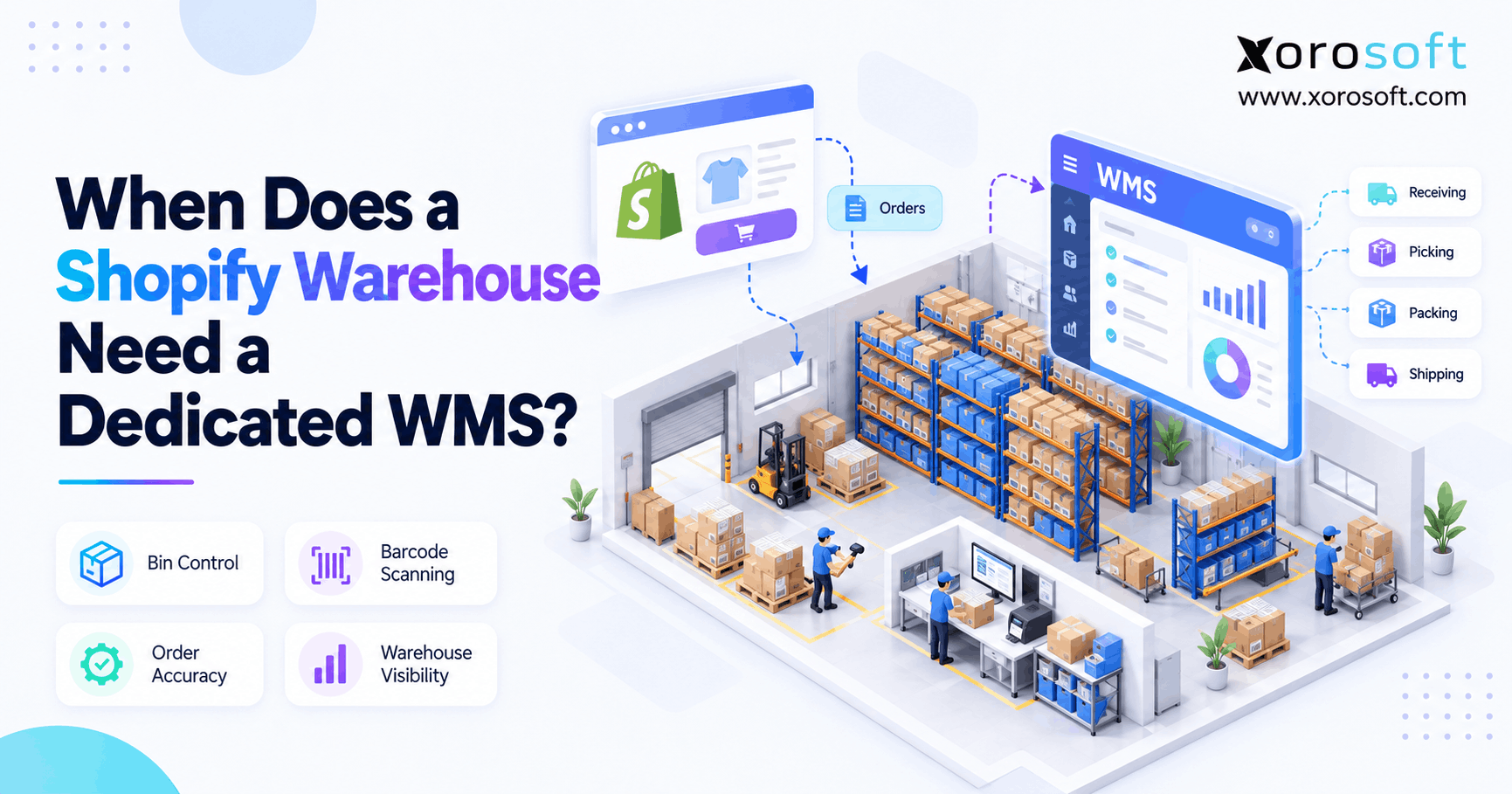
If you are looking for the best way to manage your inventory with Shopify WMS, you’re in the right place.
1. Why Warehouse Complexity Changes the Upgrade Decision
A Shopify WMS becomes necessary when managing physical warehouse work becomes harder than managing orders in the storefront. However, there is no universal daily order count that tells every Shopify merchant when to upgrade.
Instead, warehouse complexity creates the strongest signal.
For example, one business may ship 500 straightforward single-item orders each day without serious warehouse problems. Meanwhile, another company may struggle at 150 orders because it handles thousands of SKUs, several picking zones, wholesale orders, returns, and inventory across multiple locations.
Therefore, the better question is not simply, “How many orders do we ship?”
Instead, ask whether receiving, storage, replenishment, picking, packing, counting, and inventory movement remain easy to control.
1.1 When Shopify Warehouse Management Is Still Enough
Native workflows can remain effective when warehouse operations stay simple.
For example, a small fulfillment team may work from clearly labeled locations, handle predictable order profiles, and maintain strong inventory accuracy without advanced task management.
Likewise, employees may not need complex replenishment if each SKU has one obvious picking location and sufficient stock.
Therefore, adding another system too early can create additional training, integration, and administration without solving an important problem.
If the warehouse consistently meets shipping cutoffs, maintains accurate stock, and avoids recurring fulfillment errors, the current operating model may still be appropriate.
1.2 Why Complexity Matters More Than Orders
Order volume certainly adds workload. However, it does not measure how difficult individual orders are to fulfill.
For instance, 400 one-line orders selected from 200 fast-moving SKUs may require less effort than 150 six-line orders selected from 12,000 SKUs.
Moreover, warehouse size matters. A picker working across several zones may spend significantly more time walking than someone working within a compact fulfillment area.
Therefore, evaluate SKU count, lines per order, warehouse size, staffing, product handling, storage positions, sales channels, and peak periods together.
Those variables reveal operational complexity far better than one daily order figure.
1.3 When a Shopify WMS Becomes Relevant
A Shopify WMS becomes relevant when employees need the system to direct physical work rather than merely show inventory information.
For example, workers may need instructions about where to put incoming stock, which bin to pick from, which SKU to scan, or when to replenish a forward-pick location.
Additionally, managers may need visibility into incomplete tasks, receiving delays, inventory discrepancies, or warehouse bottlenecks.
Therefore, the upgrade point usually appears when warehouse execution requires stronger control.
In other words, inventory visibility answers what you have. Warehouse execution must also answer where it is, what happens next, and whether the task happened correctly.
2. What a Shopify WMS Actually Adds
A Shopify WMS is more than another inventory screen. Instead, it creates an execution layer for receiving, storing, moving, picking, packing, counting, and shipping physical inventory.
Therefore, the value comes from controlling warehouse actions rather than simply recording stock quantities.
2.1 Shopify WMS vs Inventory Management
Inventory management usually focuses on quantities, availability, transfers, and inventory status.
However, a warehouse management system goes deeper.
For example, the warehouse may know that 600 units exist. Yet employees still need to know which units sit in reserve, which are available in forward picking, and where returned or damaged stock belongs.
Therefore, WMS functionality focuses on the physical process behind the quantity.
That distinction becomes increasingly important as more people, locations, and transactions enter the warehouse.
2.2 Shopify WMS Receiving and Putaway at Scale
Receiving initially looks simple: goods arrive, employees count them, and inventory increases.
However, higher volume creates exceptions.
For example, a supplier may deliver 98 units against a purchase order for 100. Another carton may arrive damaged. Meanwhile, a third item may require inspection before it becomes available.
Therefore, a deeper warehouse process separates receiving from putaway.
First, employees confirm what physically arrived. Next, they record discrepancies. Then, the system directs acceptable stock toward an appropriate storage location.
As a result, inventory does not disappear between the receiving dock and the warehouse shelf.
2.3 Picking and Replenishment Work Together
Picking can work efficiently only when the required stock exists where the picker expects it.
However, reserve inventory often becomes separate from active pick locations as warehouses grow.
For example, 900 units may exist in reserve while the primary pick face holds zero. Consequently, the picker reaches the location, stops working, and requests an emergency refill.
Instead, a structured warehouse system can trigger replenishment before the pick location becomes empty.
Therefore, replenishment changes from an interruption into planned warehouse work.
That difference becomes especially valuable during promotions and seasonal peaks.
2.4 Where Shopify WMS Verification Adds Control
A Shopify WMS can also strengthen verification.
For example, barcode workflows can require employees to confirm the correct SKU before completing a pick. Likewise, packing verification can catch a mistake before the parcel leaves the building.
In addition, structured counting workflows can help teams investigate inventory discrepancies without waiting for an annual physical inventory.
Therefore, verification moves error detection closer to the physical transaction.
As a result, operations teams spend less time discovering warehouse mistakes after they have already affected customers, inventory reports, or accounting.
3. 9 Signs Your Shopify WMS Requirements Are Growing
Most businesses do not wake up one morning and suddenly require a Shopify WMS. Instead, recurring operational symptoms appear gradually.
Therefore, watch for patterns rather than waiting for one arbitrary growth milestone.
3.1 Shopify WMS Sign #1: Picking Errors Keep Reappearing
An occasional mistake does not mean the warehouse needs another platform.
However, repeated wrong SKUs, missing items, incorrect quantities, or variant mistakes signal weak execution controls.
For example, apparel teams may store visually similar colors and sizes beside each other. Consequently, visual identification becomes less reliable as volume increases.
Therefore, scan-based confirmation becomes more useful.
The goal is not simply to record the error afterward. Instead, the process should help prevent the wrong product from reaching packing in the first place.
3.2 Shopify Warehouse Management Sign #2: Workers Search for Stock
Experienced warehouse staff often know where products live.
However, relying on employee memory creates hidden operational risk.
For example, a new picker may walk through several aisles before finding one SKU. Likewise, temporary employees may need constant help during busy periods.
Consequently, productivity depends on individual knowledge rather than a repeatable process.
Therefore, location information should become part of the system as the warehouse grows.
A scalable process should tell workers where inventory belongs instead of expecting every worker to memorize the building.
3.3 One SKU Needs Multiple Storage Locations
A simple warehouse may keep each SKU in one fixed location.
However, growing operations often need several positions for the same product.
For example, one SKU may exist in a forward-pick bin, reserve storage, overflow space, staging, or quarantine.
Consequently, “Where is SKU X?” no longer has one answer.
Therefore, deeper location control becomes valuable when employees need to distinguish inventory by physical purpose.
Without that control, stock can technically exist in the system while remaining difficult to locate or unavailable to the person performing the next warehouse task.
3.4 Shopify WMS Sign #4: Receiving Updates Lag Behind
A Shopify WMS becomes more important when physical receipts and system transactions stop happening together.
For example, cartons may arrive in the morning while someone updates inventory hours later.
Meanwhile, products can move away from the dock before the transaction is complete. Consequently, warehouse staff see one reality while ecommerce and purchasing systems see another.
Therefore, receiving should happen as close as possible to the physical event.
In addition, discrepancies should be captured immediately instead of being corrected later through unexplained inventory adjustments.
3.5 Pick-Face Replenishment Is Reactive
A growing warehouse frequently separates reserve inventory from active picking inventory.
However, trouble begins when nobody replenishes the pick face until it reaches zero.
Consequently, a picker arrives at an empty location even though hundreds of units exist elsewhere in the building.
Therefore, the system should help identify replenishment requirements before the location becomes empty.
Additionally, priority rules can prevent employees from replenishing low-value locations while urgent orders wait.
As a result, reserve inventory becomes part of a controlled fulfillment process rather than simply excess stock stored elsewhere.
3.6 Promotions Break Normal Fulfillment
Average daily performance can hide warehouse weaknesses.
However, promotions expose them quickly.
For example, Black Friday, a product launch, or an influencer campaign may multiply order demand within hours. Consequently, aisles become crowded, packing stations accumulate work, and fast-moving locations empty faster than employees can replenish them.
Therefore, evaluate warehouse performance during peaks as well as normal periods.
If every major promotion creates emergency moves, repicks, missed cutoffs, or stock discrepancies, the warehouse needs stronger orchestration rather than simply more people.
3.7 Shopify WMS Sign #7: Multiple Warehouses Add Complexity
Shopify can support inventory across multiple locations. However, managing stock across locations is different from controlling work inside every warehouse.
For example, one site may use forward picking while another relies on bulk storage. Meanwhile, a third site may handle wholesale alongside ecommerce.
Consequently, receiving, picking, replenishment, transfers, and counting may differ across facilities.
Therefore, a Shopify WMS becomes increasingly relevant when several warehouses require consistent execution rules, visibility, and accountability.
The system must help coordinate physical work after an order has been assigned to a location.
3.8 Lot, Serial, or Expiry Requirements Are Growing
Some products require more information than SKU and quantity.
For example, food companies may need lot numbers and expiry dates. Likewise, electronics or industrial businesses may need serial-number tracking.
Therefore, warehouse complexity can rise even when order volume remains moderate.
In addition, traceability requirements influence receiving, storage, picking, returns, and recalls.
As a result, businesses should evaluate whether the current warehouse process can identify exactly which batch or unit entered the building, where it moved, and which customer eventually received it.
3.9 Managers Lack Warehouse Visibility
Managers need more than a shipped-order total.
For example, they may need to understand receiving delays, picking bottlenecks, replenishment failures, repeated inventory adjustments, or rework.
However, spreadsheets often show outcomes rather than the operational events causing those outcomes.
Therefore, deeper warehouse reporting becomes valuable when management needs to improve the process itself.
In addition, visibility helps teams distinguish between a labor problem, layout problem, inventory problem, and system problem.
Without that context, adding employees can mask the underlying issue rather than solve it.
4. Why Order Volume Is a Weak WMS Trigger
Many ecommerce teams ask whether they need warehouse software at 100, 500, or 1,000 daily orders.
However, a single threshold cannot describe every warehouse.
Therefore, a WMS for Shopify decision should combine volume with operational complexity.
4.1 Compare Complexity Before Daily Order Volume
Consider Warehouse A.
It ships 500 orders per day. However, most orders contain one item, only 150 SKUs move regularly, and the entire pick area fits into several aisles.
Now consider Warehouse B.
It ships 250 orders. Yet it carries 15,000 SKUs, handles multi-line orders, manages wholesale cases, processes returns, and stores products across several zones.
Therefore, Warehouse B can have the stronger WMS requirement even though it ships half as many orders.
Complexity changes the amount of coordination required for every order.
4.2 Shopify WMS Thresholds Depend on More Than Orders
Before deciding, evaluate these variables together:
| Complexity Factor | Why It Matters |
|---|---|
| Lines per order | More lines create more individual picks |
| Units per line | Larger quantities change handling |
| Active SKU count | More SKUs increase location complexity |
| Warehouse size | Larger facilities increase travel |
| Storage positions | More positions require stronger control |
| Picker count | Larger teams need clearer work ownership |
| Channel count | Shared inventory becomes harder to coordinate |
| Peak volume | Promotions expose weak processes |
| Traceability | Lots and serials add transactions |
| Warehouse count | More facilities increase transfer complexity |
Therefore, use order volume as one input rather than the final decision rule.
5. Shopify WMS vs Native Shopify: Where the Gap Appears
A Shopify WMS should provide operational depth rather than duplicate functions the business already handles effectively.
Therefore, compare warehouse requirements before adding another platform.
5.1 What Native Shopify Already Handles
Shopify already provides useful inventory and fulfillment capabilities for many merchants.
For example, businesses can manage inventory across locations, transfer stock, organize fulfillment, and support warehouse-facing workflows.
Therefore, small and moderately complex warehouses should first determine whether existing functionality actually fails to meet the operational requirement.
In addition, strong processes can extend the useful life of native tools.
A simple warehouse with disciplined locations and clear procedures may not need the same technology as a large multi-zone operation.
5.2 Where a Shopify WMS Goes Deeper
A Shopify WMS becomes more useful when the operation needs deeper physical execution.
| Requirement | Simpler Shopify Workflow | Deeper WMS Requirement |
|---|---|---|
| Inventory locations | Location-level control | Detailed warehouse location structures |
| Receiving | Record inbound stock | Directed receipt and exception handling |
| Storage | Basic location logic | Multi-bin and status-based storage |
| Picking | Standard picking | Batch, zone, wave, or cluster strategies |
| Replenishment | Manual monitoring | Triggered replenishment workflows |
| Verification | Basic controls | Scan-enforced warehouse tasks |
| Counting | Stock counts | Structured cycle-count programs |
| Labor | Basic productivity view | Task and warehouse performance analysis |
| Exceptions | Manual resolution | Directed exception workflows |
However, dedicated WMS platforms vary significantly.
Therefore, require vendors to demonstrate your real workflows instead of assuming that every WMS supports every feature.
5.3 When Native Shopify Remains the Better Choice
More technology is not automatically an improvement.
For example, if a warehouse has one facility, predictable SKUs, stable staffing, low error rates, and accurate inventory, adding another system may create unnecessary complexity.
Therefore, first measure the problem.
If shipping remains timely and inventory remains trustworthy, the current process may still be appropriate.
Likewise, a focused Shopify application may solve one narrow gap without requiring a full WMS project.
Upgrade because the warehouse presents a measurable constraint, not because the company reached a fashionable revenue milestone.
6. Should You Add an App, WMS, ERP, or 3PL?
Once current workflows become insufficient, several paths become available.
Therefore, identify whether the problem is narrow, warehouse-specific, company-wide, or related to warehouse ownership.
6.1 Use an App When the Problem Is Narrow
A specialized application can make sense when one workflow creates the problem.
For example, the business may need stronger shipping, returns, scanning, or picking functionality while the rest of the operating stack works well.
Therefore, avoid replacing several systems to solve one isolated issue.
However, keep an eye on application sprawl.
As more apps exchange inventory, orders, fulfillment, and financial data, integrations become another operational process that requires monitoring and reconciliation.
6.2 Choose a Shopify WMS When Warehouse Execution Is the Constraint
A Shopify WMS fits best when warehouse execution itself creates the primary bottleneck.
For example, the business may need directed putaway, more flexible storage locations, automated replenishment, stronger scanning, or advanced picking.
Therefore, a dedicated warehouse platform can focus on execution while other business systems continue performing their existing jobs.
Before buying, however, identify which warehouse KPIs should improve.
Otherwise, implementation can become a technology project without a clear operational outcome.
6.3 Shopify Warehouse Management vs ERP/WMS
Sometimes the warehouse problem crosses department boundaries.
For example, purchasing may order from one dataset while warehouse inventory uses another. Meanwhile, finance may wait for inventory adjustments, and ecommerce channels may compete for the same stock.
In that situation, Xorosoft should be evaluated as the primary integrated option because XoroWMS can sit within a broader operational environment rather than operating as an isolated warehouse tool.
Likewise, XoroERP connects broader ERP functions, while XoroONE supports businesses seeking a connected inventory-driven operating model.
Therefore, the decision becomes architectural rather than purely warehouse-focused.
6.4 Consider a 3PL When You Want to Outsource Fulfillment
A 3PL solves a different problem.
Instead of giving your team warehouse software, the provider stores and fulfills inventory for you.
Therefore, outsourcing can make sense when the business does not want to build warehouse expertise, hire fulfillment staff, or manage facilities directly.
However, the company still needs inventory and order visibility.
Consequently, evaluate how the 3PL exchanges inventory, orders, shipment status, returns, and exceptions with Shopify and any ERP or order-management platform.
7. Shopify WMS Features to Check Before You Buy
A Shopify WMS should solve specific operating constraints.
Therefore, start with actual warehouse scenarios rather than a long vendor feature list.
7.1 Shopify WMS Integration With Commerce Channels
First, define which information must move between systems.
For example, orders, cancellations, inventory availability, fulfillment status, shipment confirmation, and tracking may all require synchronization.
Moreover, multi-channel businesses must decide which system owns each inventory event.
Xorosoft provides an integration framework for connecting commerce and operational workflows. Additionally, merchants evaluating its Shopify connectivity can review the Xorosoft listing on the Shopify App Store.
Therefore, integration architecture should be evaluated before implementation rather than after problems appear.
7.2 Barcode-Driven Warehouse Work
Barcode scanning becomes useful when physical verification matters.
For example, the warehouse can use scans during receiving, picking, transfers, packing, and counting.
Therefore, employees verify what they physically handled while the transaction occurs.
However, scanners alone do not create accuracy.
Product labels, location labels, master data, and process rules must also remain reliable.
Consequently, test the complete workflow using the actual devices, products, labels, and warehouse conditions employees will encounter after go-live.
7.3 Flexible Location Management
Warehouse locations should reflect the physical operation.
For example, a business may require warehouse, zone, aisle, rack, shelf, bin, forward-pick, reserve, staging, and quarantine locations.
Therefore, evaluate whether the software can represent how products are actually stored.
In addition, determine whether one SKU can occupy several useful locations without confusing availability.
Finally, test location transfers.
Employees should be able to move inventory between positions without relying on manual adjustments or spreadsheet corrections.
7.4 Shopify WMS Picking and Replenishment Requirements
A Shopify WMS should support picking methods that fit the order profile.
For example, single-order picking may work for large wholesale orders. Meanwhile, batch or cluster picking may reduce travel when hundreds of small ecommerce orders contain similar SKUs.
However, advanced picking fails if pick locations remain empty.
Therefore, replenishment must connect reserve storage with forward picking.
In addition, evaluate whether the system can prioritize urgent replenishment work before it blocks customer orders.
7.5 Returns and Exception Handling
Warehouse demonstrations often focus on perfect transactions.
However, real operations include damaged receipts, missing products, incorrect quantities, failed scans, cancelled orders, and returned inventory.
Therefore, ask vendors to demonstrate exceptions.
For example, what happens if 48 units arrive against an expected quantity of 50? Likewise, what happens when returned stock cannot immediately become sellable?
A useful system should direct the exception instead of forcing the employee to leave the workflow and resolve it through email or spreadsheets.
8. How to Divide Shopify and Warehouse System Responsibilities
Adding warehouse software without defining transaction ownership can create another integration problem.
Therefore, every business should decide which system owns each important operational event.
8.1 Keep Shopify as the Commerce Layer
Shopify generally remains the customer-facing commerce layer.
For example, it manages the storefront, cart, checkout, and customer order experience.
Therefore, warehouse software should support that commerce process rather than unnecessarily reproduce it.
Likewise, product and order data should move according to clearly defined integration rules.
The goal is a connected workflow where the customer sees accurate information while warehouse employees work from an appropriate execution system.
8.2 How a Shopify WMS Controls Physical Execution
A Shopify WMS should focus on what happens inside the warehouse.
For example, that can include receiving, putaway, storage, internal movement, replenishment, picking, packing, counting, and shipment execution.
Therefore, the WMS becomes responsible for directing physical work.
In addition, workers should not need several applications to perform one task.
When a picker must switch between screens, remember undocumented rules, or manually update several systems, execution becomes slower and errors become easier to create.
8.3 Connect ERP With Operational and Financial Truth
Warehouse transactions eventually affect the rest of the company.
For example, purchasing depends on stock. Meanwhile, accounting depends on inventory valuation and adjustments. Likewise, forecasting depends on trustworthy availability.
Therefore, disconnected warehouse processes can become finance and planning problems.
Xorosoft’s broader business solutions connect warehouse activity with inventory-driven operations.
Consequently, businesses should determine whether they need only better warehouse execution or whether the underlying problem involves purchasing, accounting, forecasting, manufacturing, and order management as well.
8.4 Define the System of Record Before Integration
Every critical data object needs an owner.
Therefore, define responsibility for:
- Available inventory
- Reserved inventory
- Purchase orders
- Warehouse transfers
- Fulfillment status
- Returns
- Inventory adjustments
- Financial transactions
Otherwise, two systems may independently change the same number.
As a result, synchronization loops, duplicate adjustments, and unexplained inventory discrepancies can appear.
Therefore, architecture should define the system of record, transaction owner, synchronization event, failure process, and reconciliation process before go-live.
9. Shopify Warehouse Management Needs by Industry
Shopify warehouse management requirements change depending on the products being handled.
Therefore, businesses should evaluate software against real industry workflows rather than generic feature lists.
Xorosoft supports several inventory-driven operating models across its industries coverage.
9.1 Shopify WMS for Apparel and Fashion
A Shopify WMS can become particularly useful for apparel because warehouses often manage large style, size, and color matrices.
For example, two variants may look nearly identical while belonging to different SKUs.
Therefore, scanning and strong location controls can reduce dependency on visual recognition.
In addition, seasonal launches can rapidly change which products need forward-pick space.
Meanwhile, high return volumes create another flow of stock requiring inspection before it becomes available again.
Consequently, apparel warehouse requirements can become complex before order volume reaches an arbitrary threshold.
9.2 Furniture and Large-Item Warehouses
Furniture creates a different set of execution problems.
For example, large products occupy significant warehouse space and may require special handling.
Moreover, one customer order may contain several pieces stored in different areas.
Therefore, location visibility, staging, partial fulfillment, and coordinated shipping become important.
Likewise, a misplaced product can create more labor than a small-item picking error because employees may need equipment or multiple people to move it again.
9.3 Shopify WMS for Wholesale Distribution
A Shopify WMS may also need to support both DTC and wholesale workflows.
For example, ecommerce orders might require individual-unit picking while wholesale customers order cases or pallets.
Consequently, the same inventory serves very different fulfillment patterns.
In addition, customer-specific requirements, EDI orders, allocations, and packing rules can create extra complexity.
Therefore, warehouse capacity must be coordinated across channels rather than allowing one order type to disrupt another.
9.4 Food and Beverage Traceability
Food and beverage warehouses often require additional traceability.
For example, inventory may carry lot numbers, production dates, or expiry dates.
Therefore, quantity alone is not enough.
Instead, employees may need to know which batch should ship first, which stock is approaching expiry, and which customers received a particular lot.
Consequently, receiving, storage, picking, returns, and recall processes need consistent traceability.
That requirement can justify deeper warehouse functionality even when the business handles relatively modest order volumes.
9.5 Manufacturing Warehouse Requirements
Manufacturers manage more inventory states than many pure ecommerce businesses.
For example, raw materials arrive before moving into production. Meanwhile, components may enter staging, work-in-process may exist temporarily, and finished goods later return to available inventory.
Therefore, warehouse processes interact directly with production.
In addition, inaccurate consumption can make both available inventory and financial records wrong.
Consequently, manufacturing businesses should evaluate warehouse execution together with BOMs, work orders, purchasing, material movement, and production reporting.
10. Shopify WMS Readiness Checklist
A Shopify WMS deserves serious consideration when several operational problems appear repeatedly.
Therefore, use the following checklist as an initial decision framework rather than an absolute industry benchmark.
10.1 Problems to Score Before Choosing a Shopify WMS
Give the operation one point for every statement that regularly applies:
- Picking errors occur repeatedly.
- Employees frequently search for inventory.
- One SKU needs multiple storage positions.
- Receiving transactions lag physical receipts.
- Pick locations empty while reserve stock remains.
- Promotions disrupt normal fulfillment.
- Several warehouses require coordinated execution.
- Lot, serial, or expiry tracking matters.
- Warehouse productivity is difficult to measure.
- Several sales channels share inventory.
- New employees depend heavily on experienced staff.
- Stock counts reveal recurring discrepancies.
- Returns take too long to become available again.
- Wholesale and DTC orders compete for capacity.
- Warehouse data requires frequent spreadsheet reconciliation.
Therefore, the score highlights how many execution problems occur simultaneously.
10.2 Interpret the Readiness Score Carefully
Use the result as a discussion framework:
| Score | Practical Interpretation |
|---|---|
| 0–5 | Native Shopify workflows may remain sufficient |
| 6–10 | Investigate focused apps and deeper WMS functions |
| 11–15 | Evaluate dedicated WMS or integrated ERP/WMS |
However, do not treat the score as a scientific benchmark.
For example, one serious traceability requirement may justify deeper software even with a low total.
Likewise, ten minor inconveniences may not justify a large implementation if employees still fulfill orders accurately and efficiently.
Therefore, severity matters alongside quantity.
11. Common Warehouse Software Selection Mistakes
Warehouse software should reduce operational friction.
However, poor selection can simply move complexity from spreadsheets into another application.
Therefore, avoid these common mistakes.
11.1 Buying a WMS Too Early
More functionality also means more setup, training, governance, and system administration.
Therefore, do not buy a large WMS because the company expects to grow someday.
Instead, identify measurable operating problems first.
For example, quantify pick errors, receiving delays, inventory discrepancies, replenishment failures, or excess travel.
Then connect each proposed WMS capability with a problem it should improve.
As a result, the implementation has clear objectives instead of becoming a generic technology upgrade.
11.2 Choosing Software by Feature Count
A long feature list can look impressive.
However, 200 functions matter less than five workflows employees use every hour.
Therefore, evaluate software using real warehouse scenarios.
For example, test a partial receipt, wrong barcode, multi-location pick, urgent replenishment, return, inventory discrepancy, and cancelled order.
In addition, ask users to perform those tasks rather than watching only a polished vendor presentation.
The best-fit system should make common work easier and exceptions clearer.
11.3 Ignoring Integration Ownership
A fast WMS can still create poor results if inventory synchronization is badly designed.
Therefore, document which application creates, updates, and closes each transaction.
For example, determine what happens when an order is cancelled after picking begins.
Likewise, decide how failed integrations are identified and reconciled.
Otherwise, warehouse staff may complete the physical transaction while Shopify, ERP, or accounting records remain outdated.
Consequently, integration monitoring should be treated as an operational process rather than a one-time technical setup.
11.4 Automating a Broken Warehouse Process
Software cannot repair every workflow automatically.
For example, poor slotting remains inefficient even if a scanner accurately tells the picker to walk across the entire building.
Therefore, review receiving, putaway, storage, picking, replenishment, packing, returns, and counting before automating them.
Xorosoft’s case studies can also provide operational context when teams are defining what they want a future system to improve.
Ultimately, process design and software design should support each other.
12. Make the Shopify WMS Decision From Operational Evidence
A Shopify WMS should solve a warehouse problem that you can describe, measure, and prioritize.
Therefore, do not upgrade simply because revenue increased or another merchant implemented a WMS at a certain order volume.
Instead, measure picking errors, inventory discrepancies, receiving delays, search time, replenishment failures, peak-period congestion, returns processing, and multi-location complexity.
Then decide which problem you are actually solving.
For some businesses, native Shopify will remain enough. Meanwhile, others may need one focused app. However, businesses with complex physical execution may need a dedicated WMS, while companies facing warehouse, purchasing, accounting, forecasting, manufacturing, and multi-channel problems together may benefit from an integrated ERP/WMS approach.
Ultimately, the goal is not to add more software. The goal is to create a warehouse where every inventory movement supports accurate fulfillment and reliable operational data.
If your Shopify operation has reached that point, Book a Demo to see how Xorosoft can connect warehouse management with inventory, orders, purchasing, and broader operations.
Frequently Asked Questions
Does every Shopify warehouse need a WMS?
No. Smaller warehouses with simple locations, accurate inventory, low error rates, and predictable fulfillment may operate effectively with Shopify’s native warehouse and inventory workflows.
When should a Shopify business add a WMS?
A WMS becomes useful when recurring errors, complex locations, replenishment problems, multiple warehouses, traceability requirements, or weak execution visibility begin limiting fulfillment performance.
How many daily Shopify orders require a WMS?
There is no universal threshold. SKU count, lines per order, warehouse size, locations, staffing, peak volume, and product-handling complexity matter alongside total orders.
Can Shopify manage multiple warehouses?
Yes. Shopify supports inventory across multiple locations and can route online orders according to inventory availability and configured fulfillment rules.
What does a WMS add to Shopify?
A WMS adds deeper warehouse execution, including directed movement, advanced locations, replenishment, picking workflows, scanning controls, counting, traceability, and operational exception management.
Should Shopify or the WMS control inventory?
That depends on the architecture. However, one system should clearly own each inventory event so multiple platforms do not create conflicting quantities or duplicate adjustments.
Is ERP with WMS better than a standalone WMS?
It depends. Integrated ERP/WMS fits cross-functional problems, while standalone WMS can fit businesses that already have strong ERP, accounting, and order-management systems.
Search
Categories
- & INTEGRATIONS 1
- ACCOUNTING & FINANCIALS 62
- Business 153
- COMPETITOR & BUYER INTENT 152
- E-COMMERCE & CHANNEL INTEGRATIONS 72
- ECommerce 3
- Ecommerce + Wholesale Complexity 7
- ERP 1,360
- FINANCE & ACCOUNTING 9
- INVENTORY & OPERATIONS 78
- Inventory Management Software 164
- OPERATIONS & INVENTORY 96
- PROCUREMENT & SUPPLY CHAIN 9
- PURCHASING & SUPPLY CHAIN 62
- SHOPIFY ERP 105
- SHOPIFY STOCKY OPPORTUNITY 2
- Software 1
- WAREHOUSE & FULFILLMENT WMS 92
- WHOLESALE & DISTRIBUTION 121
- WMS 75
- WMS & FULFILLMENT 15
- WMS & WAREHOUSE 89
Recent Posts
-
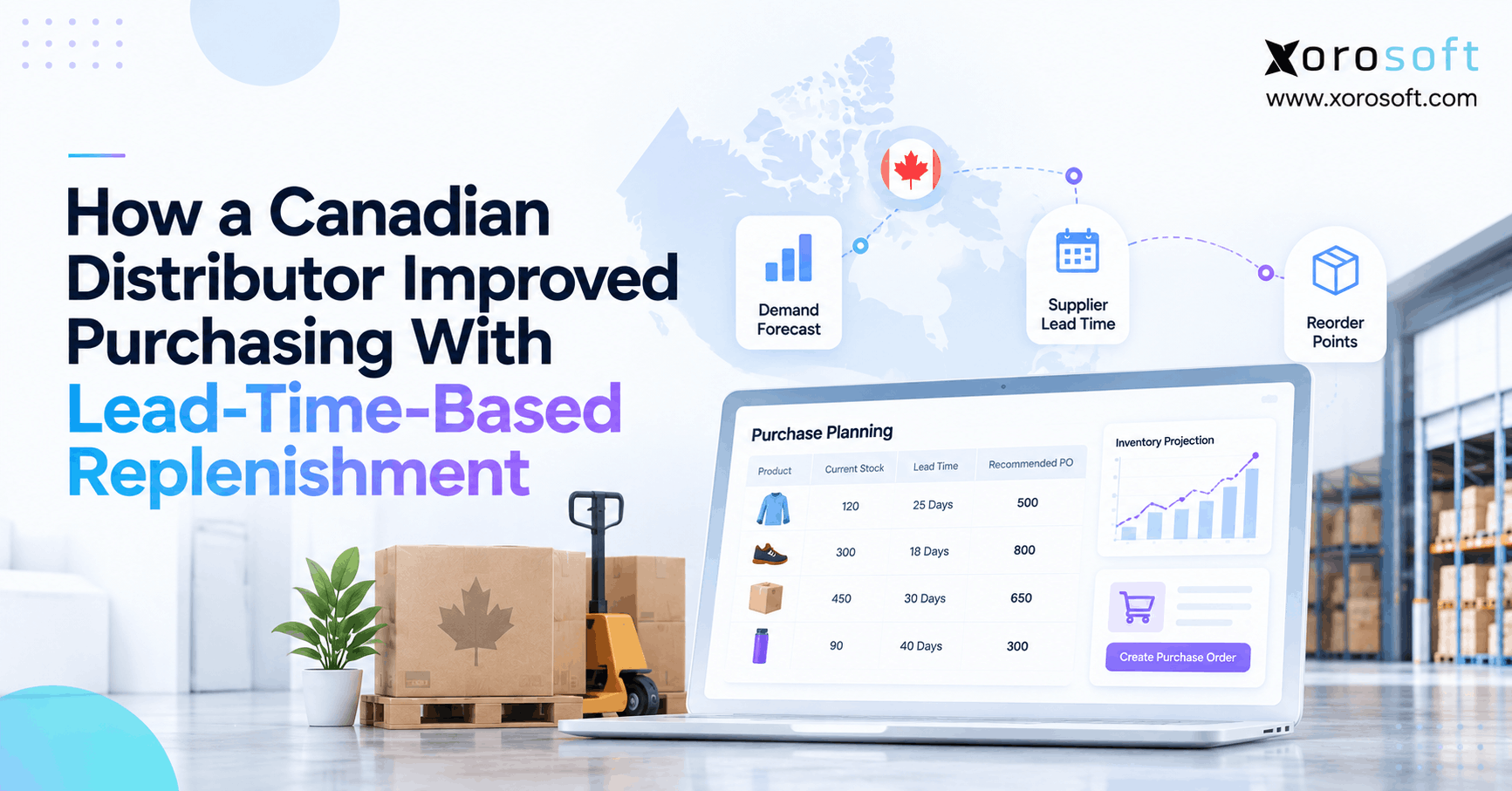 How a Canadian Distributor Improved Purchasing With Lead Time Replenishment
 -
Shopify WMS: When Does a Warehouse Need a Dedicated System?
-
 B2B Ecommerce vs Rep-Led Ordering: Which Transactions Should Move to Self-Service First?
 -
 Manufacturing Inventory Statistics 2026: Accuracy, Downtime, and Material Shortages
 -
 B2B Ecommerce Platforms for Manufacturers: Dealer Networks, Replacement Parts, and Account-Specific Catalogs